
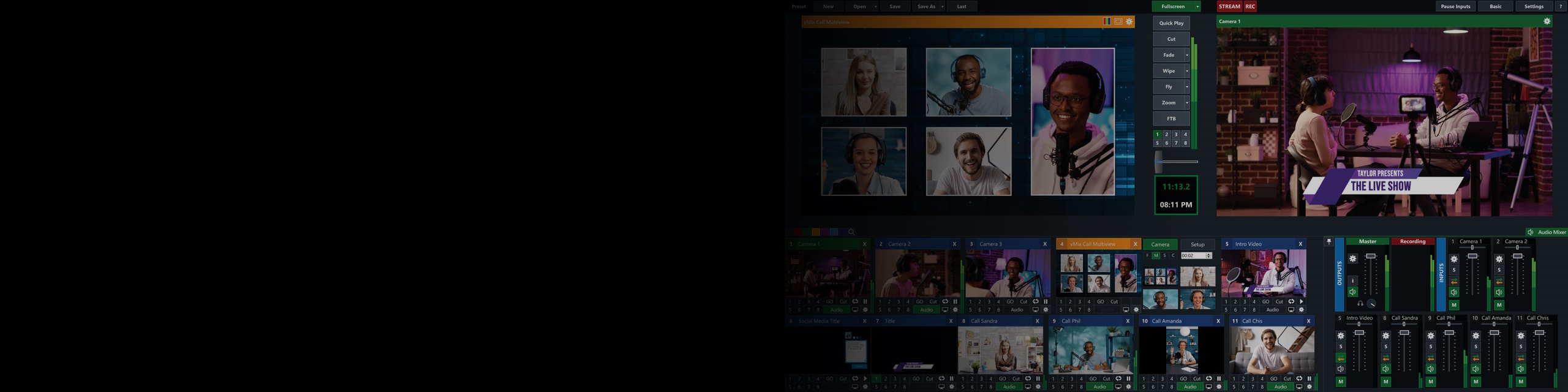
Hardware Recommendations for vMix
We have worked with the developers of vMix to offer workstations based on their internal testing data. The information below has been gathered from their website and our dialog with their team.
vMix System Requirements
Quickly Jump To: Processor (CPU) • Video Card (GPU) • Memory (RAM) • Storage (Drives)
Unlike most software developers, vMix doesn’t just list minimum system requirements – they actually test a variety of hardware configurations to ensure reliable ingesting and recording of multiple camera feeds! With that info, they have populated a section of their website with vMix Reference Systems – and we, in turn, have used those as the foundation for these recommended systems.
The testing they performs entails running vMix with a mix of live and non-live sources, often for multiple days, and monitoring for dropped frames. Here at Puget Systems, we are not currently set up to duplicate this type of testing – so for now, we are using vMix’s guidance to inform our recommendations. Don’t think of these systems as the only options for vMix, though! If your workflow involves even more demanding situations, or additional software, it should be safe to exceed the configurations listed here… just don’t go any lower.
What hardware do I need for the best performance in vMix?
A balanced system configuration, with a strong CPU, capable GPU, fast RAM, and high-speed storage is essential to ensure stable performance in vMix. Any one of those areas has the potential to become a bottleneck, so it is important to plan ahead with regard to how many inputs at what resolutions you will be working with. Once you know that, our recommendations can help get you to the right sort of hardware – and if you have questions, or team of consultants can guide you further and provide tailored advice for your situation.
Processor (CPU)
What is the best type of CPU for vMix?
vMix uses the CPU heavily, and benefits from high per-core clock speeds. As such, CPUs like Intel’s Core™ Ultra do very well – especially with mid-size input counts (4 to 8 concurrent sources). If you need to step up to even more cameras, Intel Xeon® W and AMD Threadripper™ processors can do the job, but it is important to ensure sufficient base clock speeds, memory channel configurations, and more.

Looking for a vMix Workstation?
We build computers tailor-made for your workflow.

Don’t know where to start?
We can help!
Get in touch with our technical consultants today.
Video Card (GPU)
What is the best video card (GPU) for vMix?
vMix leverages NVIDIA’s Encoding (NVENC), so the GeForce RTX™ 50 Series graphics cards are ideal. The exact model necessary depends on how many live sources you are handling and how many streams and records you need, but broadly speaking, the RTX 5060 Ti will handle up to 4 inputs, the RTX 5070 Ti up to 8, and we recommend an RTX 5080 or 5090 if you intend to have even more concurrent inputs than that.
Memory (RAM)
How much system memory (RAM) does vMix need?
Memory requirements depend on how many inputs and what resolution you plan to use, as well as any additional applications that will be running alongside vMix. For most productions, 32GB of fast, multi-channel RAM is ideal – but if you want to handle more than 4 x HD sources in Instant Replay, then you’ll want 64GB. Higher amounts of RAM are available, of course, and advised if the system will be used for other demanding applications as well.
Storage (Drives)
What sort of drive configuration is best for vMix?
High-speed storage is essential for stable vMix recording, especially when dealing with multiple inputs. A single drive can be used if necessary, but putting your OS and applications on a separate drive from where you record is even better. If you need a lot of recording space, our recommended systems support multiple storage drives.
Should I use a solid-state drive (SSD) for vMix?
Absolutely! Traditional, spinning hard drives are far too slow to handle multi-camera recording – and even a lot of SSDs will struggle under that load. We follow vMix’s guidance here, which is to recommend the Samsung 990 PRO series of M.2 NVMe drives – which are well regarded for maintain stable transfer rates even for extended periods of time.
Looking for a vMix workstation?
We build computers that are tailor-made for your workflow.
Don’t know where to start? We can help!
Get in touch with one of our technical consultants today.