Skip to content

Main Navigation

Puget Systems Logo
  • Solutions
    • Recommended Systems For:
    • Content Creation
      • Photo Editing
        • Recommended Systems For:
        • Adobe Lightroom Classic
        • Adobe Photoshop
      • Video Editing
        • Recommended Systems For:
        • Adobe After Effects
        • Adobe Premiere Pro
        • DaVinci Resolve
        • Foundry Nuke
      • 3D Design & Animation
        • Recommended Systems For:
        • Autodesk 3ds Max
        • Autodesk Maya
        • Blender
        • Cinema 4D
        • Houdini
        • ZBrush
      • Real-Time Engines
        • Recommended Systems For:
        • Game Development
        • Unity
        • Unreal Engine
        • Virtual Production
      • Rendering
        • Recommended Systems For:
        • Keyshot
        • OctaneRender
        • Redshift
        • V-Ray
      • Digital Audio
        • Recommended Systems For:
        • Ableton Live
        • FL Studio
        • Pro Tools
    • Engineering
      • Architecture & CAD
        • Recommended Systems For:
        • Autodesk AutoCAD
        • Autodesk Inventor
        • Autodesk Revit
        • SOLIDWORKS
      • Visualization
        • Recommended Systems For:
        • Enscape
        • Lumion
        • Twinmotion
      • Photogrammetry & GIS
        • Recommended Systems For:
        • ArcGIS Pro
        • Agisoft Metashape
        • Pix4D
        • RealityCapture
    • Scientific Computing
      • Recommended Systems For:
      • Data Science
      • Machine Learning / AI
      • Scientific Computing
    • More
      • Recommended Systems For:
      • Compact Size
      • Live Streaming
      • NVIDIA RTX Studio
      • Quiet Operation
      • Virtual Reality
    • Business & Enterprise
      We can empower your company
    • Government & Education
      Services tailored for your organization
  • Products
    • Computer System Styles:
    • Desktop Workstations
      • AMD Ryzen
        • Ryzen 7000:
        • Mini Tower
        • Mid Tower
        • Full Tower
      • AMD Threadripper
        • Threadripper 7000:
        • Mid Tower
        • Full Tower
        • Threadripper PRO 7000WX:
        • Full Tower
      • Intel Core
        • Core 13th Gen:
        • Small Form Factor
        • Core 14th Gen:
        • Mini Tower
        • Mid Tower
        • Full Tower
      • Intel Xeon
        • Xeon W-2400:
        • Mid Tower
        • Xeon W-3400:
        • Full Tower
    • Laptop Workstations
      • Puget Mobile 17″
    • Puget Rackstations
      • Puget Rackstations
        • AMD:
        • Ryzen X670E 4U
        • Threadripper TRX50 4U
        • Threadripper PRO WRX90 4U
        • Intel:
        • Core Z790 4U
        • Xeon W790 4U
        • Xeon W790 5U
    • Puget Servers
      • Puget Servers:
      • E140-2U
      • E280-4U
    • Storage Solutions
      • Network Attached Storage
        • QNAP NAS Recommendations
      • Software-Defined Storage
        • Puget Storage:
        • 12-Bay 2U
        • 24-Bay 2U
        • 36-Bay 4U
    • Custom Computers
      Customize a workstation PC from scratch
    • Custom Rackmount Workstations
      Customize a rackmount workstation from scratch
    • Custom Servers
      Customize a rackmount server from scratch
    • Recommended Third Party Peripherals
      Curated list of accessories for your workstation
  • Publications
    • Articles
    • Blog Posts
    • Case Studies
    • HPC Blog
    • Podcasts
    • Press
    • PugetBench
  • Support
    • Contact Support
    • Support Articles
    • Warranty Details
    • Onsite Services
    • Unboxing
  • About Us
    • About Us
    • Contact Us
    • Our Customers
    • Enterprise
    • Gov & Edu
    • Press Kit
    • Testimonials
    • Careers
  • Talk to an Expert
  • My Account
  1. Home
  2. /
  3. Thermal Paste

Thermal Paste

  • All
  • Articles
  • HPC Blog
  • Blog
  • Case Studies
  • Podcasts
  • Press
  • Support

Thermal Paste Application Techniques

Posted on November 12, 2012 by Matt Bach

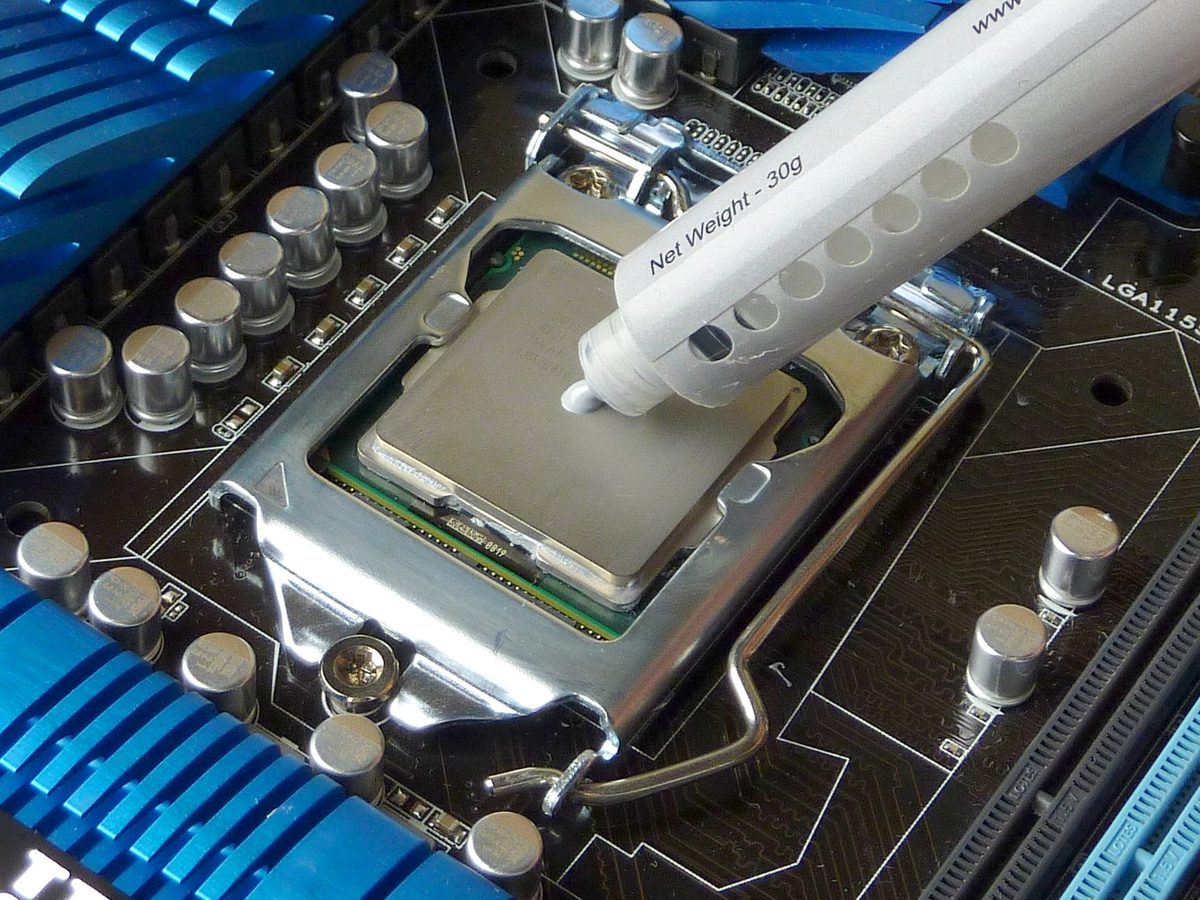
The best technique to apply thermal paste is something that is often debated, and as a whole the internet has not decided on a standard technique. There are many varying techniques that are recommended, so in this article we will best test a variety of techniques to see which performs the best.

Filter

Who is Puget Systems?

Puget Systems builds custom PCs tailored for your workflow

Extensive in-house testing
making you more productive and giving you more performance for your dollar

Reliable workstations
with fewer crashes and blue screens means more time working, less time waiting on your computer

Support that understands
your complex workflows and can get you back up and running ASAP

Proven track record
check out our customer testimonials and Reseller Ratings

Get Started

Browse Our Workstations

Fractal Design Define 7 Chassis with Puget Systems Logo

Select your workflow:

Content Creation
Engineering
Scientific Computing
More
Puget Systems Logo
Build Your Own PC Site Map FAQ
facebook instagram linkedin rss twitter youtube

Optimized Solutions

  • Adobe Premiere
  • Adobe Photoshop
  • Solidworks
  • Autodesk AutoCAD
  • Machine Learning

Workstations

  • Content Creation
  • Engineering
  • Scientific PCs
  • More

Support

  • Online Guides
  • Request Support
  • Remote Help

Publications

  • All News
  • Puget Blog
  • HPC Blog
  • Hardware Articles
  • Case Studies

Policies

  • Warranty & Return
  • Terms and Conditions
  • Privacy Policy
  • Delivery Times
  • Accessibility

About Us

  • Testimonials
  • Careers
  • About Us
  • Contact Us

© Copyright 2024 - Puget Systems, All Rights Reserved.



