Skip to content
Main Navigation Puget Systems Logo
  • Solutions
    • Media & Entertainment
      • Photo Editing
        • Recommended Systems For:
        • Adobe Lightroom Classic
        • Adobe Photoshop
        • Generative AI
      • Video Editing & Motion Graphics
        • Recommended Systems For:
        • Adobe After Effects
        • Adobe Premiere Pro
        • DaVinci Resolve
        • Foundry Nuke
      • 3D Design & Animation
        • Recommended Systems For:
        • Autodesk 3ds Max
        • Autodesk Maya
        • Blender
        • Cinema 4D
        • Houdini
        • ZBrush
      • Live Video Production
        • Recommended Systems For:
        • vMix
        • Live Streaming
      • Real-Time Engines
        • Recommended Systems For:
        • Game Development
        • Unity
        • Unreal Engine
        • Virtual Production
      • Rendering
        • Recommended Systems For:
        • Keyshot
        • OctaneRender
        • Redshift
        • V-Ray
      • Digital Audio
        • Recommended Systems For:
        • Ableton Live
        • FL Studio
        • Pro Tools
    • Engineering
      • Architecture & CAD
        • Recommended Systems For:
        • Autodesk AutoCAD
        • Autodesk Inventor
        • Autodesk Revit
        • SOLIDWORKS
      • Visualization
        • Recommended Systems For:
        • Enscape
        • Keyshot
        • Lumion
        • Twinmotion
      • Photogrammetry & GIS
        • Recommended Systems For:
        • ArcGIS Pro
        • Agisoft Metashape
        • Pix4D
        • RealityScan
    • AI & HPC
      • AI Development & Deployment
        • Recommended Systems For:
        • AI Development
        • AI Deployment & Inference
        • Servers for Scaling AI & LLMs
      • High Performance Computing
        • Recommended Systems For:
        • Data Science
        • Scientific Computing
    • More
      • Recommended Systems For:
      • Compact Size
      • NVIDIA RTX Studio
      • Quiet Operation
      • Virtual Reality
    • Business & Enterprise
      We can empower your company
    • Government & Education
      Services tailored for your organization
  • Products
    • Puget Mobile
      Powerful laptop workstations
      • Puget Mobile 16″
        Intel Core Ultra + NVIDIA GeForce
    • Puget Workstations
      High-performance Desktop PCs
      • AMD Ryzen
        Powerful CPUs with up to 16 cores
      • AMD Threadripper
        High core counts and lots of PCIe lanes
      • AMD EPYC
        Server-class CPUs in a workstation
      • Intel Core Ultra
        Balanced single- and multi-core performance
      • Intel Xeon
        Workstation CPUs with AVX512
      • Configure a Custom PC Workstation
        Configure a PC for your workflow
    • Puget Rackstations
      Workstations in rackmount chassis
      • AMD
        Ryzen, Threadripper, and EPYC CPUs
      • Intel
        Core Ultra and Xeon Processors
      • Configure a Custom Rackmount Workstation
        Tailored 4U, 5U, and 6U rack systems
    • Puget Servers
      Enterprise-class rackmount servers
      • 1U Rackmount
        Dense CPU compute servers
      • 2U Rackmount
        Mixed CPU and GPU solutions
      • 4U Rackmount
        High-density GPU computing
      • Comino Grando GPU Servers
        Liquid-cooled GPU rackmount systems
      • Custom Servers
        Engineered to meet your unique needs
    • Puget Storage
      Solutions from desktop to datacenter
      • Network-Attached Storage
        Synology desktop and rackmount NAS
      • Software-Defined Storage
        Datacenter solutions with QuantaStor
    • Recommended Third Party Peripherals
      Curated list of accessories for your workstation
    • Puget Bench for Creators
      Professional benchmarking tools
  • Publications
    • Articles
    • Blog Posts
    • Case Studies
    • HPC Blog
    • Podcasts
    • Press
  • Support
    • Contact Support
    • Onsite Services
    • Support Articles
    • Unboxing
    • Warranty Details
  • About Us
    • About Us
    • Careers
    • Contact Us
    • Enterprise
    • Gov & Edu
    • Our Customers
    • Press Kit
    • Puget Gear
    • Testimonials
  • Talk to an Expert
  • My Account
  1. Home
  2. /
  3. Hardware Articles
  4. /
  5. Best Workstation PC for OctaneRender (Spring 2020)

Best Workstation PC for OctaneRender (Spring 2020)

Posted on May 5, 2020 by William George | Last updated: May 5, 2020
LinkedIn Twitter
Always look at the date when you read an article. Some of the content in this article is most likely out of date, as it was written on May 5, 2020. For newer information, see Best Workstation PC for OctaneRender (Spring 2020)

Table of Contents

  • Introduction
  • Good PC Configuration for OctaneRender
  • Better PC Configuration for OctaneRender
  • Best PC Configuration for OctaneRender
  • Additional Resources

Introduction

Here at Puget Systems, specifically in the Labs department, most of the content that we write falls into one of two categories: either long, fairly in-depth articles looking at the performance of various PC components in a given application or recommended system pages, with multiple configuration options aimed at different budgets and lots of supporting data drawn from the aforementioned articles. For some readers all of that is information overload, though, and they just want a quick question answered: what is the best computer for my needs? We’re going to try answering that question more directly in a new series of short articles, of which this is the first.

Today we are looking at OctaneRender, a GPU-based ray tracing engine from OTOY. It is a good introductory topic for this series, since it is fairly straightforward in what it wants from a computer: NVIDIA graphics cards, and lots of them. The more cards you can pack into a system, and the more powerful each individual card is, the faster your rendering will be!
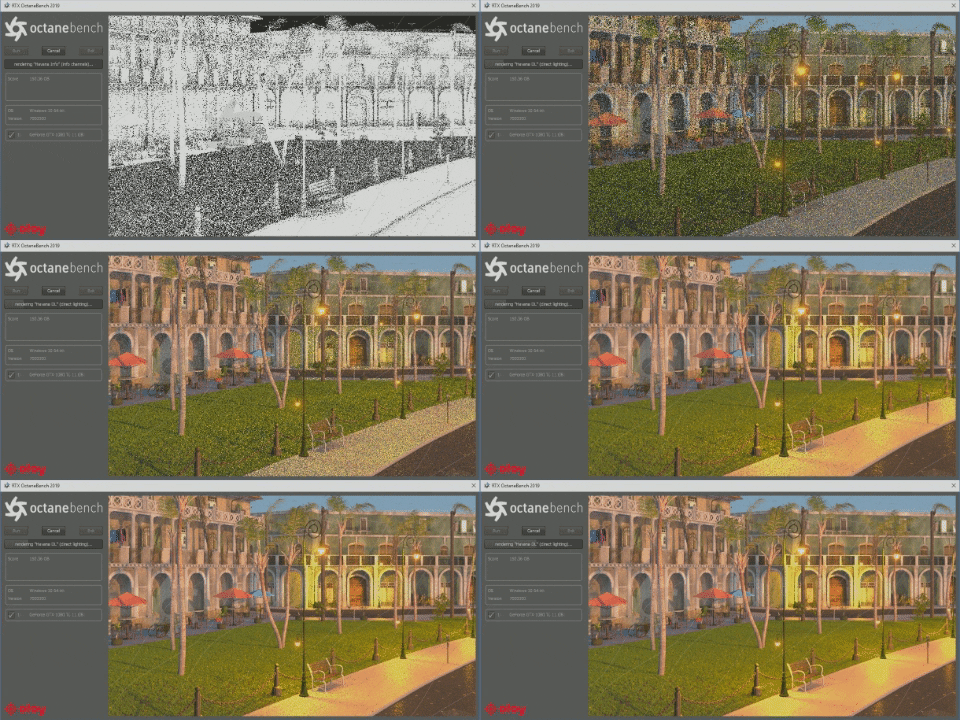
GIF of OctaneBench 2019 Rendering

Timelapse of OctaneBench 2019 Rendering

Good PC Configuration for OctaneRender

We'll start off with a good, solid workstation design for OctaneRender – hopefully without breaking the bank. This is also a more compact computer, so if you don't have a lot of desk space it is a great choice. Within the limits of a smaller case we can fit up to two video cards, and with how well Octane scales as you go to higher-end GPUs we are going for the top-end of the GeForce line: a pair of RTX 2080 Ti 11GB cards. If you needed to save some money, these could be scaled back… but lower models will have less VRAM, which in turn may limit how large and complex of scenes you can render. The CPU just needs to be fast, with the number of cores not being a big factor for GPU rendering, and a moderate amount of RAM will suffice.

CPU Intel Core i7 9700K 8-core
Video Cards 2 x NVIDIA GeForce RTX 2080 Ti
RAM 32GB DDR4
Drives 1TB NVMe & 2TB SATA SSDs

Configure System With These Specs

Better PC Configuration for OctaneRender

Our most popular workstations for OctaneRender bump the number of video cards up from two to four. That is the highest number of dual-slot video cards that can fit in a tower chassis, and effectively doubles performance of the system compared to the "good" configuration above by using the same model of video cards. That goal of having four GPUs drives the choice of a larger motherboard, chassis, and power supply. The RAM also needs to be increased, corresponding to the increase in total VRAM across the cards.

CPU Intel Xeon W-2235 6-core
Video Cards 4 x NVIDIA GeForce RTX 2080 Ti
RAM 64GB DDR4 ECC Reg
Drives 1TB NVMe & 2TB SATA SSDs

Configure System With These Specs

Best PC Configuration for OctaneRender

Right now, the most potent single video card from NVIDIA is the Quadro RTX 8000 with a massive 48GB of onboard VRAM. That means a big jump in system memory is needed as well, though the CPU doesn't need to change. For storing the larger scenes and texture data that would require this much graphics memory we should probably increase the size of the SSDs in the system too.

CPU Intel Xeon W-2235 6-core
Video Cards 4 x NVIDIA Quadro RTX 8000
RAM 256GB DDR4 ECC Reg
Drives 1TB NVMe & 4TB SATA SSDs

Configure System With These Specs

That is the fastest traditional tower workstation that can be built for OctaneRender right now, but there are other ways to move beyond even this powerhouse of a PC. For example, if this were going to be a server-style system that was accessed remotely, you could go with a rackmount chassis that would offer more PCI-Express slots for video cards; we have options along those lines with support for up to eight GPUs. Or you could use PCI-Express expander cards to external enclosures in order to connect more video cards into the computer, though doing so reduces the bandwidth to each card (which can impact performance). Octane even supports network rendering, so you could split out processing across several systems in an office.

Additional Resources

If you want to know more about OctaneRender performance, we have published several articles over the years looking at how individual CPUs compare as well as how well this software scales across multiple cards. Or if you want to configure a computer more tailored to your specific needs, including the option of a rackmount-style server mentioned above, we have a few recommended systems tailored to running OctaneRender that might interest you. And if you aren’t sure what you need, or if your workflow includes multiple applications, please feel free to call or email our consultants to get a more personalized configuration.

CTA Image
Looking for an OctaneRender Workstation?

Puget Systems offers a range of powerful and reliable systems that are tailor-made for your unique workflow.

Configure a System!
CTA Image
Labs Consultation Service

Our Labs team is available to provide in-depth hardware recommendations based on your workflow.

Find Out More!

Related Content

  • 2025 Professional GPU Content Creation Roundup
  • Render at Scale: High-Density CPU and GPU Servers
  • 2025 Consumer GPU Content Creation Roundup
  • Impact of PCIe 5.0 Bandwidth on GPU Content Creation Performance
View All Related Content

Latest Content

  • Puget Bench for Premiere Pro and DaVinci Resolve 2.0 Analysis
  • Best Workstations for Unreal Engine in 2026
  • 2026 Event Schedule
  • SMPTE 2110 and Why It Matters for ICVFX
View All
Tags: GPU Acceleration, Octane, PC, PC Workstation, Render, Rendering, Workstation

Who is Puget Systems?

Puget Systems builds custom workstations, servers and storage solutions tailored for your work.

We provide:

Extensive performance testing
making you more productive and giving better value for your money

Reliable computers
with fewer crashes means more time working & less time waiting

Support that understands
your complex workflows and can get you back up & running ASAP

A proven track record
as shown by our case studies and customer testimonials

Get Started

Browse Systems

Puget Systems Mobile Laptop Workstation Icon

Mobile

Puget Systems Tower Workstation Icon

Workstations

Puget Systems Rackmount Workstation Icon

Rackstations

Puget Systems Rackmount Server Icon

Servers

Puget Systems Rackmount Storage Icon

Storage

Latest Articles

  • Puget Bench for Premiere Pro and DaVinci Resolve 2.0 Analysis
  • Best Workstations for Unreal Engine in 2026
  • 2026 Event Schedule
  • SMPTE 2110 and Why It Matters for ICVFX
  • Puget Bench 2.0 for Premiere Pro and DaVinci Resolve Released!
View All

Post navigation

 Inventor 2020 GPU PerformancePremiere Pro CPU performance: Intel Core 10th Gen vs AMD Ryzen 3rd Gen 
Puget Systems Logo
Build Your Own PC Site Map FAQ
facebook instagram linkedin rss twitter youtube

Optimized Solutions

  • Adobe Premiere
  • Adobe Photoshop
  • Solidworks
  • Autodesk AutoCAD
  • AI & Machine Learning

Workstations

  • Media & Entertainment
  • Engineering
  • Scientific PCs
  • More

Support

  • Online Guides
  • Request Support
  • Remote Help

Publications

  • All News
  • Puget Blog
  • HPC Blog
  • Hardware Articles
  • Case Studies

Policies

  • Warranty & Return
  • Terms and Conditions
  • Privacy Policy
  • Delivery Times
  • Accessibility

About Us

  • Testimonials
  • Careers
  • About Us
  • Contact Us
  • Newsletter

© Copyright 2026 - Puget Systems, All Rights Reserved.