Table of Contents
In modern VFX and animation production, rendering can quickly become a bottleneck. Complex shots, higher resolutions, and physically accurate lighting all demand enormous compute power. For mid-to-large studios, scaling render capacity isn’t just about adding more machines — it’s about maximizing density, reliability, and efficiency within the constraints of the data center.
At Puget Systems, we specialize in designing custom servers and workstations tailored to the real-world workflows of creative professionals. Today, we spotlight two of our most powerful rackmount render nodes — one optimized for CPU-based rendering, and the other for GPU-accelerated pipelines. Both are engineered to deliver maximum performance per rack unit, making it possible to scale a render farm without expanding the footprint.
CPU Render Node: Extreme Core Density in 1U
CPU rendering continues to be the backbone of many VFX and animation pipelines. Studios often choose CPU-based render engines such as Autodesk Arnold, Pixar’s RenderMan, and Chaos V-Ray because of three key advantages: RAM capacity, stability, and scalability.
Unlike GPUs, CPUs can directly access extremely large memory pools. Our 1U render node supports up to 3TB of system RAM, making it ideal for handling massive scenes with complex geometry, heavy textures, or effects simulations. This ensures that artists aren’t forced to simplify their projects or split them into smaller chunks just to fit within memory constraints.
Stability is another reason many facilities lean on CPUs for final-frame rendering. CPU engines have matured over decades, providing consistent, predictable results across a wide range of projects and pipelines. They’re less prone to compatibility quirks and can often render for weeks at a time without interruption — a key factor when projects are running around the clock.
Scalability is also central to CPU rendering. Modern render managers allow a single physical server to be broken into smaller processor groups, effectively letting multiple renders run in parallel. For example, a dual-socket system with 320 cores could be divided into four or eight logical machines, each assigned its own slice of CPU resources. Some render jobs will need more RAM or CPU cores than others, and the render management software can ensure that each job gets the resources it needs. This makes it possible to process many shots simultaneously, keeping the farm fully utilized and projects moving forward.
Image
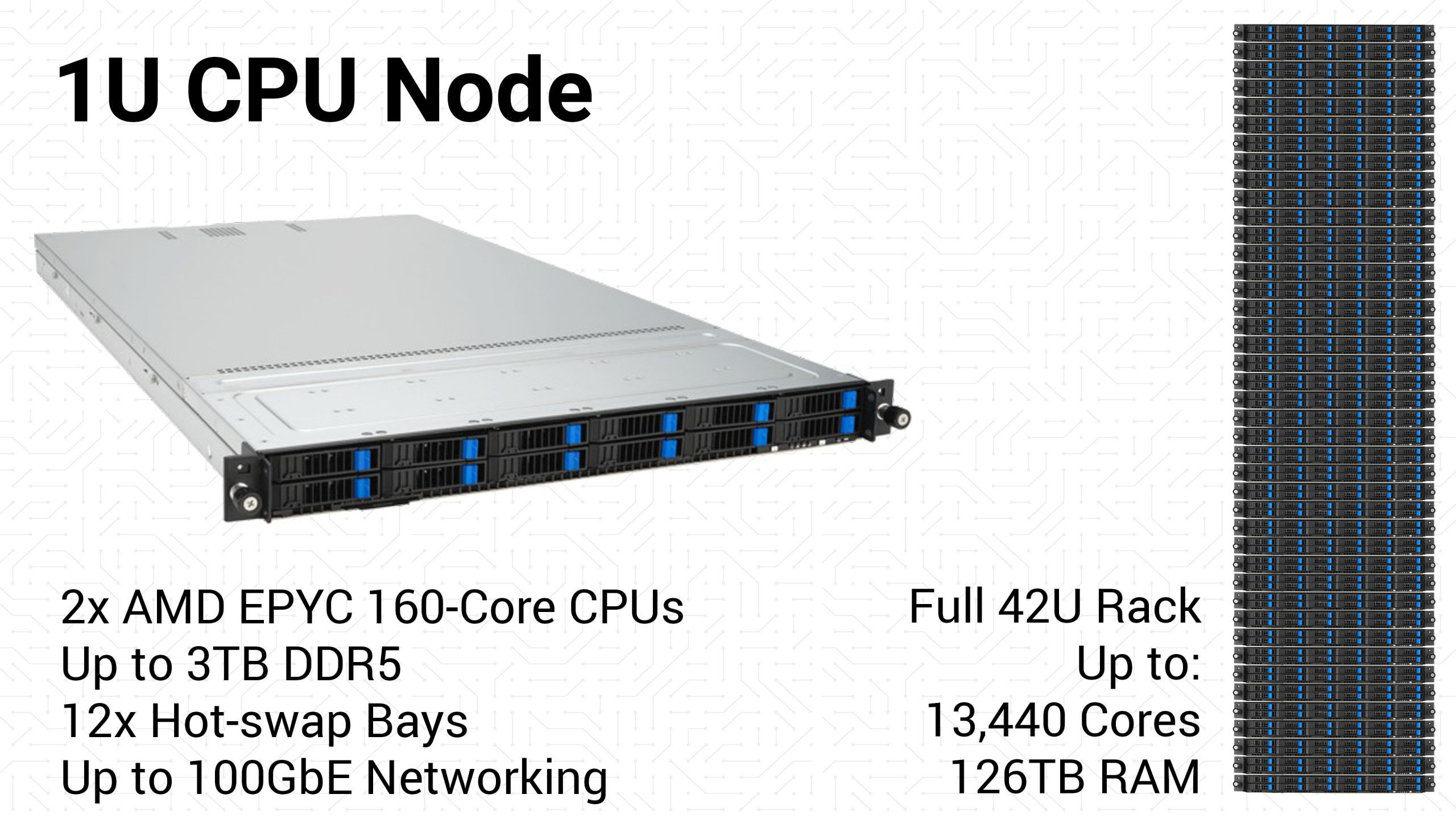
Our 1U CPU render node delivers all of this performance in a compact, air-cooled chassis. Each system is powered by dual AMD EPYC™ 9005 Series processors with up to 160 cores each, for a maximum of 320 cores per node, and includes multiple hot-swappable drive bays for local caching or scratch space. For facilities with high-end network infrastructure, we also offer options for dual 100GbE networking, ensuring that large asset transfers don’t become a bottleneck even in a fully loaded rack.
The real story is in rack density:
- 42 servers per rack
- Up to 13,440 CPU cores per rack
- As much as 126TB of memory per rack
That kind of performance can turn overnight render jobs into same-day iterations, accelerating creative workflows and helping studios meet tighter deadlines without compromise.
GPU Render Node: Four RTX PRO GPUs in 2U
Over the past decade, GPU rendering has transformed how many studios approach final-frame rendering and look development. The most significant advantage of GPUs is speed. A single high-end GPU can often outperform the highest core count CPUs available, dramatically accelerating render times. This makes GPUs especially valuable for iterative workflows, where artists need to quickly test lighting, shading, and effects before committing to final renders.
Another key factor driving adoption is software support. Many of the most popular rendering engines have added or expanded GPU rendering capabilities, including V-Ray, Arnold, and even RenderMan, in addition to GPU-native engines like Maxon’s Redshift and Otoy’s OctaneRender. For studios adopting a mixed pipeline, GPUs provide flexibility and faster turnaround times without requiring a full retooling of their workflow.
Image
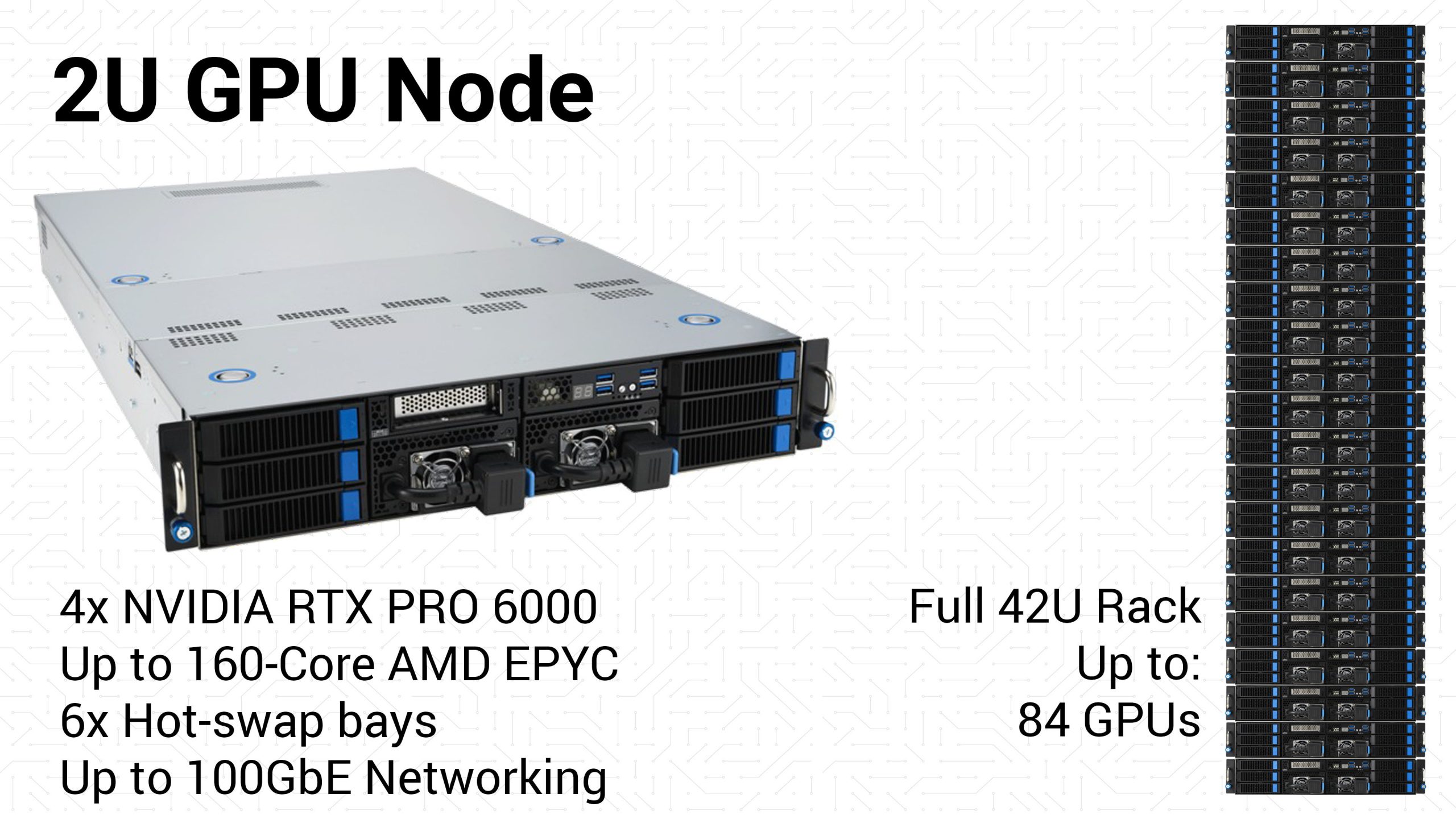
Our 2U GPU render node is designed to maximize this acceleration while maintaining high density. Each system supports up to four NVIDIA RTX PRO™ 6000 Blackwell Max-Q GPUs, each with 96GB of VRAM, delivering massive parallel compute power for final-frame rendering and interactive sessions. With multiple drive bays for caching and local storage, and options for dual 100GbE networking, these nodes integrate seamlessly into large-scale render farms.
Importantly, these systems don’t just rely on the GPUs. Each GPU node can also be configured with up to 160 CPU cores, allowing studios the option to fall back to CPU rendering if a specific engine or shot requires it. This hybrid capability ensures that no matter what challenges arise, the hardware is ready to handle them.
At scale, GPU density is equally impressive:
- 21 servers per rack
- Up to 84 RTX PRO™ GPUs per rack
- Up to 2,688 CPU cores per rack
This balance of GPU acceleration and CPU flexibility allows studios to harness the best of both worlds: blazing-fast GPU throughput for supported engines, with the reliability and memory capacity of CPUs available when needed.
Beyond Rendering: Versatility and Integration
While these servers are purpose-built for rendering, their capabilities extend far beyond a single workload. The same dense CPU and GPU compute power that makes them ideal for film and animation rendering can also be applied to a wide range of high-performance tasks. GPU nodes that accelerate final-frame rendering in Redshift or Arnold can just as easily be used for AI and machine learning workflows, while the large memory capacity and stability of CPU nodes make them excellent for effects simulation or AI inference tasks where reliability is critical.
Equally important, these systems don’t require studios to reinvent their pipelines. Paired with scalable storage solutions, they integrate seamlessly into existing infrastructure with popular render managers such as AWS Thinkbox Deadline, Pixar’s Tractor, and OpenCue. This gives IT teams the flexibility to manage render resources efficiently while allowing artists to keep working in the tools they know best.
This combination of versatility and easy integration provides long-term value for many studios. Technology in our industry is constantly evolving, and investing in infrastructure that can adapt to new workloads ensures a longer return on investment. These servers aren’t just render nodes; they are a foundation for the next generation of production workflows, built to grow as the studio’s needs evolve.
Scale Without Compromise
For VFX and animation studios, scaling render capacity has always been a balance between raw performance, physical space, and reliability. With Puget Systems’ high-density render nodes, that balance is no longer a trade-off.
Our 1U CPU render node delivers up to 320 Cores and 3TB of RAM per node. This translates to as much as 13,440 cores and 126TB of memory per rack, giving studios the stability and scalability of CPU rendering in an incredibly compact footprint. Alternatively, our 2U GPU render node offers up to four NVIDIA RTX PRO 6000 Blackwell Max-Q GPUs per node. When scaled to a full rack, this can give up to 84 GPUs and 3,360 CPU cores per rack, combining the speed of GPU acceleration with the flexibility to fall back on CPUs when needed. Together, these solutions enable facilities to maximize compute power per square foot without sacrificing serviceability or long-term reliability.
For many studios, the question isn’t if more render power is needed — it’s how to scale responsibly. By deploying high-density servers designed for rendering today and versatile enough for AI/ML and other workloads tomorrow, studios can expand capacity without expanding their footprint. And with Puget Systems’ rigorous testing and industry-leading support, studios can do so with confidence that their farm will perform when deadlines are tightest.
In short: these are servers built to let studios scale without compromise, giving them both the power they need today and the flexibility they will rely on tomorrow.

Looking for a network render node?
We build computers tailor-made for your workflow.

Don’t know where to start?
We can help!
Get in touch with our technical consultants today.