Table of Contents
SaaS is dead! Long live SaaS.
The most interesting shift in 2026 is seeing builders and content creators effectively liberated by AI. This liberation, however, requires the right setup. Between maturing AI agents and open source software, we are achieving levels of sophistication in weeks and days instead of months. We are spending less time building the foundation and more time actually creating.
The “BYO Internet” Era of AI
This new AI age reminds me of MySpace, GeoCities, and the initial “BYO Internet” era. When the web first took off, we relied entirely on XML and HTML. We had no JSON spec. To deliver the outcomes businesses demanded in the late 90s and early 2000s, we built almost everything from scratch. The world still mainly ran on fax machines.
Digital creators today are navigating the exact same learning curve many early software engineers faced. But I have good news: Through building comes understanding. Through understanding, we finally figure out the actual workflows we need to build. Once we define those workflows, AI can help us automate them. Eventually, late generation AI agents might replace those workflows entirely with concepts like the Ralph Wiggum loop (anyone using this successfully with OpenClaw yet?). Right now, however, the power is in building them yourself.
At Puget Systems, we look at AI the way our customers do. We must use it and deliver on its promises. This exact struggle is why we built the Puget Systems Docker App Packs – but we’ll get to that in a minute. We are launching a series of articles soon to help those driving strategies, writing code, and creating VFX. In upcoming articles, we will provide deep dive benchmarks on this test machine as well as single and dual Blackwell 6000 setups across our AI development workstations
But to start, we want to help you get off and running with AI workflows on our workstations out of the box.
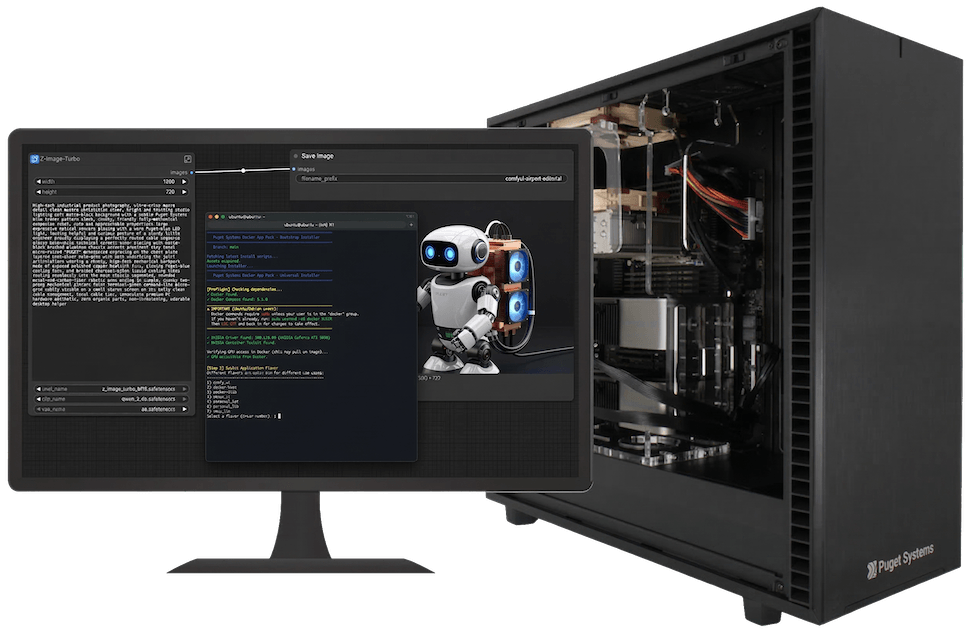
Hardware Deep Dive: Threadripper PRO and the AI Workstation
To participate in this new “BYO” era, you need local compute that doesn’t buckle under pressure. Building your own workflows demands the right foundation. For AI development, I am absolutely loving the AMD Threadripper™ PRO architecture. When you train models or run heavy inference, your CPU must feed data to your GPUs without bottlenecking. Threadripper PRO provides the massive PCIe lanes and raw memory bandwidth necessary to keep data flowing freely.
Looking at our current AI product lines at Puget Systems, these Docker App Packs align perfectly with our AI development workstations. We engineer these systems specifically to handle the thermal and power demands of modern AI computing. Whether running a single NVIDIA RTX™ 6000 Blackwell Workstation video card with 96GB of VRAM or scaling up to a dual GPU Max-Q powerhouse, these workstations crunch massive datasets effortlessly. The combination of Threadripper PRO’s PCIe lanes and massive VRAM pools allows you to load giant models for staggering inference speeds.
For the specific project leading to the App Packs, I ran an enterprise grade virtualization setup. The physical host was an absolute powerhouse, passing its GPUs directly through to a virtualized Ubuntu environment.
The DEV Host Machine (Rocky Linux)
Here are the specs for the parent machine running the show:
- CPU: AMD Ryzen™ Threadripper™ PRO 5995WX (64 Cores, 128 Threads)
- Operating System: Rocky Linux 10.1 (Kernel Linux 6.12.0)
- GPUs: Dual NVIDIA GeForce RTX™ 5090 32GB (we have definitely felt the VRAM ceiling in our local tests, making the 64GB total essential for offloading)
- Memory: 128GB System RAM (crucial to prevent bottlenecks when offloading layers from the GPUs)
- Storage: Dual 1.9TB Kingston NVMe SSDs (essential for rapidly loading and caching massive model weights)
The Virtualized AI Environment (Ubuntu)
And here is the virtualized environment actually running the App Packs. Notice how the host machine passes the GPUs completely through to the VM:
- CPU: 16 Cores (QEMU Virtualized)
- Operating System: Ubuntu 24.04.4 LTS
- Memory: 64GB System RAM
- Storage: 300GB virtual drive
- GPUs: Dual NVIDIA GeForce RTX™ 5090 (32GB VRAM each, 64GB total)
The 1 to 2 GPU Time Chasm
The first thing I learned while building our AI demo for Supercomputing 2025: getting started is surprisingly easy. Scaling from one GPU to two is the hardest part.
When I first started this project, I quickly and easily set up a Dockerized version of ComfyUI and Ollama on an old RTX 4090 we had laying around. My experience coding the supercomputer demo, however, taught me a harsh lesson. Running a solution that fits nicely into a single GPU’s VRAM is simple. Multi GPU training and inference present much greater challenges.
As you can see in the specs above, our labs specialist Evan Lagergren upgraded my system to dual RTX 5090s. This upgrade gave us our minimum requirement of 64 GB of VRAM, shared across two GPUs. Predictably, the Docker solution I built for the single card completely failed – but we learn from our failures, right?
The Illusion of Success
Here is what I call the illusion of success, which is common when working with AI. Initially, everything seemed fine. I got Ollama and the Deepseek R1 32B quant running in minutes. The success was short-lived though. I hit driver difficulties and memory mapping issues almost immediately. During testing, I quickly realized the setup worked only because Docker used just one GPU, and the specific model fit perfectly inside it.
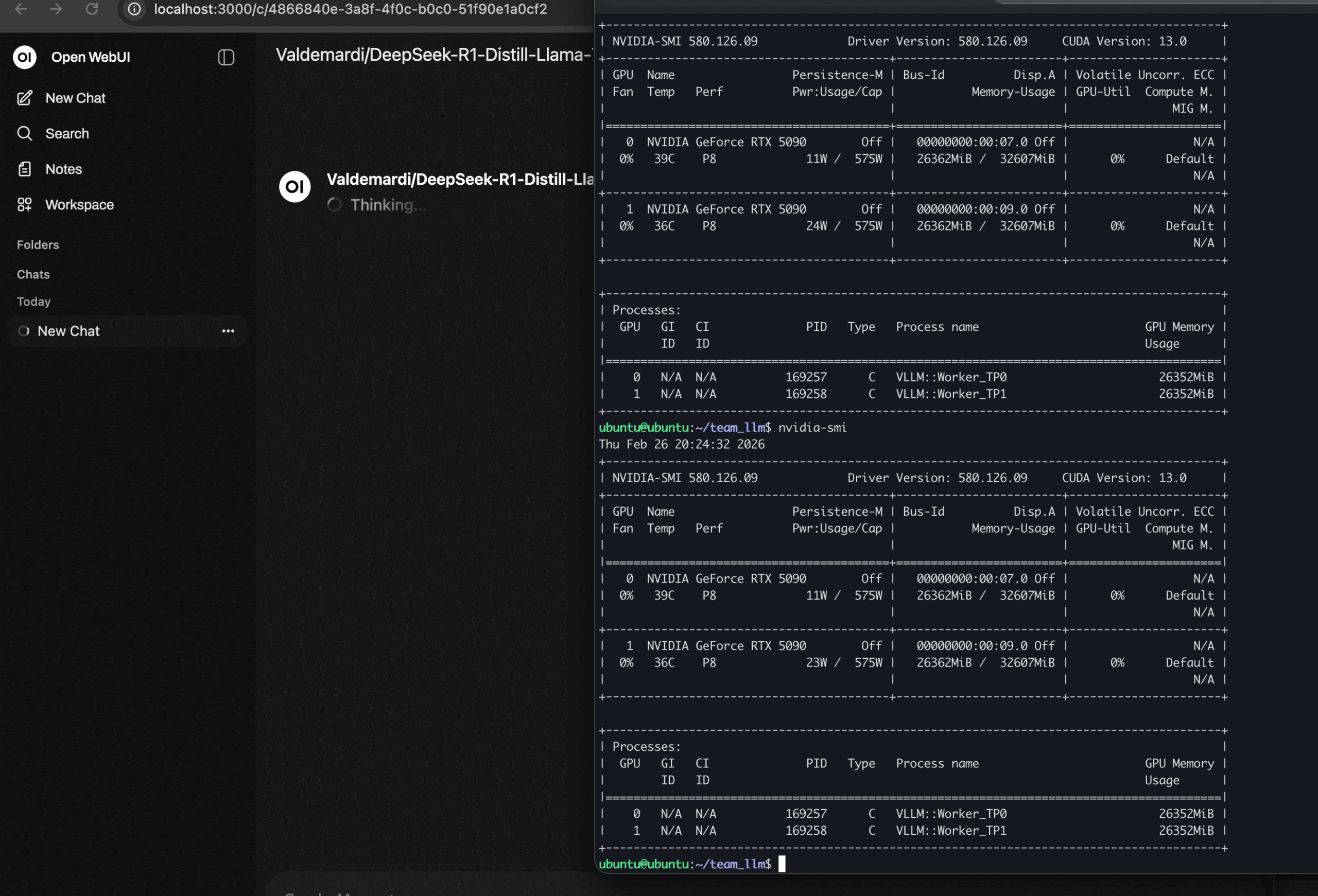
I then shifted to the Deepseek R1 70B quant. I knew this model fit within our 64 GB total. Once again, success! My Docker installer worked, bringing our internal “office chat stack” online instantly. Excited, I tried using it. Dead on arrival. The inference speed crawled.
We quickly diagnosed the issue. It came down to how Ollama handles multiple GPUs. Ollama failed to use full tensor parallelism or native handoff between the cards. Consequently, we dropped Ollama as a backend for our office inference.
We pivoted to vLLM. This engine solves the exact problem for multi GPU setups. The main difference: vLLM cannot “hot swap” local models the way Ollama can. We realized, however, this limitation is exactly what we want for inter office and “Edge AI Cloud” use cases. Your IT or development team can manage the server stack, lock in the models, and seamlessly open local chat and compute resources to your creators and strategists.
Introducing the App Packs
We want our customers to have an “out of box” solution, using the exact tools we rely on internally, so we created our App Packs. We have published the App Packs to GitHub, giving you full access to Dockerized setups for Ubuntu that get you computing immediately on the latest hardware.
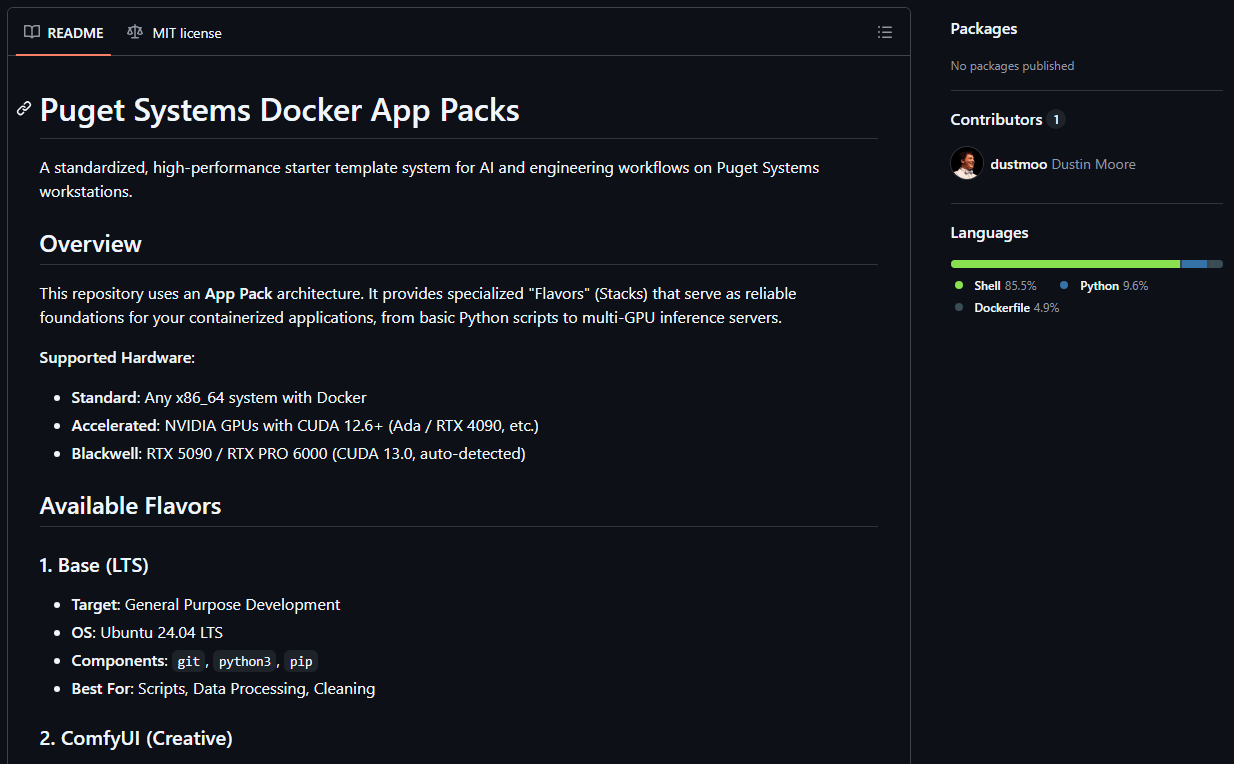
These packs, which we call “Flavors,” serve as reliable foundations for your containerized applications. Here is a deeper look at what is included:
- The Base LTS (docker-base): The foundation for general-purpose development. It is an Ubuntu 24.04 environment pre-loaded with Git, Python3, and Pip. It is perfect for writing scripts, cleaning data, or pulling custom containers directly from the NVIDIA playground. (Note: these initial App Packs are heavily optimized for NVIDIA/CUDA, but AMD ROCm support is on the roadmap.)
- The Creative Stack (comfy_ui): A ready-to-go environment for generative AI and image or video synthesis. Built on the CUDA 12.6 runtime, it comes with ComfyUI Manager pre-installed and allows you to select models like Flux.2 Klein 4B (distilled and undistilled versions), LTX-Video 2B, or SDXL Base 1.0 right during installation. It also automatically maps your models, inputs, and outputs to your host machine so you never lose your files.
- The Personal LLM (personal_llm): Designed for single-user AI assistants on personal workstations. It uses Ollama as the GPU-accelerated backend (making it incredibly easy to swap models on the fly) and pairs it with Open WebUI for a familiar, ChatGPT-like interface.
- The Team LLM (team_llm): Designed for production, multi-user inference. If you have a shared workstation and a team needing a single high-throughput endpoint, this is the pack. It leverages vLLM for multi-GPU tensor parallelism and an OpenAI-compatible API, easily handling massive models like Qwen 3 or DeepSeek R1 70B AWQ.
Getting Started is a One-Liner
You should not spend your first few days fighting dependencies and GPU drivers. You should be creating.
Getting your Puget system configured for AI is as simple as pasting a single line into your Ubuntu terminal:
curl -fsSL https://raw.githubusercontent.com/Puget-Systems/puget-docker-app-packs/main/setup.sh -o setup.sh && bash setup.sh
This interactive wizard will automatically check your OS, install Docker and the NVIDIA Container Toolkit if needed, prompt you to select your desired Flavor (you can easily stack or swap these Flavors as your needs change), and build the stack for you. For more details on our AI development guidelines and versioning conventions, you can check out our App Packs How-To doc.
Long Live SaaS!
So, why do I say “SaaS is dead“? The reality is more nuanced because the “monolithic SaaS” model is suddenly evolving at the pace of AI.
Cloud-based tools like Gemini Ultra and Claude Code are incredibly powerful, and we rely on them daily. However, as AI capabilities mature, the SaaS platforms that will truly thrive are those that bridge traditional graphical user interfaces with API-driven ecosystems, terminal access, and protocols like MCP (Model Context Protocol)
Today, every organization with internal processes is effectively an AI company. As open-weight models become sophisticated enough to handle frontier workflows, running deep automation on your local Puget Rackstation or office hardware becomes highly viable. By using solutions like the Puget App Packs to deploy these models locally, you retain ownership of your AI and your data. We see this as the most effective way to prevent long-term infrastructure rent-capture by cloud providers.
You no longer have to wait for a SaaS provider to build every specific feature you need, nor do you have to rely solely on metered cloud APIs for every task. With the right hardware and a seamless setup, you can strike the perfect balance: building and running your core workflows locally, while strategically leveraging premium cloud services when it makes the most sense.
Stay tuned for upcoming articles where we will dive into specific benchmarks across these Flavors. Until then, get ready to build. And we would love your feedback.

Looking for an AI workstation or server?
We build computers tailor-made for your workflow.

Don’t know where to start?
We can help!
Get in touch with one of our technical consultants today.