Adobe has been leveraging the power of the GPU in their software more and more, but is there any reason to spend money on an expensive video card for Photoshop?

Adobe has been leveraging the power of the GPU in their software more and more, but is there any reason to spend money on an expensive video card for Photoshop?

Intel has long been the performance king for After Effects, but AMDs new 2nd generation Ryzen CPUs have shown some great performance gains. Is it enough to let AMD overtake Intel?
AMD has made great improvements with the new 2nd generation Ryzen CPUs that really closes the gap between AMD and Intel for Photoshop users. But is it enough to put them above Intel’s 8th Gen CPUs?
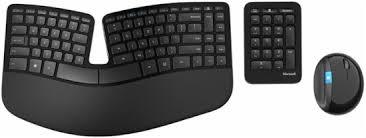
Looking for Keyboard and Mouse? These are some things to be aware of before making your choice.

Linux is often considered the operating system of choice for power users, but does DaVinci Resolve actually perform any better in it than in Windows? Even if it does, is it enough to compensate for Linux’s much higher learning curve?

After Effects is a tricky application when it comes to choosing a CPU as there are many factors that come into play. Not only is there raw rendering performance, but the new integration with Cinema4D and even the amount of system RAM you need all play a role in determining what CPU is the ideal choice for your workflow.

Following up on our previous article about SOLIDWORKS 2018 GPU performance, we have been provided with an extremely complex assembly that finally shows some performance difference between low- and high-end video cards within the same family. Armed with this 4372 part, 40.9 million triangle model we ran through testing on multiple Quadro and Radeon Pro graphics cards to see how they handle such a monstrously large project.

Blackmagic’s DaVinci Resolve is known for how well it utilizes multiple GPUs to improve performance, but is this still true with cards like the new NVIDIA Titan V? And do you really need a Xeon or Dual Xeon setup to get the best performance possible?

Despite how popular SOLIDWORKS is, there is a lot of outdated and simply inaccurate information on the web regarding what video card you should use. For this article I tested multiple graphics cards from the Quadro, GeForce, and Radeon Pro families at both 1080p and 4K resolutions – and quickly found that either things are now a lot simpler than in my past experience, or else something is no longer up to snuff regarding how we have tested SOLIDWORKS GPU performance in the past.

If your workflow depends on having 10-bit color support on your primary display, using a workstation graphics card is typically the only way to do so since most consumer cards do not support displaying 10-bit color. But do you really need a Quadro P6000 or can you use a much less expensive card like the Quadro P4000 or Radeon Pro WX 9100 without sacrificing very much performance?
Puget Systems builds custom workstations, servers and storage solutions tailored for your work.
We provide:
Extensive performance testing
making you more productive and giving better value for your money
Reliable computers
with fewer crashes means more time working & less time waiting
Support that understands
your complex workflows and can get you back up & running ASAP
A proven track record
as shown by our case studies and customer testimonials




