Always look at the date when you read an article. Some of the content in this article is most likely out of date, as it was written on
November 7, 2012. For newer information, see
our more recent articles.
Introduction
We get asked a lot here at Puget Systems about what specifications we recommend for different uses – in fact, answering those sorts of questions is the bulk of what I do every day. Even when two people have almost the same usage in mind the answer will usually be slightly different, due to some subtlety of their needs: different budget ranges, for example, or different aesthetic preferences. However, a lot of the basic advice we give out can be distilled down into some general recommendations for a certain type of usage, at a certain price point, and in a given era of computer hardware.
That is what I am going to do in this article: provide a general set of specifications which I would recommend for a gaming computer today, and which should be applicable for the next few months as well. Because everyone has a different amount to work with I will provide suggestions at three different price points ($1500, $2000, and $3000) and also list some decent peripheral choices for each as well. I hope this information is useful to you, and if you have feedback about this – or any of our articles – please post in the comments or email us! You can also call or email if you’d like to go over your exact needs with one of our sales consultants; we would be happy to help you 🙂
$1500 Gaming PC
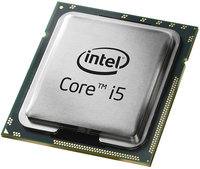
At this price point you have plenty of funds to cover all the core needs for gaming. The main two are a fast CPU and video card, but balancing them well is important (especially when on a budget). Enough games these days can benefit from a quad-core processor that I would go that direction, and in the interest of getting performance plus value I would advise an Intel Core i5 processor. I myself use the i5 3550 at home, but a small step down from that to the i5 3470 would be more appropriate here; the loss of 0.1GHz is nothing to really worry about.
For the video card, I would advise something in NVIDIA’s GeForce GTX 600-series. These cards are very fast, while using less power and making less noise than the previous generation. The GTX 660 Ti is the best fit at this price point, and also happens to be what I use at home!
The rest can stay pretty basic, if you have those essentials covered. 8GB of RAM is plenty for any games out there, and a mid-size hard drive shouldn’t cost much. Windows 7 Home Premium or Windows 8 would be fine choices for the operating system; if you aren’t sure if Windows 8 is right for you, check out our
blog post on the topic.
All of this fits nicely in our
Puget Spirit system, and comes out right around the $1500 mark (prices fluctuate over time, so it may be a little up or down from there when you read this):
If you wanted to spend a little more, going up to a solid-state drive would be a nice boost to overall system performance. You could also add lights if you want a cool looking system, or remove the case window if you value low noise and low cost more than being able to peer inside your computer.
For peripherals, a nice wireless keyboard and mouse would be excellent – like the
Logitech MK320 combo. I personally like to go try out keyboards and mice before I buy them, though, since everyone’s hands fit things like that a little different.
Any monitor up to 1920×1080 resolution would be a good pairing with this system too. The specs here will be able to drive current and near-future games at that resolution with ease. The 24-inch
Asus VW246H is one we offer which works well, or you could go a little larger or smaller to suit your budget and desk space.
$2000 Gaming PC
If you have a sizable amount more to invest in your gaming system, I would take the CPU and video card both up a notch. Moving to the fastest Core i5 available right now, the i5 3570K, gives you a modest boost to clock speed and also is a multiplier-unlocked model: that means it can be easily overclocked, if you are into that. You could go for a Core i7 instead, but the price jump is pretty substantial for next to no direct performance improvement in games (other applications can see a lot of benefit, though).
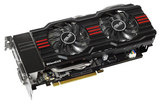
On the video card, moving up to the GeForce GTX 670 is probably the best move. Again, not a huge boost – but definitely noticeable. These two upgrades would put you into the territory where gaming on a large-format 2560×1600 monitor should still be smooth, even near maximum quality settings.
At this price point there is definitely room to afford a solid-state drive as well, so getting one of those is definitely on the docket. I personally use a 120GB SSD at the moment, but I can see how that wouldn’t be large enough for everyone. As such, I would either recommend a 240GB SSD or a smaller one (say, 120GB) paired with a hard drive for added storage.
Sticking with the Spirit again, here is a configuration along these lines:
You will notice that is slightly below $2000, but that is intentional as it leaves room to help cover shipping costs. If you had a little extra to work with, you could also opt for a variety of upgrades to suite your exact needs. You could:
– Move up to a Core i7, if you also do a lot of work with photo or video editing
– Step the video card up to the GTX 680, if you are all about gaming
– Add more RAM, if you tend to run a lot of programs at the same time
– Add a secondary hard drive, if you store a lot of files
– Upgrade to a Blu-ray drive and playback software, if you like to watch HD movies
The list goes on, but you get the idea. If you value low noise over any of those things, you could also consider plugging these specs into our
Serenity configuration.
As I mentioned, a monitor as high as 2560×1600 resolution would play well with these specs. Those are quite costly, though, so if you want something with more detail than a normal 1080P HD resolution I would look at the crop of cheaper 2560×1440 monitors now on the market.
For input devices, I would also recommend looking at the more expensive gaming-oriented mice and keyboards. Companies like Logitech and Razer make a variety of options that are worth considering. If you like a lot of tactile feedback when typing or using the keyboard during games, also consider a mechanical keyboard.
$3000 Gaming PC
Here I would break from our Spirit system, as we were approaching its limits in terms of hardware options. To go up from the previous system I would move to the Deluge line of gaming systems instead. They offer liquid-cooling for the CPU, which opens up the option of overclocking, as well as a better power supply to enable things like running two high-end video cards in SLI. In fact, that is exactly what I would do next:
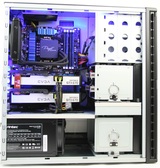
That setup has two of the GTX 670s, nearly doubling graphics performance compared to the previous design. It has the same unlocked CPU, but with liquid-cooling you would now have headroom to overclock that somewhat. We even offer overclocking as an option, though when we do it we prefer to stick to a different set of processors (also multiplier-unlocked) which handled higher voltage and clock speed much better. I also moved the RAM to lower-latency modules, which will boost performance slightly.
You will notice that the total comes in a bit lower than the budgeted amount – and this is intended to allow some measure of customization. You could easily go with any of the upgrades discussed previously (a second hard drive, Blu-ray, more RAM, etc) or, thanks to the liquid-cooling, opt for an overclocked processor and boost the clock speed by 20-30%!
With a system this powerful it would almost be a pity to waste the performance on a single screen. NVIDIA’s Surround View gaming mode, where you can span a game across three monitors, would be worth considering. As above, any game should be fine at up to 2560×1600, or also when spanning across three HD monitors (1920×1080 each) for a combined resolution of 5760×1080.
Conclusion
Hopefully these recommendations aid you in selecting a system to meet your gaming needs, but please remember that you aren’t limited to these ideas, or even to any of our branded (named) systems. We offer a wide range of hardware to suit many needs and budgets, and if you have any questions about what might fit your specific goals the best we are only a call or email away!