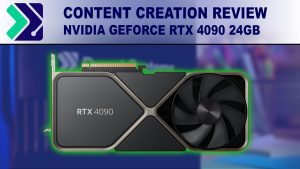
NVIDIA GeForce RTX 4090 24GB Content Creation Review
NVIDIA is beginning to launch their new RTX 40 Series GPUs, starting with the GeForce RTX 4090. NVIDIA touting significantly higher performance versus the previous generation 30 series, but how does this new card perform in the real world, and is it worth considering in your next content creation workstation?
AMD X670E vs X670 vs B650E vs B650
AMD has launched their latest Ryzen 7000 Series processors, which use a new socket design and thus require new chipsets and motherboards. To fill this role, AMD is offering two chipset models with two variants each. How do X670 and B650 compare? And what differences are found in the “extreme” versions of each?

Powered by ASUS
Puget Systems chooses only the highest quality manufacturers for the components we use in our PCs. ASUS has consistently proven themselves as an industry leader in performance and reliability. Puget Systems uses ASUS motherboards, video cards, optical drives, sound cards, networking gear, and monitors. By partnering closely with ASUS, we’re able to provide a better product!
WSL2 vs Linux (HPL HPCG NAMD)
We’ve been curious about the performance of WSL for scientific applications and decided to do a few relevant benchmarks. This is also a teaser for some hardware-specific optimized application containerization that I’ve been working on!

Hardware Recommendations
RealityScan System Requirements and Benchmarks In June 2025, Epic renamed their photogrammetry application from RealityCapture to RealityScan. Unfortunately, with the transition to the new name and an updated website they have not yet published system requirements for this updated application – and the former list of system requirements for RealityCapture is no longer available online. Hopefully, Epic
Standard Workstation
Overview This workstation combines AMD’s Ryzen™ processors – which offer solid performance in RealityScan, especially with moderately sized projects – with support for up to 256GB of memory. Housed in a mid-tower chassis, this system has plenty of room to upgrade and accommodate more storage as needed. For connectivity, this system has numerous USB ports

Hardware Recommendations
Metashape System Requirements and Benchmarks Like most software developers, Agisoft maintains a list of system requirements for Metashape that can be used to help ensure the hardware in your system will work with their software. However, most “system requirements” lists tend to cover only the very basics of what hardware is needed to run the software, not

Pix4D
Processing images to form 3D maps and models in Pix4D is a time consuming task, but our workstations are built specifically to give you maximum performance. Whether building a point cloud, creating mesh and texture data, or generating DSM and orthomosaics – we have tested Pix4D to find the combination of hardware that will give you the fastest results.

Hardware Recommendations
Our workstations for SOLIDWORKS are tested and optimized to give you the best performance and reliability. View our hardware recommendations.
Modeling Workstation
Overview If you need smooth and responsive performance for general modeling, this system – built around AMD’s Ryzen™ CPUs – is ideal for the vast majority of CAD tasks. It is configurable with up to 128GB of RAM (which is plenty for all but the largest and most complex assemblies), a range of NVIDIA video