This guide shows how to update your system BIOS. It’s specifically written for the Asus motherboards Puget Systems uses, though it should apply well to most Asrock boards.

This guide shows how to update your system BIOS. It’s specifically written for the Asus motherboards Puget Systems uses, though it should apply well to most Asrock boards.

For nearly three years now I’ve been calling our customers after they purchase a computer. I don’t work off a script and no two calls are the same.
I might call to check in to make sure your new computer arrived safely. I might call to see if you’re happy with your purchase after you’ve had a few weeks to run the new system through its paces. And I’ll be honest, sometimes I call customers to shoot the breeze. A few weeks ago, I called a man who was on his way up the mountain to plant his skis into fresh powder. I told him I lived in Utah, and we spent the next 10 minutes talking about our favorite ski resorts.

I recently upgraded my home internet connection, and I now officially have the fastest internet of anyone here at Puget Systems – even faster, technically, that our connection at the office. What did I get, you ask? CenturyLink 1 Gigabit Fiber Internet. Here is my account of how installation went, and my experiences with it so far.

Due to the theme of this year’s American Chemical Society National Meeting & Exposition (Computers in Chemistry), Puget Systems will be exhibiting at the 251st event by ACS, March 13th – 17th. We will be displaying much of our HPC & Scientific Computing offerings as well as doing our best to determine how we can better serve our customers in this field. Come meet with us at Booth #1205!
Video overview of the standard cases used for Puget Systems computers, as of early 2016. Narrated by William.

As many of you have noticed, Microsoft has been pushing really hard to get people to upgrade to it’s latest operating system. This is a blog post I wrote to present my take on why they are trying so hard.
How quickly a computer boots up doesn’t always correspond to how much processing power the system has, or how fast the system drive is. This blog talks a little about what contributes to both faster and slower boot times, with a video comparison.
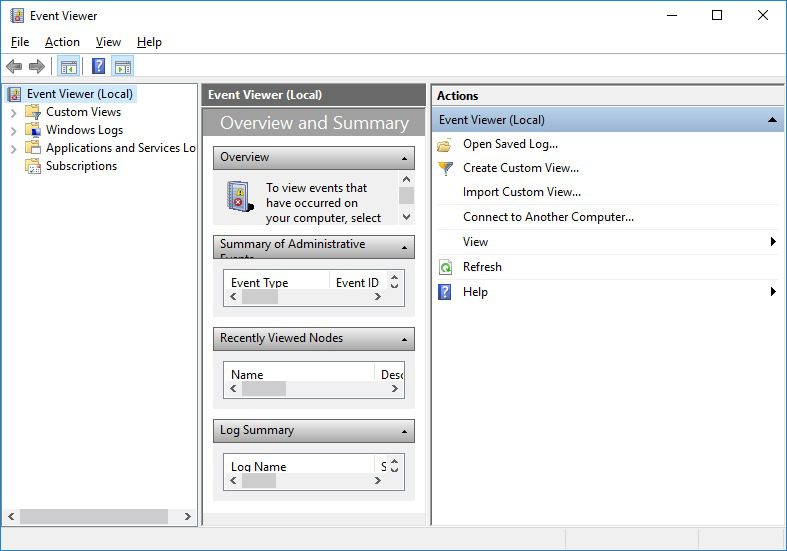
This guide discusses how to save the System Event Viewer log in Windows 7 and Windows 10 for use in troubleshooting.

Intel E5 v3 processors will run at “All Core Turbo” under load if properly cooled. This “clock” measurement is a better predictor of theoretical performance than base clock. We present a table of CPU performance at “all-core-turbo” using different parallel scaling factors from Amdhal’s Law. We have a dynamic graph that will show how much performance you lose when your parallel scaling is less than perfect. Just because your dual socket 16-core system shows all 32 cores at 100% doesn’t mean your problem is running 32 times faster!
Machine Learning is getting a lot of attention these days and with good reason. There are mountains of data to work with and computing resources to handle the problems are easily attainable. Even a single GPU accelerated workstation is capable of serious work.
Puget Systems builds custom workstations, servers and storage solutions tailored for your work.
We provide:
Extensive performance testing
making you more productive and giving better value for your money
Reliable computers
with fewer crashes means more time working & less time waiting
Support that understands
your complex workflows and can get you back up & running ASAP
A proven track record
as shown by our case studies and customer testimonials




