Table of Contents
Quality-of-Life Update Now Live
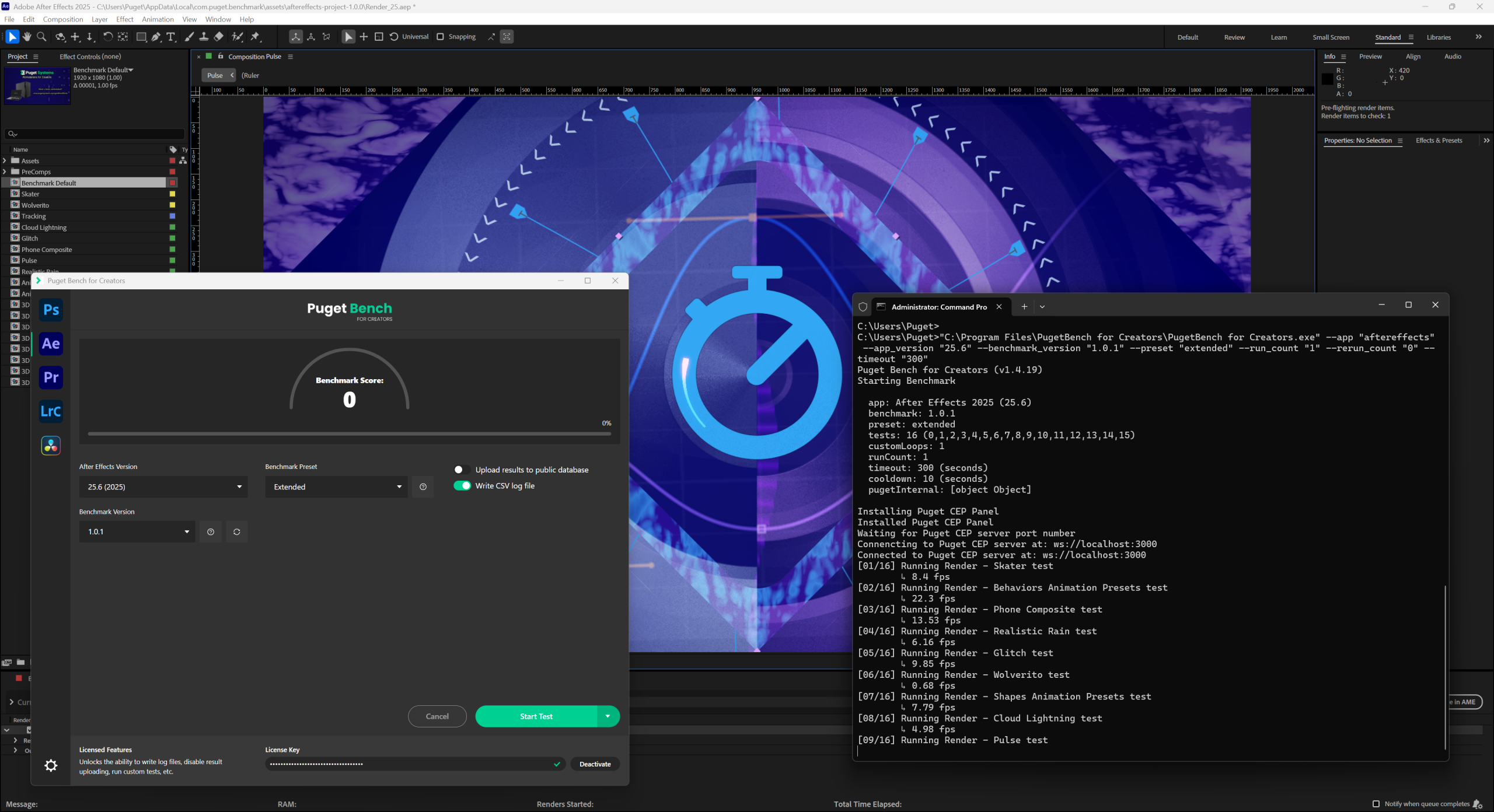
We are pleased to announce an update to the Puget Bench for Creators application, featuring a range of enhancements and improvements to make running our benchmarks easier than ever before.
At Puget Systems, our goal has always been to make performance testing accurate, repeatable, and accessible. Today’s 1.4.19 update to Puget Bench for Creators delivers exactly that — not by changing benchmark scores or altering how the tests run, but by improving the experience of using the tool, whether you’re a user running the free preset or a reviewer automating deep-dive analysis.
This update focuses squarely on transparency, flexibility, and efficiency, with improvements for every level of user. We will run through the major changes in this post, and full update notes are available in the Puget Bench for Creators update log.
Image
What is Puget Bench?
While gaming or synthetic benchmarks can offer general insights, they fall short when it comes to measuring performance in the actual workflows that matter to content creators. That’s where Puget Bench comes in. Puget Bench is a suite of performance benchmarks developed by Puget Systems, designed to evaluate hardware using the same real-world creative applications professionals rely on every day.
We built these benchmarks out of necessity. There simply wasn’t a reliable way to test hardware using real creative applications in realistic scenarios. Due to this lack, we began the process of turning our knowledge of both computer hardware and creative workloads like video editing, motion graphics, and photography into a series of benchmarks to help guide users into making the most informed workstation purchasing decisions possible.
Our benchmarks cover a range of applications, including Adobe Premiere Pro, Adobe After Effects, Adobe Photoshop, Adobe Lightroom Classic, and Blackmagic DaVinci Resolve. These are a key ingredient in many of the hardware articles we publish, but are also available for anyone to download and run. They are free for personal use, with paid and press licenses available for commercial use or for access to advanced features like CLI automation, local logging, and beta releases.
Improved Clarity and Control for Free Users
One of our highest priorities is ensuring that creators can run Puget Bench with confidence and understand what’s happening behind the scenes and why. To improve this experience for users running the free version of our benchmarks, we have made a number of improvements.
Asset Download Transparency
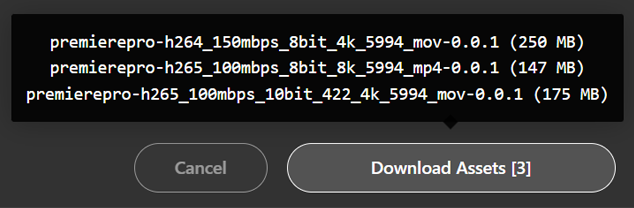
If you’re running a benchmark for the first time and need to download test assets, you’ll now see a clear breakdown of what will be downloaded and how large each file is. Hovering over the Download Assets button shows everything in a tooltip, so there are no surprises.
Image
Easier Troubleshooting with “Clear Preferences” Buttons
One of the most common causes of a benchmark failing to launch — or returning unusually low results — is a corrupted or outdated preference file inside the host application. They might not be a problem for launching and using the application normally, but our benchmarks utilize a wide range of features and can have issues if there are problems with the preferences files.
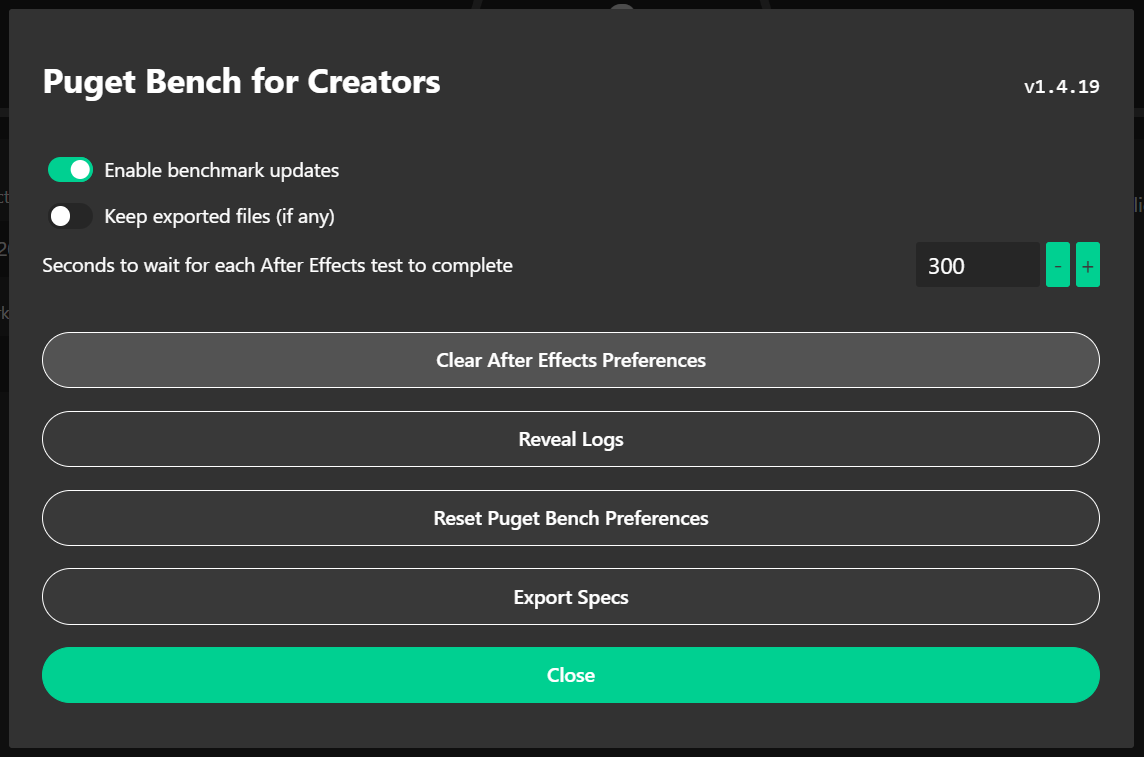
To help make it easy to troubleshoot and solve this common issue, there is now a “Clear Preferences” button for each benchmark in the Settings panel. One click resets the application preferences to a clean state, often resolving issues instantly. PLEASE NOTE: If you have custom preferences, you may want to follow Adobe’s guides (Photoshop | Premiere Pro | After Effects) for how to back up and restore preferences manually instead of using this feature.
Image
Extended Preset Now Free
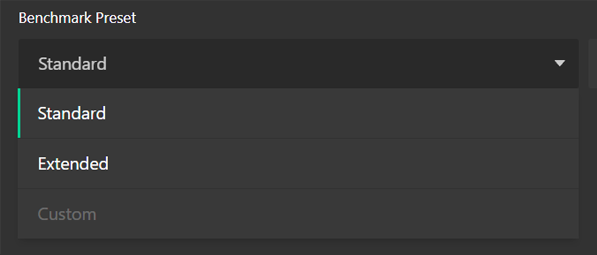
One of the biggest changes for free users is that the Extended preset is now unlocked. This preset previously required a benchmark license, but with the increase in popularity of the more advanced codecs and features tested in the Extended preset, we have made the decision to make it available for everyone running our benchmarks.
PLEASE NOTE: The Extended tests are significantly more demanding than the Standard or Basic presets. Mid-range or higher hardware is typically required for successful completion.
Image
New Tools and Flexibility for Licensed Users
For reviewers, labs, and anyone running automated test suites, the new command-line tools offer significant workflow improvements.
Copy Command Line
Inside the Creators app, you’ll now find a “Copy Command Line” option next to the Start Test button. This copies the full command you will need to run the benchmark from CLI and is perfect for building new .bat or shell scripts, automating multi-system runs, or integrating Puget Bench into large performance testing pipelines.
PLEASE NOTE: While this feature includes the most common CLI arguments, there are many more that can be used. We highly recommend running the Creators app with the --help argument to see all the available CLI options.
Run a Single Test Category
You can now run any individual test category using the new --category flag. Unlike the Custom preset method, this preserves the generated subscores, making it extremely useful for targeted testing, such as:
- Hardware encoding and decoding (LongGOP)
- AI workloads
- GPU Effects workflows
Better Multi-Run Output
When using --test_count argument to run a benchmark multiple times, the .csv log file has been adjusted to record each run as a separate column. In addition, the benchmark automatically calculates the minimum, maximum, and average result, saving you from needing to do additional processing of the results.
Smarter System Reporting and Cleanup
Benchmarks are most valuable when you can understand and trust the context behind the results. To improve that transparency, we’ve expanded what the application logs and reports.
Power Profile & Power Source Logging
The benchmark now records:
- Active power profile
- Whether the system was plugged in or running on battery
This is especially important for laptop results in the public database, where power mode can dramatically affect performance.
Disabled Devices No Longer Logged
While rare, some systems will have a device disabled via the Device Manager in Windows. This is most commonly done with integrated graphics, and the benchmark now ignores any disabled devices when logging the specs of the system. This helps to improve the accuracy when comparing multiple profiles in our results database.
Automatic Cache Cleanup in DaVinci Resolve
Users running the DaVinci Resolve benchmark will no longer be subject to ever-growing cache files. When paired with the new Puget Bench for DaVinci Resolve 1.2.2 benchmark version, cache files are automatically redirected to a temporary folder that is deleted at the end of the benchmark run. This prevents disk clutter and helps keep performance stable across multiple benchmark runs.
Conclusion
This update doesn’t modify benchmark algorithms or scores, but it absolutely improves the experience when running one of our benchmarks. Whether you’re a creator checking your workstation’s performance, a reviewer running dozens of configurations, or a lab automating test cycles, Puget Bench for Creators is now easier to use and more transparent than ever!
The update is live today and you can download and run the benchmark on your system at no cost.
Thank you to everyone who sent in feedback, bug reports, and ideas. Your input helped shape this release, and it continues to guide how we design tools for the creative community! And if you’d like to stay informed about future updates to Puget Bench, you can sign up for our newsletter below.

Looking for a Content Creation workstation?
We build computers tailor-made for your workflow.

Don’t know where to start?
We can help!
Get in touch with one of our technical consultants today.