Introduction
Whenever Adobe or Blackmagic releases a new application update, one of the first things we do is evaluate it to see if there are any changes that affect our Puget Bench results. We are interested in that information for several reasons:
- Deciding if we need to make a new benchmark group (to consolidate profiles and assist in comparing results)
- Catching any unexpected performance changes or bugs that we need to report to partners/press
- Seeing if it warrants more in-depth testing or might change the hardware we recommend in our workstations
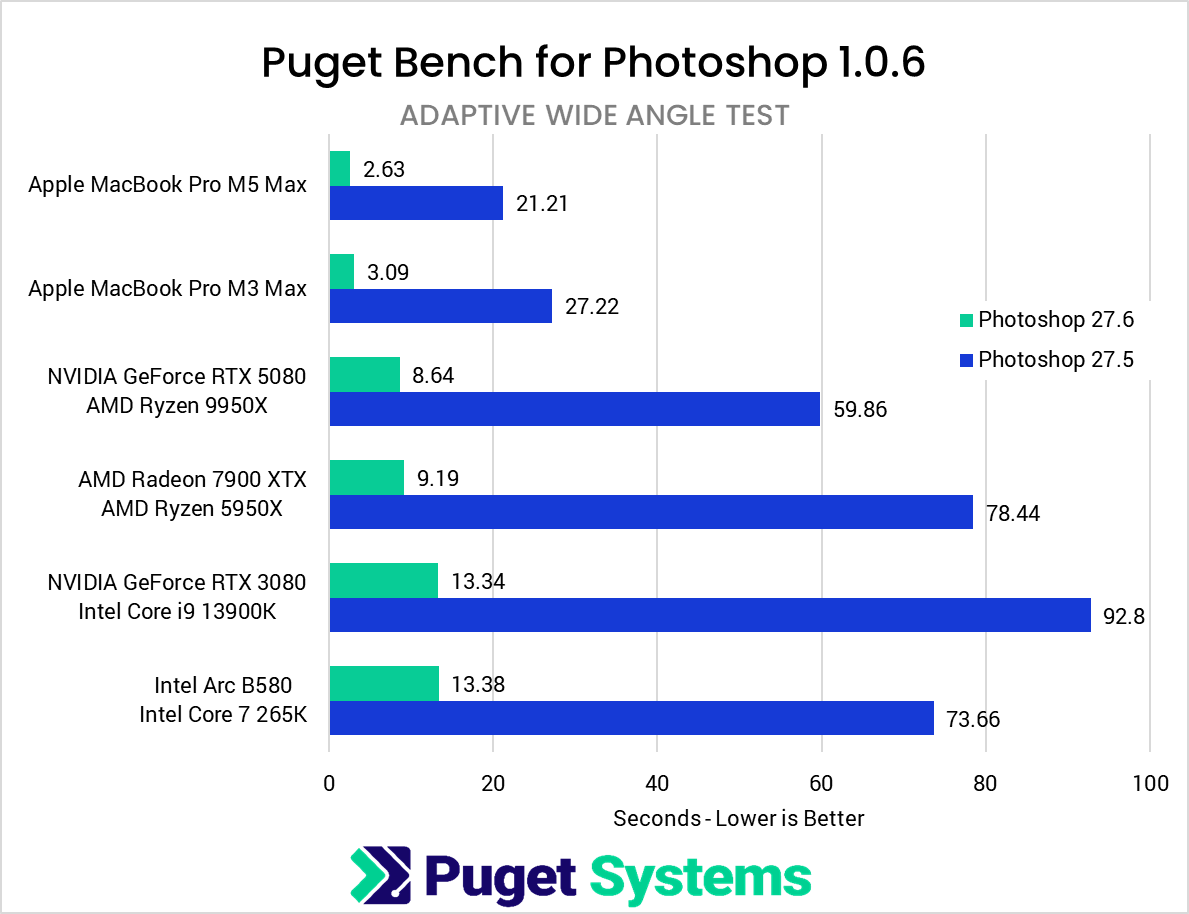
Recently, Adobe released Photoshop version 27.6, with the note that they “Improved performance on supported AMD systems.” While that note is specific to AMD, we found additional performance improvements across all our test platforms, most notably with the Adaptive Wide Angle feature.
Example Benchmark Results
When we test new software updates with Puget Bench, we run them across a range of platforms with a mix of CPUs and GPUs from multiple brands. They are intentionally NOT all the latest generation, since we want to make sure that older hardware does not have any issues. Testing on the latest and greatest hardware is instead done as a part of our in-depth performance articles.
Here is what we saw when we compared the new Photoshop 27.6 release to the previous 27.5 version:
System Image
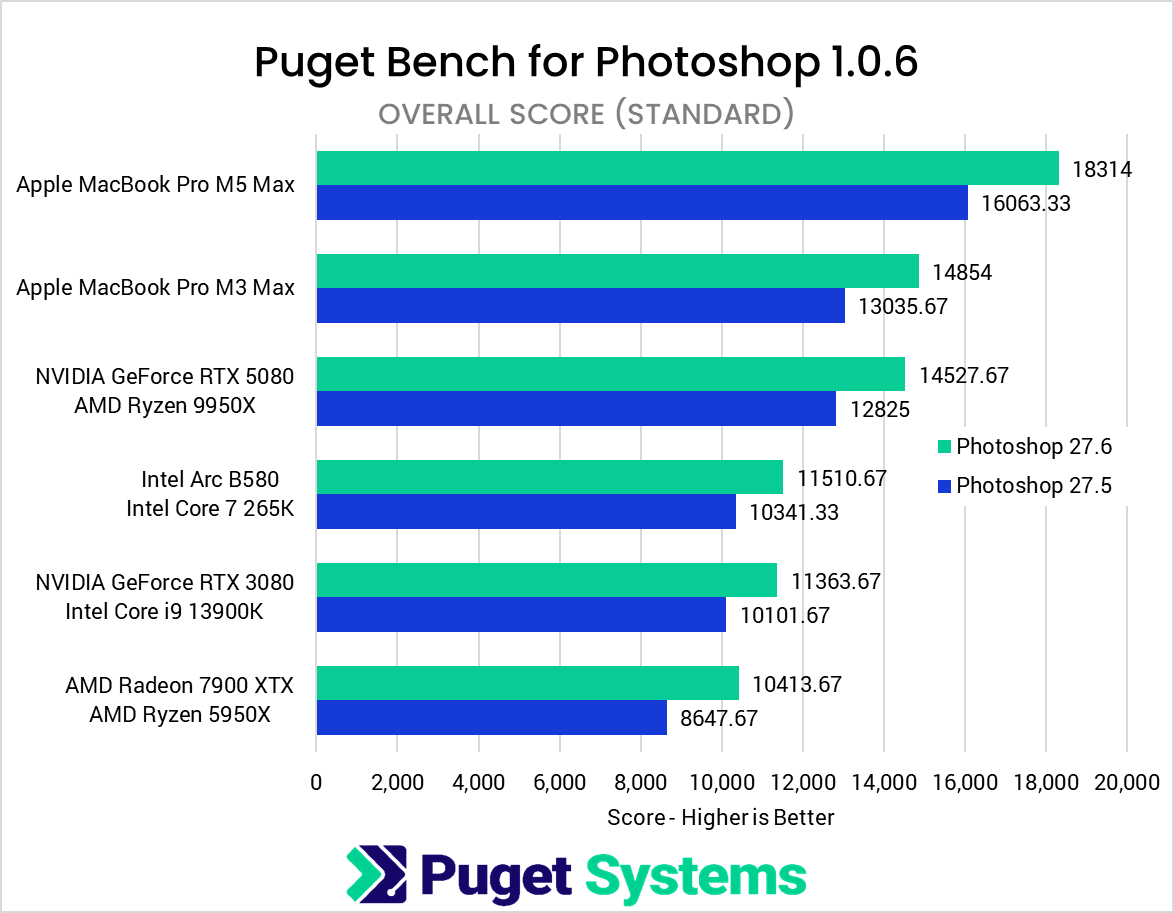
On the first chart, you can see how each of our platforms performed in the “Adaptive Wide Angle” test from Puget Bench for Photoshop, with blue bars showing version 27.5 and green bars showing the new 27.6 release. The difference is huge, with some systems going from over a minute to complete that task to around 10 seconds.
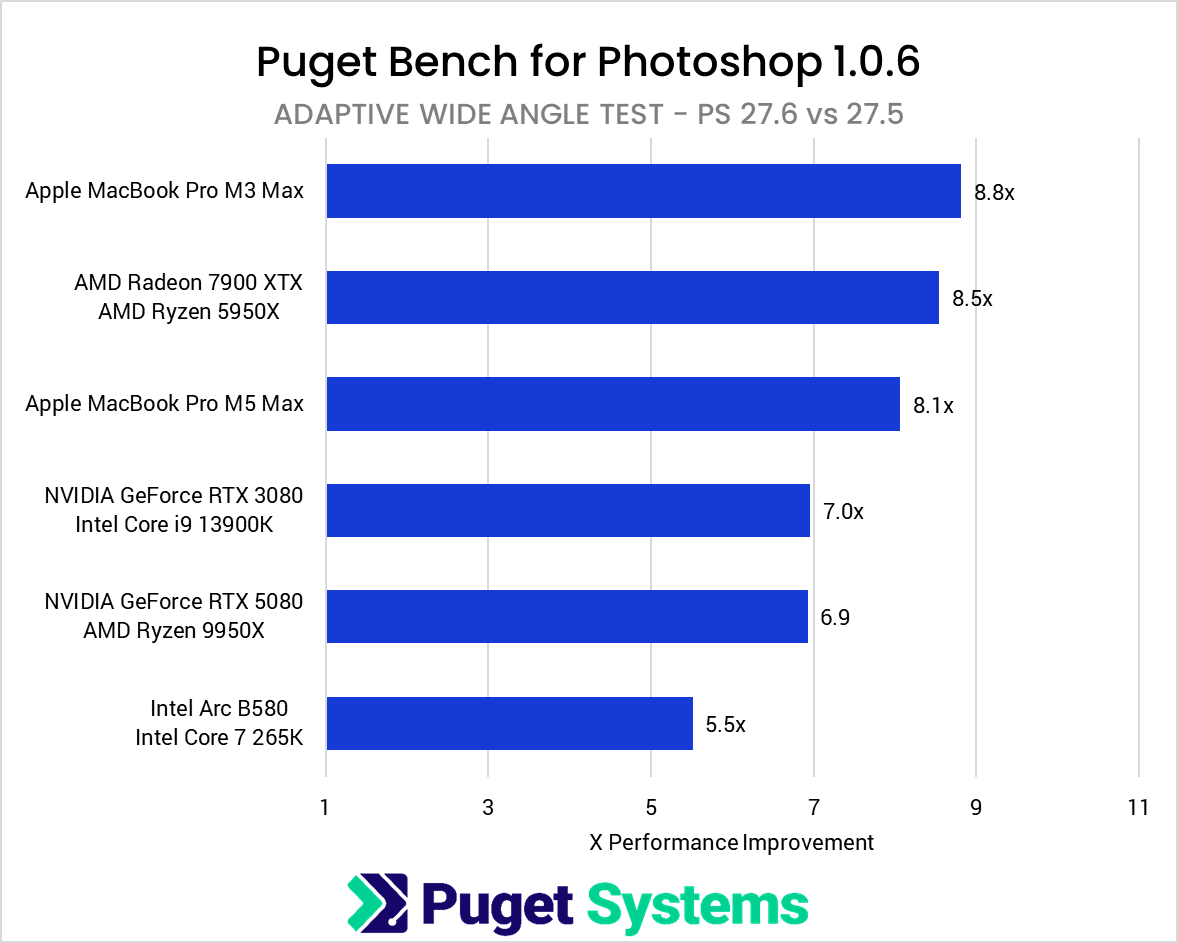
The second chart reframes this data to show the exact speedup each of the systems saw. We used the results from the first chart and calculated the performance increase going from Photoshop 27.5 to 27.6. The performance gain differs based on the exact hardware inthe system, with Apple and AMD appearing to be the most impacted.
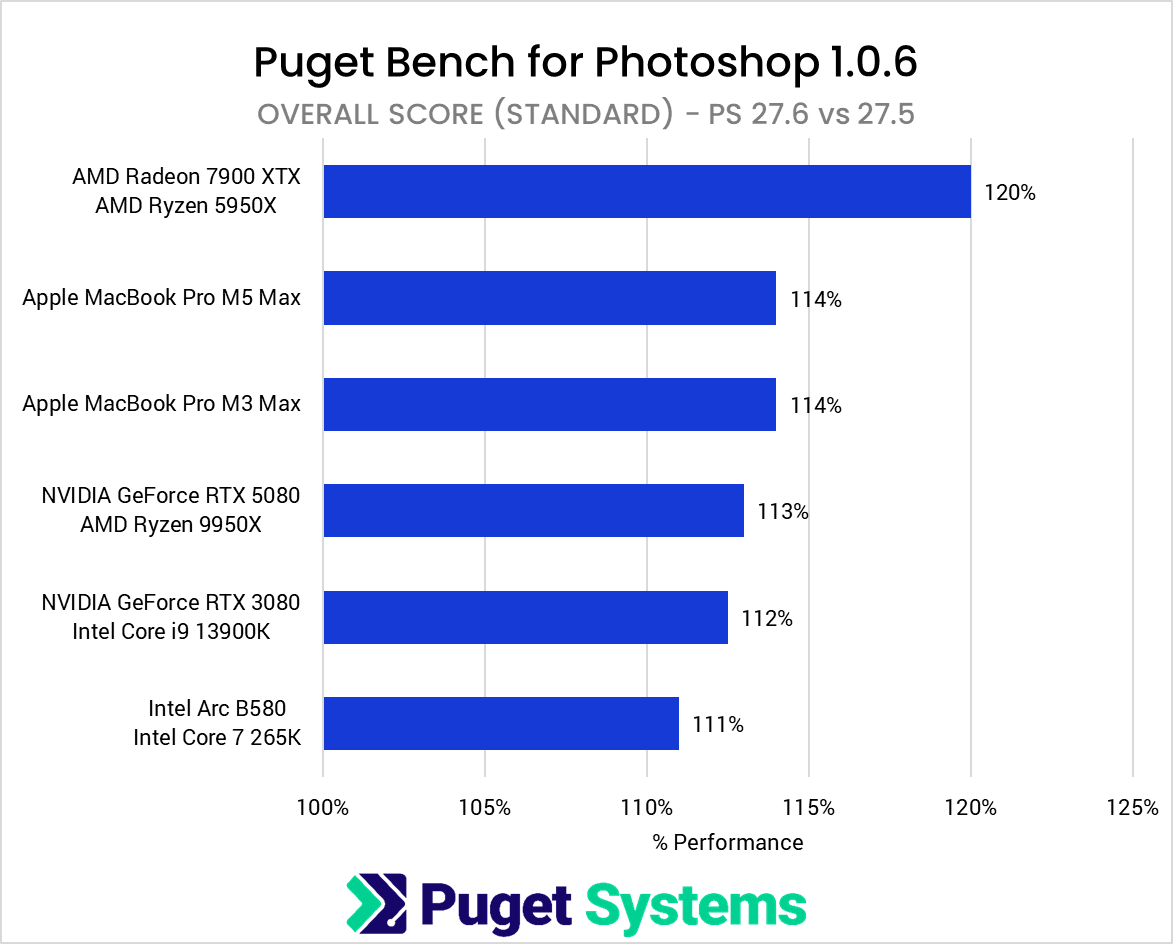
In addition to the Adaptive Wide Angle test, we saw a number of other improvements on our AMD Ryzen™ 5950X and Radeon™ 7900 XTX system. “Smudge” and “Resize to 150MP – Preserve Details” saw about a 20% performance improvement on that system, and a number of other tests saw smaller 5-10% gains. Interestingly, the other platform running an AMD CPU didn’t see the same increase, and neither did a separate system we tested (not shown in the above charts) with a different AMD GPU model. So, while there are additional changes in Photoshop 27.6 that improve AMD performance, the results are mixed and appear to be very hardware-specific.
System Image
The improvement in our “Adaptive Wide Angle” test was large enough that it had a sizeable impact on the Overall Score as well. That number is a compilation of all the benchmark tests, and the 5 – 9x increase in just one area was enough to lift Overall results by 10-20%, depending on the platform.
Conclusion
Performance gains are always terrific to see and are a sign that companies like Adobe are working diligently to benefit their users. The interesting thing about this update is that, even though it affects all platforms, the Photoshop 27.6 update notes only mention AMD. We did see evidence of additional AMD-specific optimizations, but the big change we saw was a massive improvement in the Adaptive Wide Angle feature, which impacted all our test platforms across multiple CPU and GPU brands.
Since this is a fairly universal update, it likely won’t affect the type of system you might want to use for Photoshop. This is one of those situations where improvements affect every platform equally, benefiting everyone. We will, however, be creating a new benchmark group in our public results database to maintain accurate comparisons.
If you need a powerful workstation to tackle Photoshop, the Puget Systems workstations on our solutions page are tailored to excel in various software packages. If you prefer to take a more hands-on approach, our custom configuration page helps you to configure a workstation that matches your exact needs. Otherwise, if you would like more guidance in configuring a workstation that aligns with your unique workflow, our knowledgeable technology consultants are here to lend their expertise.

Looking for a Photoshop workstation?
We build computers tailor-made for your workflow.

Don’t know where to start?
We can help!
Get in touch with one of our technical consultants today.