Introduction
Houdini by SideFX has long held a unique position in the world of digital content creation. Unlike many traditional 3D applications, Houdini is built around a procedural, node-based workflow that gives artists a high degree of control, flexibility, and repeatability. Instead of relying on destructive edits, users build networks that can be adjusted and re-evaluated at any stage, which makes it especially powerful for simulation-heavy workflows.
Because of this, Houdini is widely used across several industries. In film and television, it is a common tool for visual effects like smoke, fire, fluids, and large-scale destruction. In game development, it is frequently used for procedural asset creation and environment generation. It is also used in motion graphics, architectural visualization, and real-time pipelines where procedural workflows can significantly reduce manual effort.
At Puget Systems, Houdini is not a new application to us. We have followed its development for years and have worked with customers using it in production environments. Earlier this year, we also featured a guest article that explored Houdini performance from a production perspective. What is new is our ability to test Houdini directly in a structured, repeatable way.
This post introduces the first iteration of that effort.
Benchmark Structure
When building a benchmark for Houdini, one of the first challenges was deciding what to actually measure.
Unlike many applications that center around a fixed set of workflows, Houdini is highly procedural. Performance can vary significantly depending on the solver used, the network construction, and the overall scale of the simulation. As a result, a single scene or task is not enough to represent real-world usage.
For this initial version, we focused on a small set of simulation types that reflect common workloads found in production environments. These include smoke, fire, grains, fluids, and rigid body fracturing. Each one stresses the system in a different way, helping expose performance differences across a range of simulation behaviors rather than a single narrow case.
All test scenes are based on publicly available project files, with small modifications applied to improve consistency and ensure they can be used reliably for benchmarking.
Test Scenarios
Each simulation uses a specific solver with unique interactions.
Smoke
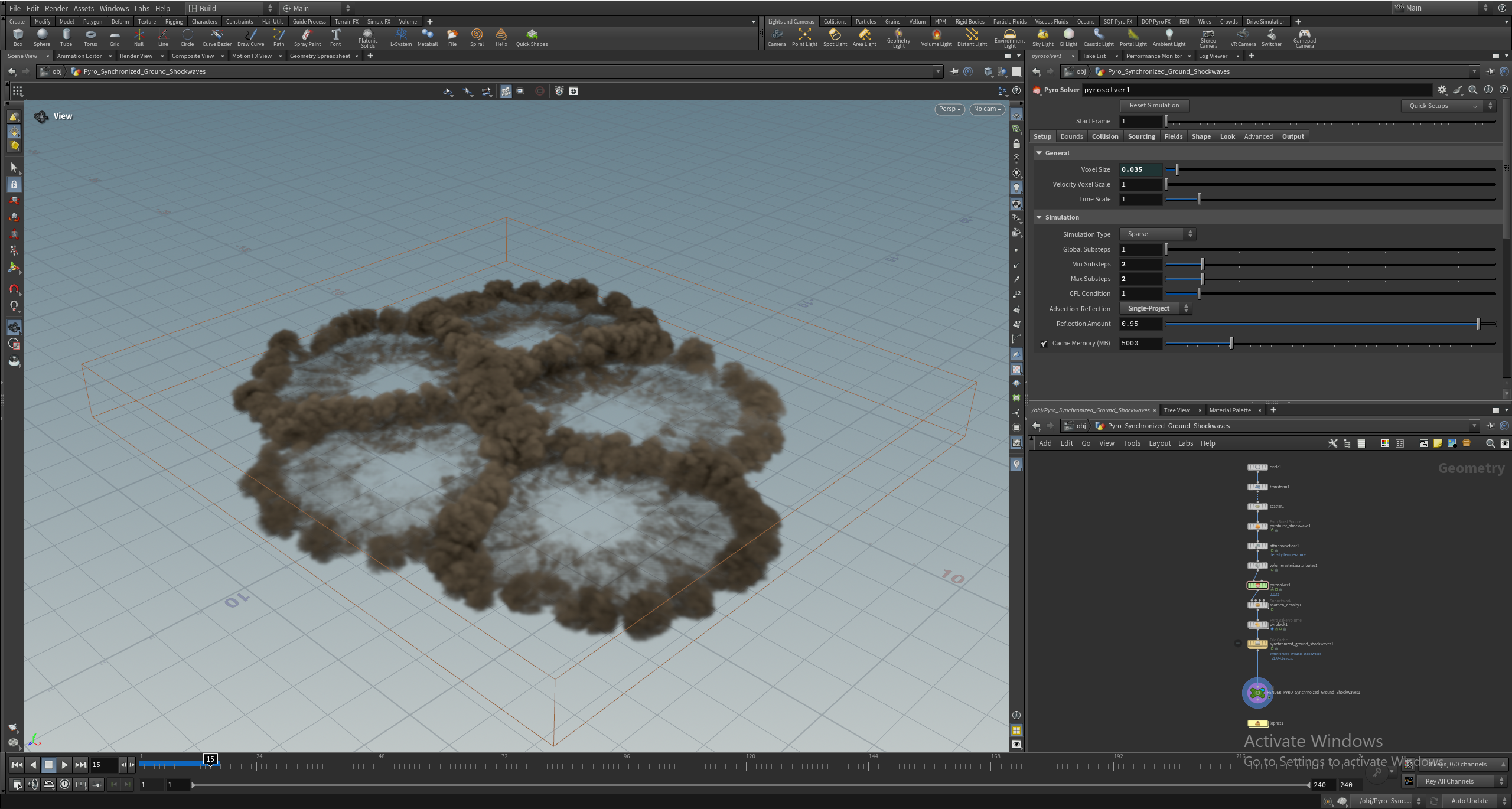
First off we have a Smoke simulation, which uses the Pyro solver. This test has five explosion points, each creating billowing smoke clouds that collide with each other. This simulates multiple interactive effects, which is common in VFX workflows. This simulation runs for 240 frames, from the initial explosion until the smoke dissipates from the scene.
Image
Fire
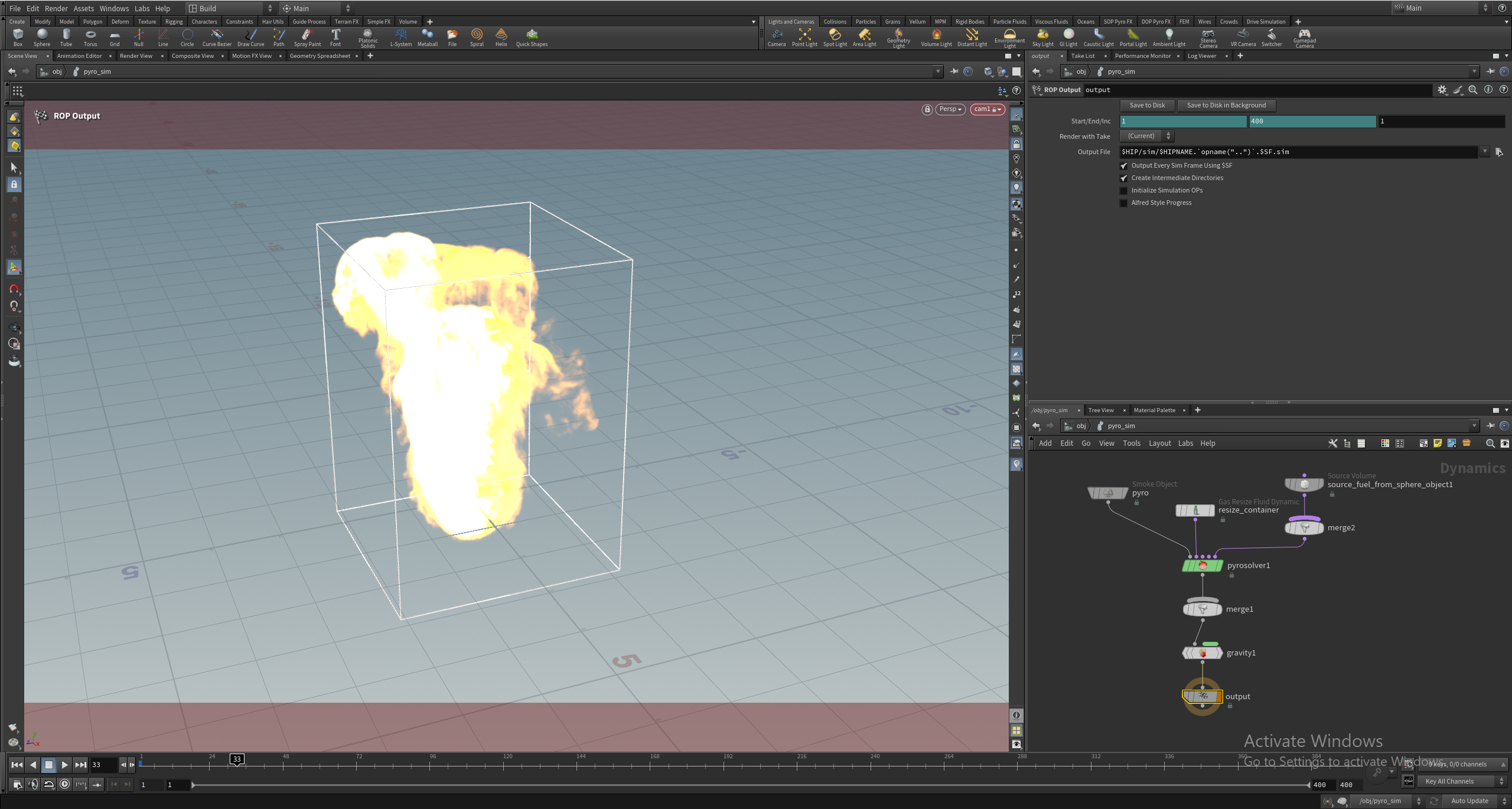
The Fire project also uses the Pyro solver and comes to us from our friend Saad Moosajee. This project has a single instance replicating a flame. This is a more general test than the Smoke and runs for 200 frames.
Image
Grains
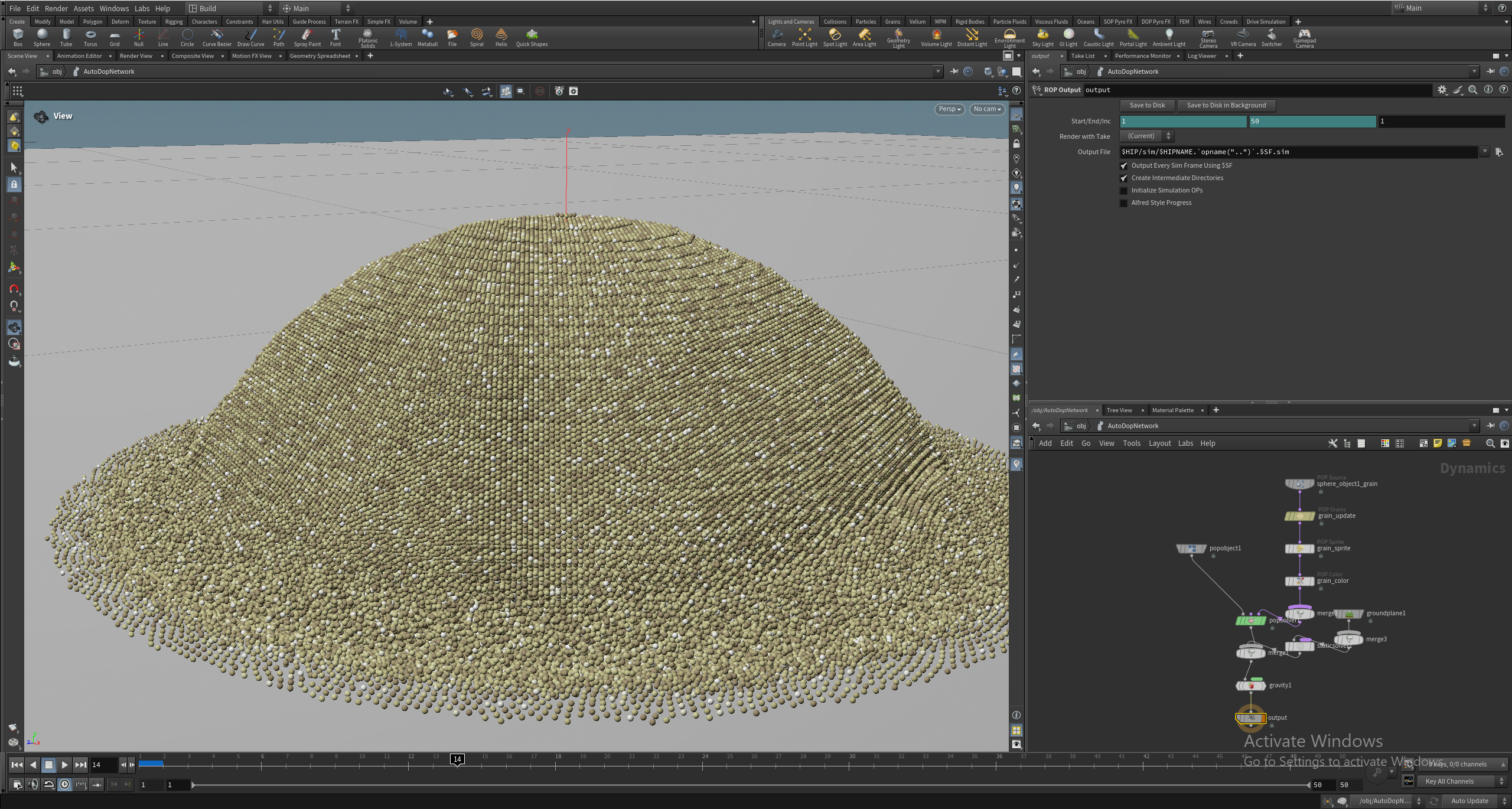
Our Grains project, also from Saad, features a cluster of 700,000 individual particles created with the POP Grains node and then simulated with the POP Solver node. The cluster of grains falls and scatters across a ground plane. That many interactions mean this is a fairly demanding test, so it runs for only 50 frames but takes nearly twice as long as the Pyro tests.
Image
Fluids
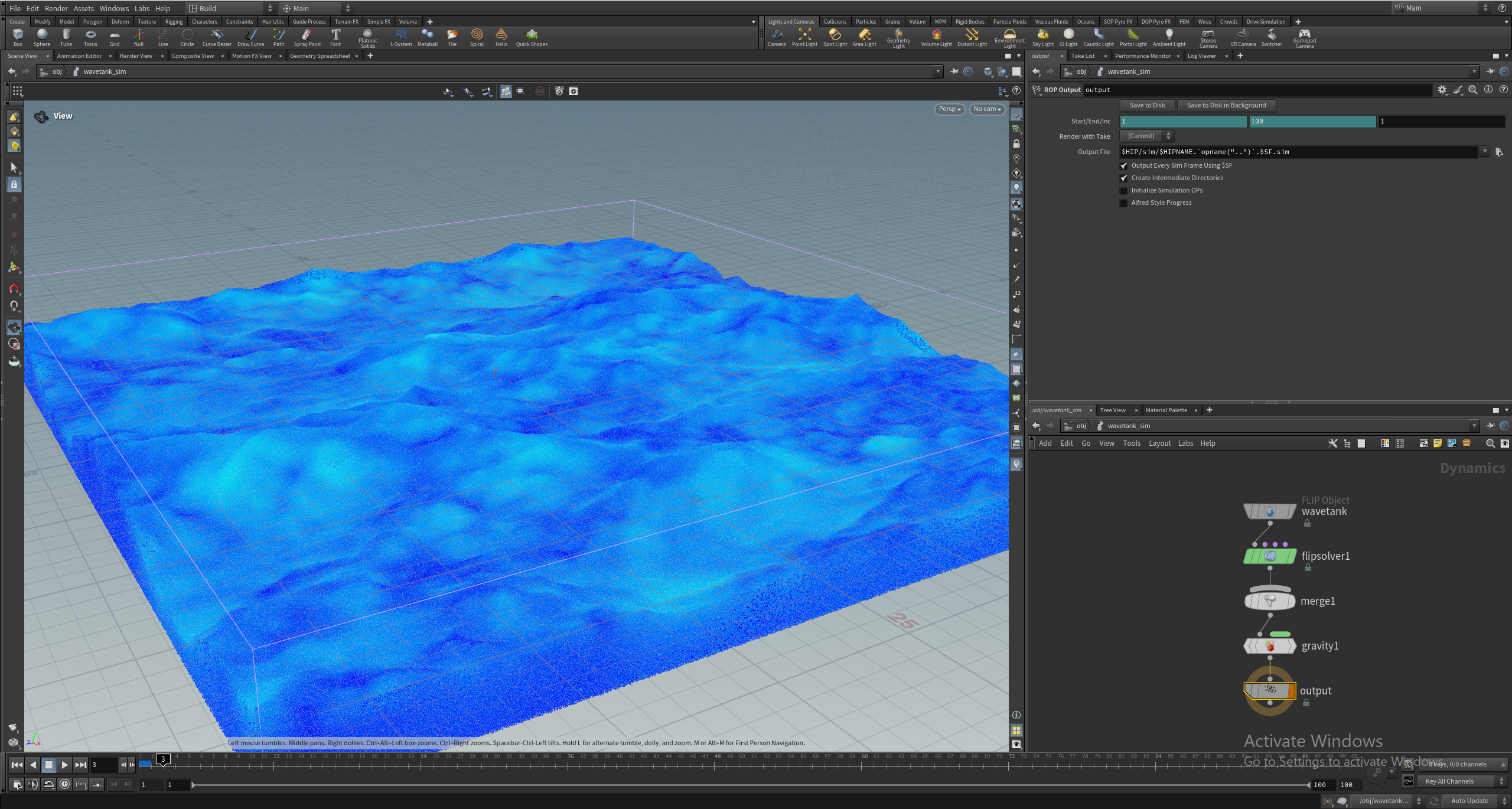
The Fluids test was also created by Saad, and features a fluid simulation with 31 million points using the FLIP solver. Houdini excels at this sort of simulation and has been heavily used in the VFX industry to create realistic water. Because this is such a strenuous test, it runs for only 25 frames but takes roughly four times as long to complete as the Smoke project’s 240 frames.
Image
Fracture
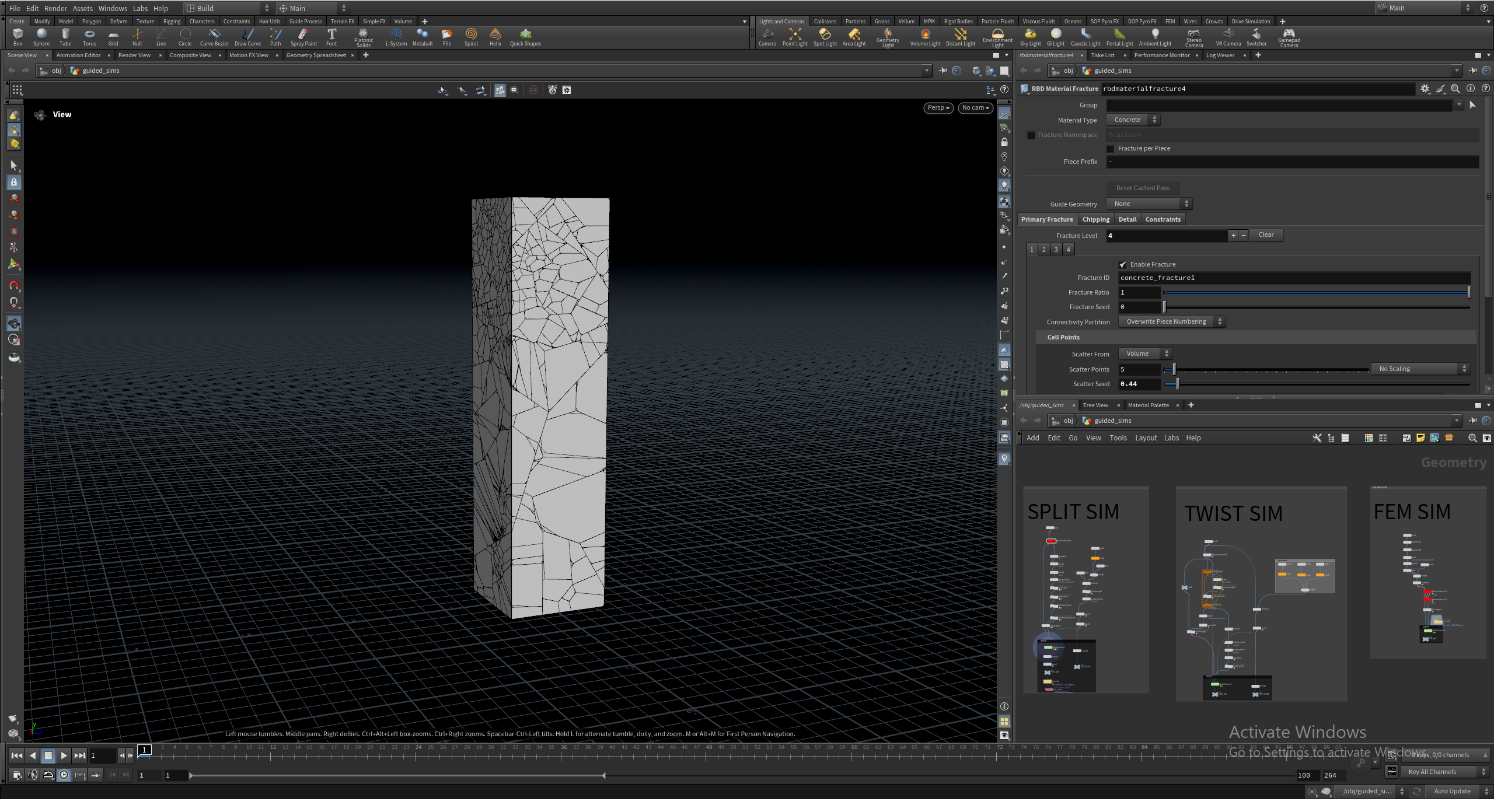
Lastly is the Fracture test. This test takes a large piece of geometry, fractures it with the RBD Material Fracture node, and then simulates it crumbling with the RBD Bullet Solver. Many films and games use this type of simulation for buildings crumbling or exploding in high-action shots. This test runs for 100 frames.
Image
The frame counts were chosen based on the characteristics of each simulation type. Some workloads, like Fire, benefit from longer runtimes to capture sustained performance behavior. Others, like Grains, reach meaningful computational load much more quickly and would become unnecessarily long if extended further. This balance helps keep total test time reasonable while still representing the performance profile of each workflow.
Running the Tests
All simulations are executed using Houdini’s hbatch tool in a headless environment. Running headless removes the overhead of the user interface and ensures that results reflect simulation performance directly. It also aligns more closely with how many production environments operate, where simulation jobs are often executed in the background or on dedicated systems rather than interactively.
This approach provides a more consistent and repeatable testing environment, which is critical for comparing hardware performance across multiple systems. It also enables easier automation, allowing us to trigger the tests remotely and further reducing the impact of external factors on results.
Gathering Results
For each simulation, we record the total time required to complete the full frame range from start to finish. Each test is run multiple times to account for run-to-run variance. Results are then reviewed for consistency before being included in our dataset. This helps reduce the impact of system-level variability and ensures that results reflect stable performance rather than isolated outliers.
At this stage, we are not breaking results down into per-frame timing or individual solver stages. While that level of detail may be useful in future iterations, the total simulation time provides a clear, consistent baseline for comparing hardware. Our recent AMD Ryzen 9 9950X3D2 Dual Edition Review has an example of these results.
Looking Ahead
This benchmark is intended to become part of our standard CPU testing suite, to be used in future processor reviews alongside our existing content creation benchmarks. As it evolves, we plan to expand coverage in several areas. GPU-accelerated solvers are an obvious next step, especially as more workflows continue to shift toward hybrid CPU/GPU simulation. We are also interested in exploring how memory capacity, cache behavior, and storage performance influence larger or more complex simulations.
Just as importantly, we will be working to validate these results against real-world production workflows. Houdini is used in many ways across different industries, and ensuring that our benchmark reflects those realities will be key to its long-term usefulness.
Because Houdini workflows can vary widely from one user to another, feedback is especially valuable at this stage. If you are using Houdini in production, we are particularly interested in the types of simulations that make up your day-to-day work, which solvers or workflows are most important to your pipeline, and whether these test scenarios feel representative of real-world usage. Insight into where you typically encounter performance bottlenecks – whether CPU, GPU, memory, or storage – is also helpful. If you have example project files that you are comfortable sharing, even simplified versions of production scenes, they may help us expand and refine this benchmark over time. Our goal is to build something that reflects real-world usage as closely as possible, and input from artists and developers actively working in Houdini will be a key part of making that happen!
Conclusion
This benchmark represents the first step toward bringing Houdini into our broader suite of content creation testing at Puget Systems. While the current set of simulations provides a useful starting point, it is only a small slice of what Houdini is capable of, and there is still significant room to expand both the scope and depth of this testing.
As we continue to develop this benchmark, our focus will be on improving coverage, validating results against real-world workflows, and ensuring that the data we provide is both accurate and meaningful for professionals using Houdini in production. Over time, this will allow us to better evaluate how new hardware performs in Houdini and provide clearer guidance for users looking to build or upgrade their systems.
Like our other benchmarks, this will be an iterative process. With continued refinement and community input, our goal is to build a testing framework that reflects how Houdini is actually used, rather than a simplified or idealized version.

Looking for a Houdini workstation?
We build computers tailor-made for your workflow.

Don’t know where to start?
We can help!
Get in touch with our technical consultants today.