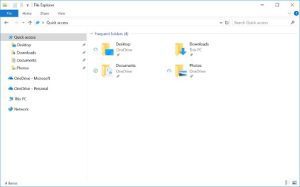
Windows 7 support is ending, what now?
Microsoft is officially ending all product support in 2020. This means no more security updates, feature updates, patches of any kind or phone, email and chat support. This article will guide you through some of your options as well as discuss the best actions to take to keep you secure after support officially ends.

Case Study with Argonne National Laboratory
Argonne chemists use artificial neural networks to read molecular spectra. They enlisted the help of Puget Systems to build them a workstation that could be used to train convolutional neural networks.

Case Study with SFFILM
Puget Systems worked with SFFILM to customize workstations for their independent filmmakers like Molly Stuart which help bring their creations to life.
When a deal is not a deal
During a recent computer component purchase, I learned that purchasing isn’t just about acquiring a product. You are creating relationships. Even if they may be micro-relationships, they are relationships all the same. So you just have to determine which type you wish to have.

Case Study with Our Voice USA
Our Voice USA worked with Puget Systems to build a customized workstation which helps them build tools to engage citizens in the political process regardless of their economic status.

SOLIDWORKS 2019: Quadro RTX Series in Enhanced Graphics Performance Mode
Despite how popular SOLIDWORKS is, there is a lot of outdated and simply inaccurate information on the web regarding what video card you should use. This is especially true for SW 2019, because it adds a new mode that changes how the video card is utilized when displaying parts and assemblies. This feature is still in beta, and not yet ready for production use, but we rounded up the full Quadro RTX line of video cards to see how they perform at both 1080p and 4K resolutions.

Top 5 Pro Tips for a New Puget System
Your new Puget System just arrived and you are eager to set it up and get to work. Here are some considerations to keep in the back of your mind while you get setup.
Intel Xeon W-3175X and i9 9990XE Linpack and NAMD on Ubuntu 18.04
There are 2 recent Intel processors that are really strange, the Xeon W-3175X 28-core, and the Core i9 9990XE overclocked 14-core. I was able to get a little time in on the these processors. I ran a couple of numerical compute performance tests with the Intel MKL Linpack benchmark and NAMD. I used the same system image that I had used recently to look at 3 Intel 8-core processors so I will include those results here as well. **There will be results for W-3175, 9990XE, 9800X, W-2145, and 9900K**.

SOLIDWORKS 2019: Intel Core i9 9990XE Performance
Dassault Systemes recently updated SOLIDWORKS 2019 with its first service pack (SP1), and we did a roundup of Intel CPUs looking at how they perform in this popular engineering application. We found that both core count and clock speed play a role different aspects of SOLIDWORKS performance, so when Intel released their new Core i9 9990XE with very high clock speeds and a respectable number of cores (14, plus Hyperthreading) this seemed like a good application to test on it.

Pix4D 4.3: Intel Core i9 9990XE Performance
Pix4D is an advanced photogrammetry application, suited to a wide range of uses, with a focus on handling images captured by drone cameras. Processing of those images into point clouds and 3D meshes/textures is time-consuming, heavily using a computer’s CPU and GPU. Both core count and clock speed play a role in Pix4D performance, so when Intel released their new Core i9 9990XE with very high clock speeds and a respectable number of cores (14, plus Hyperthreading) this seemed like a good application to test on it.