
SOLIDWORKS 2019 Intel CPU Performance
Dassault Systemes launched the initial version of SOLIDWORKS 2019 late last year, but with the recent release of SP1 we expect that customers will soon be using it in production environments. In preparation for that, we have tested the field of current Intel Core series processors to see how they compare across a wide variety of tasks within SOLIDWORKS.
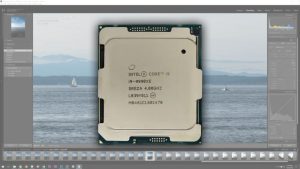
Lightroom Classic CC 2019: Intel Core i9 9990XE Performance
The Intel Core i9 9990XE 14-core CPU is a special, OEM-only, no warranty processor that is only available to select system manufacturers like Puget Systems. While it is very hard to get, it has terrific performance for both lightly-threaded and highly-threaded tasks making it one of the fastest CPUs currently available.
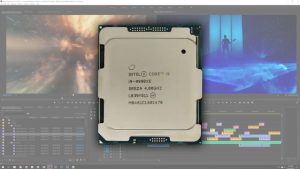
Premiere Pro CC 2019: Intel Core i9 9990XE Performance
The Intel Core i9 9990XE 14-core CPU is a special, OEM-only, no warranty processor that is only available to select system manufacturers like Puget Systems. This unique processor is able to run at 5.0 GHz even when all the cores are being used which should make it among the fastest processors currently available for Premiere Pro.
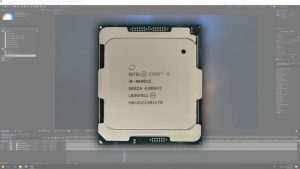
After Effects CC 2019: Intel Core i9 9990XE Performance
The Intel Core i9 9990XE 14-core CPU is a special, OEM-only, no warranty processor that is only available to select system manufacturers like Puget Systems. While it is very hard to get, it should actually be among the fastest CPUs to use for After Effects as it has terrific performance for both lightly-threaded and highly-threaded tasks.
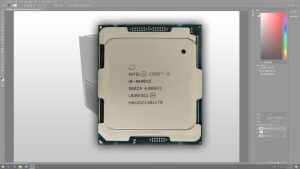
Photoshop CC 2019: Intel Core i9 9990XE Performance
The Intel Core i9 9990XE 14-core CPU is a special, OEM-only, no warranty processor that is only available to select system manufacturers like Puget Systems. While Photoshop typically does not take advantage of higher core count CPUs, the unique thing about this processor is that it is can run at up to 5.1 GHz which should allow it to give terrific performance in Adobe Photoshop CC.

SOLIDWORKS 2019 Quadro GPU Performance
Despite how popular SOLIDWORKS is, there is a lot of outdated and simply inaccurate information on the web regarding what video card you should use. This is especially true for SW 2019, because it adds a new mode that changes how the video card is utilized when displaying parts and assemblies. To see how this new mode affects GPU performance, I tested multiple graphics cards from the Quadro P and RTX series at both 1080p and 4K resolutions.
RTX Titan TensorFlow performance with 1-2 GPUs (Comparison with GTX 1080Ti, RTX 2070, 2080, 2080Ti, and Titan V)
I’ve done some testing with 2 NVIDIA RTX Titan GPU’s running machine learning jobs with TensorFlow. The RTX Titan is a great card but there is good news and bad news.
Numerical Computing Performance of 3 Intel 8-core CPUs – i9 9900K vs i7 9800X vs Xeon 2145W
In this post I’ll take a brief look at the numerical computing performance of three very capable 8-core processors — i9 9900K, i9 9800X and Xeon 2145W All three are great CPU’s but there are some significant differences that can cause confusion. I’ll discuss these differences and see how the processors stack up when running Linpack and NAMD molecular dynamics simulations.
OctaneRender 4.00: NVIDIA GeForce & Titan RTX GPU Rendering Performance Roundup
OctaneRender is a GPU-based rendering engine, utilizing the CUDA programming language on NVIDIA-based graphics cards. An update to their benchmark, OctaneBench 4.00, was recently released – so we gathered most of the current and recent GeForce and Titan series video cards and tested them to see how they perform in this version of OctaneRender.

Redshift 2.6.22: NVIDIA Titan RTX Performance
Redshift is a GPU-based rendering engine, compatible with NVIDIA’s CUDA graphics programming language. We recently saw how GeForce RTX cards perform in this renderer, but now the Titan RTX is out with a staggering 24GB of memory onboard. That sounds great for rendering complex 3D scenes, but how does it actually perform? And are there any caveats?