Table of Contents
Introduction
Nowadays, remote desktop software is a dime a dozen. Parsec, HP Anywhere, Jump Desktop, AnyDesk, TeamViewer, Splashtop, and others all let you work as if you were seated in front of a computer from a variety of devices. Yet, just like sharing a screen on Teams or streaming gameplay, they put an additional load on the host system being streamed from. Internally at Puget Labs, we use Parsec to remote into most of our systems when not actively benchmarking them, and use a hardware-based iKVM when doing testing. But how much does using a software-based remote desktop solution impact the performance of the system?

With the rise of hybrid and remote work, it has become increasingly common for end-users to need access to a powerful workstation in multiple locations. Although we have seen some customers purchase additional computers—one for home and one for the office—this approach is expensive and wasteful. Others have decided to outfit employees with a high-end laptop, though even top-end models can’t match the performance of a dedicated desktop. And if an employee has two systems, this increases the networking and storage complexities in order to keep projects secure and synchronized.
To that end, we have generally encouraged customers to pursue a remote desktop solution using a master workstation and a lower-power notebook to access it. The workstation could be a standard tower PC worked on directly while in the office, or it could be one of our rackstations which is always remotely accessed. The latter allows an IT department to simplify the management, security, and deployment of employee workstations by collocating them in a server room.
However, if you are investing in an expensive, powerful workstation, you likely want to maximize its performance. Your artists and developers probably want a seamless experience with minimal latency, artifacts, or other issues. So, how much performance do you give up by using remote desktop software to do work on a computer compared to using it in the more traditional, in-person manner?
Test Setup
Intel Core Ultra Test Platform
| CPUs: Intel Core™ Ultra 9 285K |
| CPU Cooler: Noctua NH-U12A |
| Motherboard: ASUS ProArt Z890-Creator WiFi BIOS version: 2006 |
| RAM: 2x DDR5-6400 CUDIMM 32GB (64 GB total) |
| GPUs: NVIDIA GeForce RTX™ 5090 NVIDIA GeForce RTX™ 5070 Driver Version: 580.97 |
| PSU: Super Flower LEADEX Platinum 1600W |
| Storage: Samsung 980 Pro 2TB |
| OS: Windows 11 Pro 64-bit (26200) |
Benchmark Software
| Photoshop 26.11 – Puget Bench for Photoshop 1.0.5 |
| Premiere Pro 25.2.3 – Puget Bench for Premiere Pro 1.1.1 |
| After Effects 25.5 – Puget Bench for After Effects 1.0.0 |
| DaVinci Resolve 20.0.1.6 – Puget Bench for DaVinci Resolve 1.2.0 |
| Unreal Engine 5.5 |
| Blender 4.5 |
| V-Ray 6.00.01 |
For this investigation, we performed our testing on an Intel Core™ Ultra 9 285K based testbed. While we don’t think the overall configuration has too much impact, the 285K is a highly competent CPU that should minimize bottlenecks in most of the applications we tested. There are pros and cons to this approach, though. In particular, lower-end systems may be more impacted by RDP software overhead than higher-end systems; we may investigate this further in the future.
Our 285K/Z890 platform was configured as usual for our testing: overclocking was disabled, the BIOS was set to use the Intel Performance Profile, and the RAM was running at JEDEC 6400 spec. Drivers and Windows were up to date, and features like VBS were enabled. Again, since we are looking at relative performance, we don’t expect these changes to make a large difference, if any.
Our Parsec connections were configured to put as much strain on the hardware as possible. To this end, we forced streaming at 4K with the maximum configurable bitrate of 50 Mbps. “Prefer 4:4:4 color” and “Prefer 10-bit color” were both enabled, and we set a preference for H.265 encoding. In our exploratory testing, we didn’t find huge differences in performance impacts based on how these settings were configured. We did not enable “Constant FPS” as we found it sometimes interacted poorly with the visual appearance of video playback—something undesirable for the tested use-cases.
One question we had was whether the contents of the screen would have a noticeable impact on the resources required to stream the desktop. To this end, we performed a round of testing with a full-screen video playing on top of the benchmarks. Overall, we found that this didn’t make much of a difference in relative performance between using an RDP or local connection – but it did impact the total bandwidth consumed. Therefore, all the results presented are without the video being played on top.
We tested with a variety of our standard media and entertainment benchmarks. This includes most of the Puget Bench for Adobe suite as well as Puget Bench for DaVinci Resolve, our in-house Unreal Engine benchmark, the Blender benchmark, and the V-Ray benchmark. We are particularly interested in the Premiere Pro and DaVinci Resolve results, as those applications use the same encoders as Parsec does to stream the desktop and so could be impacted by sharing those resources.
Premiere Pro
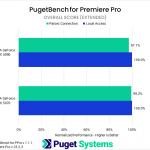
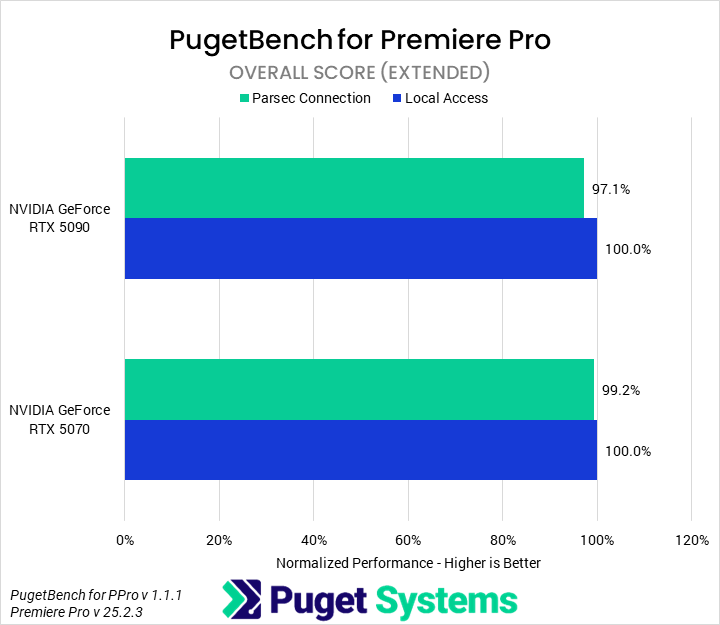
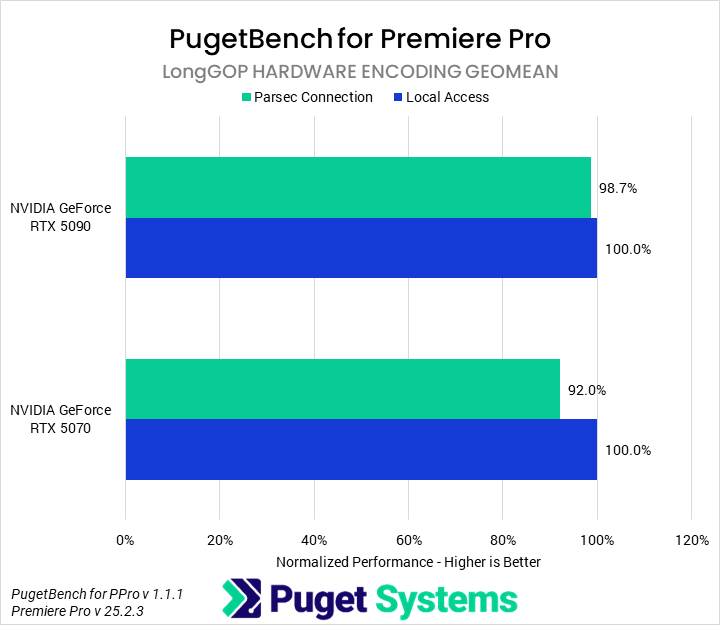
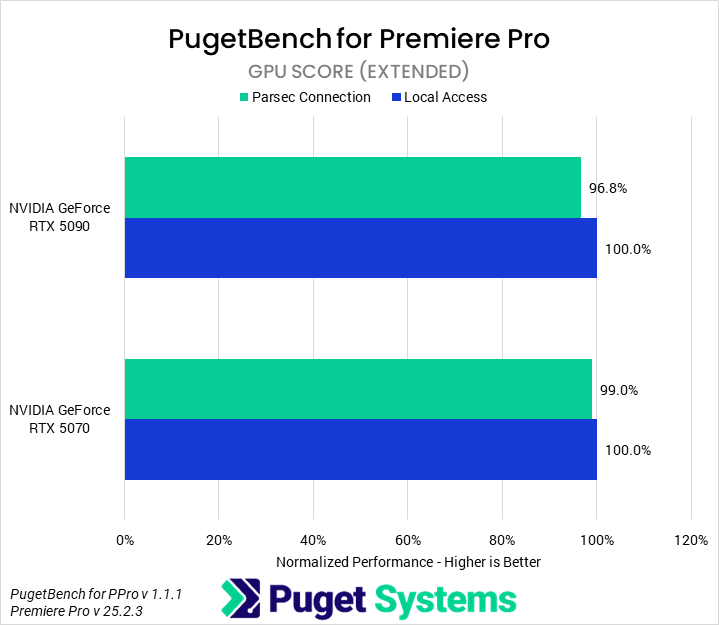
As we suspected when we first began this investigation, we observed a performance impact on Premiere Pro when running Parsec. The effect on the Overall score (Chart #1) is relatively minor at only 1-3%. Typically, we would call this within the margin of error, but we are relatively confident in these results to about 1%. Interestingly, we found that the NVIDIA GeForce RTX™ 5090 configuration was more impacted overall than the RTX™ 5070.
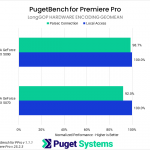
However, our primary area of interest was the LongGOP encoding tests (Chart #2), as these tests should use the same hardware as Parsec does for encoding. Do note that the scores we are using are not the same as our LongGOP score, which we typically report. Instead, we calculated a geometric mean of the FPS results for the three hardware-accelerated encoding tests and ignored the processing/decoding tests. This shows more impact. The 5070 exhibited an 8% performance drop, while the 5090 showed a smaller 1% drop.
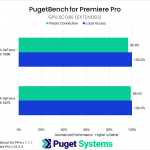
Since we suspected Parsec would primarily target the GPU, we also examined the GPU Effects score (Chart #3). There was less impact on this than on the LongGOP encoding tests, but there was still an effect. The 5070 showed a 1% drop while the 5090 a 3%.
DaVinci Resolve Studio
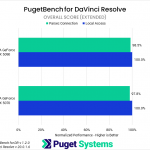

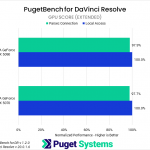
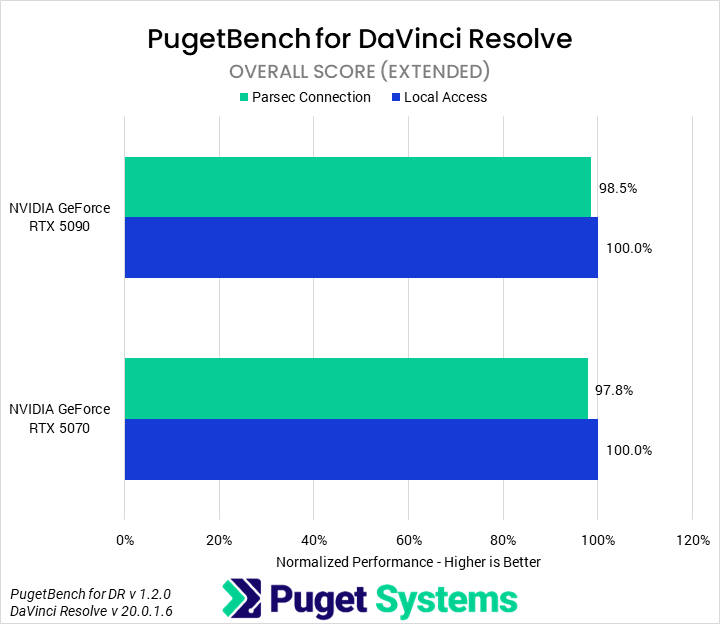
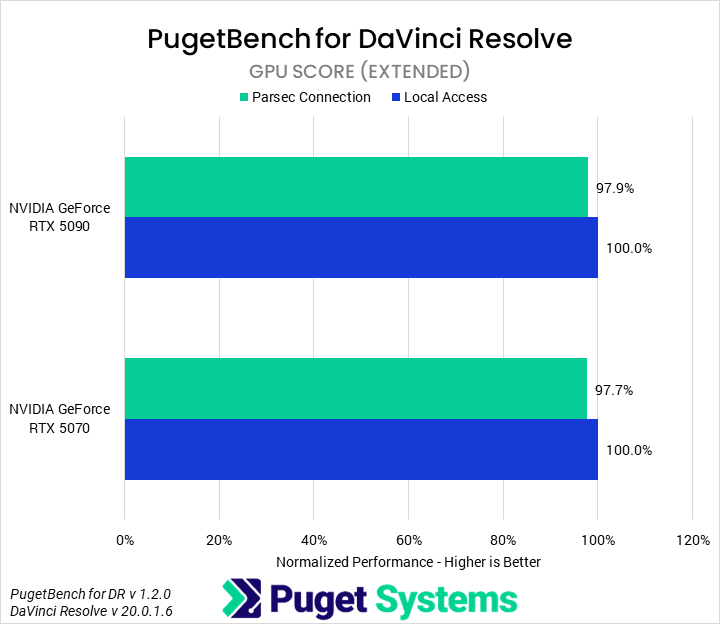
In DaVinci Resolve Studio, we once again saw a performance impact from running Parsec. The overall performance hit was small, only a couple percent, but it was present. Unlike in Premiere, we found the performance impacts to be very similar between both the RTX 5090 and 5070. The overall differences are small enough that it is hard to say how much of that is due to variance, but it is interesting nonetheless.
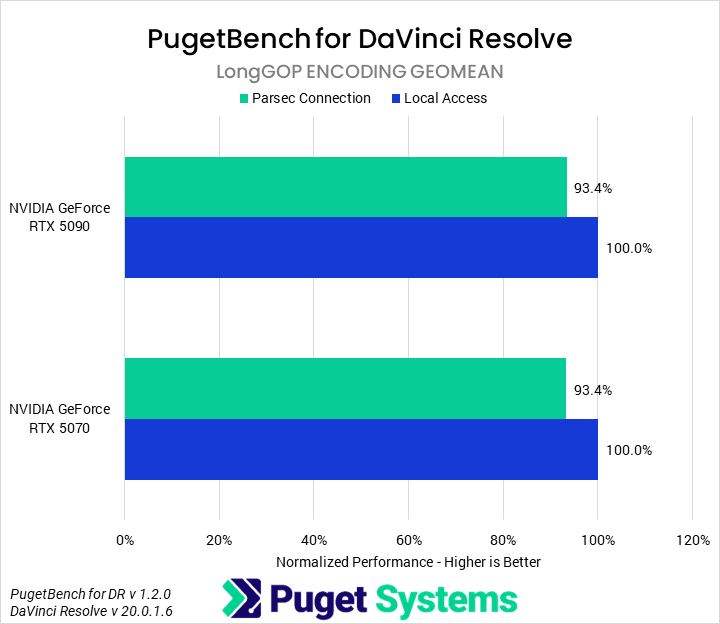
For our second chart, looking at the LongGOP encoding geomean, we performed a similar calculation to that which we did in Premiere Pro. The results were incredibly consistent, with both the 5090 and 5070 showing a 6.6% drop in performance. While not huge, that is on par with some generational improvements.
Unreal Engine
Image
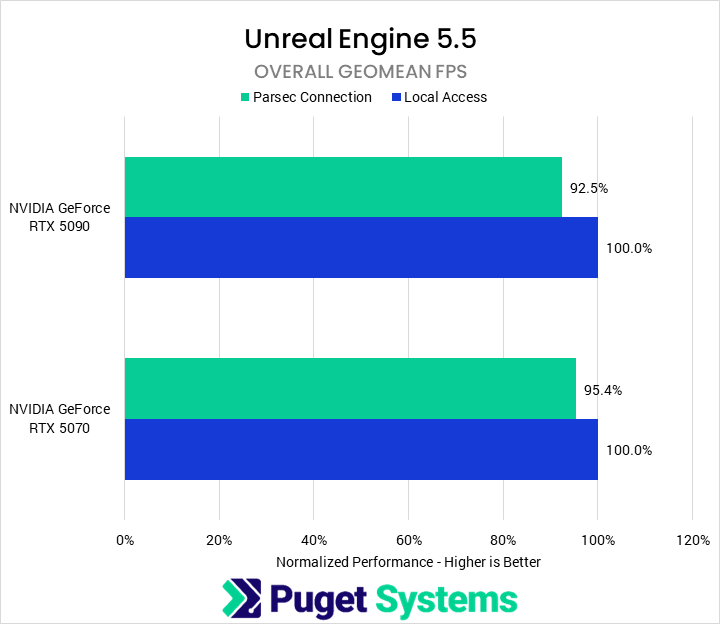
Most of the performance impacts we have seen so far are when using the GPU’s hardware encoders for both Parsec and the application being benchmarked at the same time. Unreal Engine doesn’t use the hardware encoders, but surprisingly, we did see a performance impact on our rendering tests. A trend we believe we have seen repeated is that our RTX 5090 appears to be more affected by running Parsec than the RTX 5070 when it comes to non-encoder work. We are unsure why that is the case. Nonetheless, the overall impact was between 4 and 7%.
Photoshop, After Effects, Blender, & V-Ray
We tested a number of other benchmarks and applications, but they are much less interesting than the three we highlighted above. Because of this, we have combined them all into a single gallery of charts.
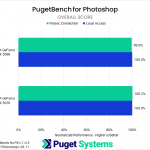
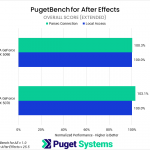
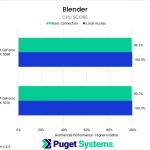
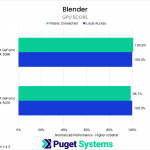
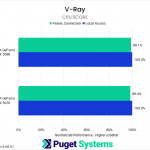
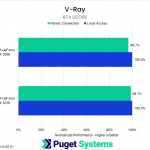
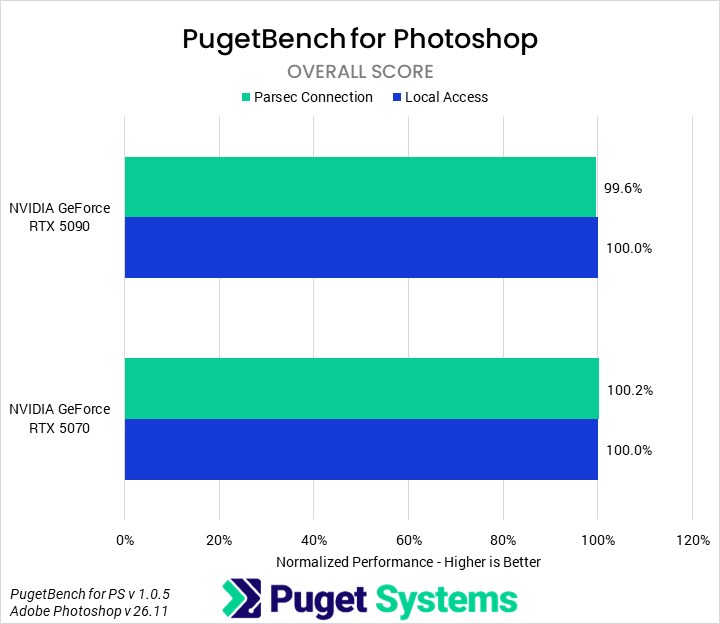
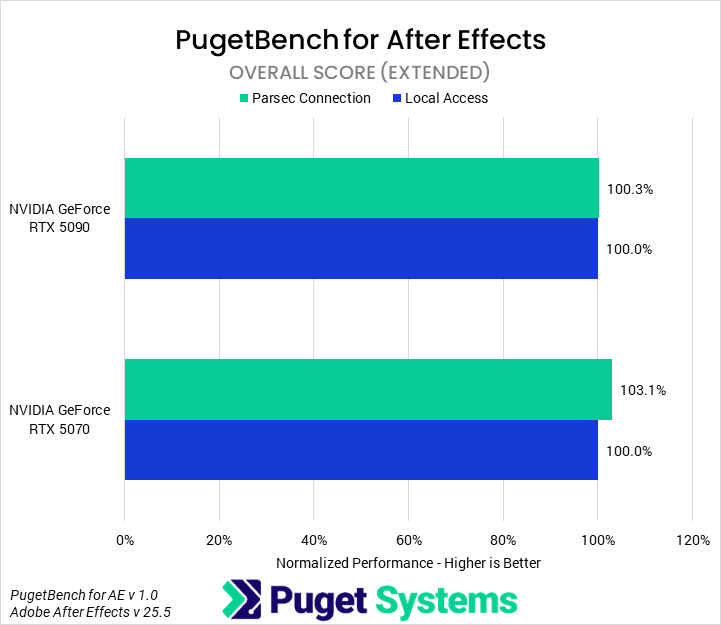
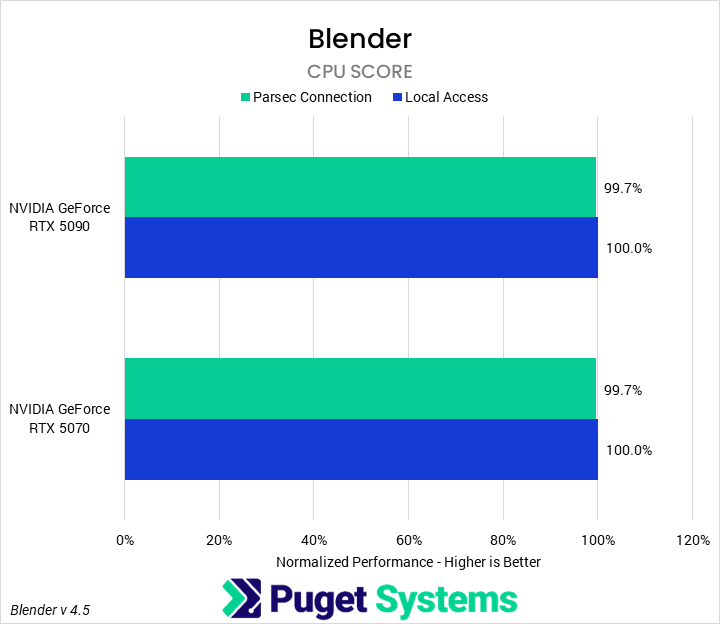
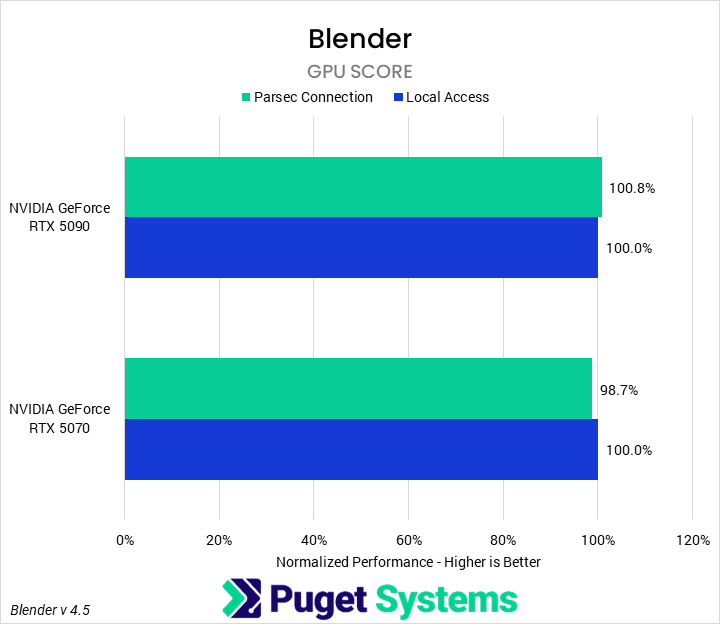
In Photoshop and After Effects, we observed no performance impact from Parsec. For Blender, we looked at both CPU and GPU performance to see if any overhead from Parsec would negatively impact results; we found that it did not.
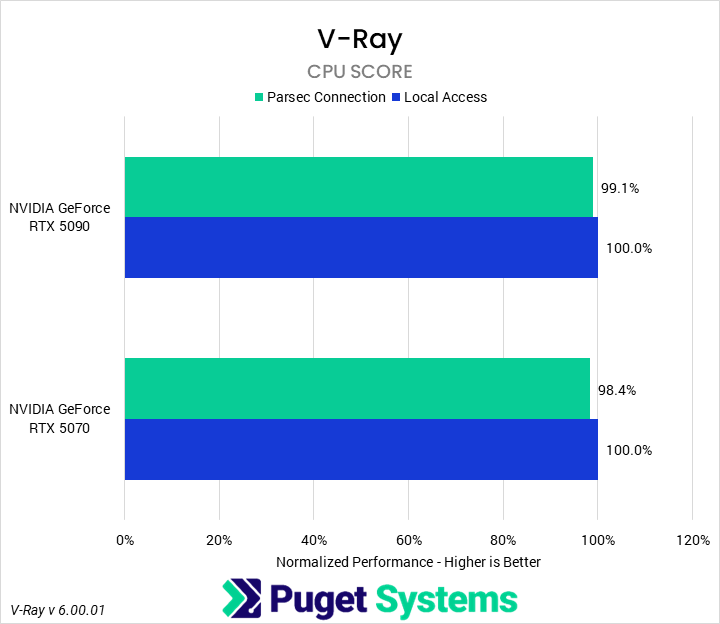
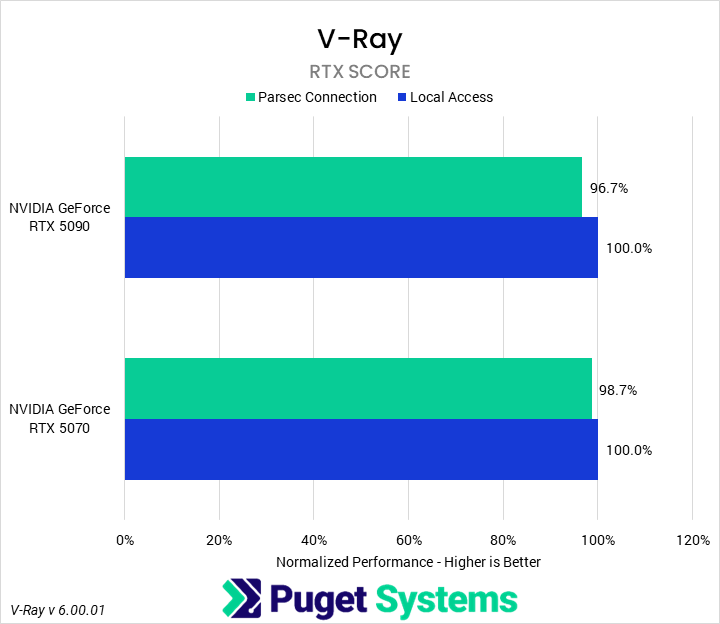
Like Blender, we looked at CPU, CUDA, and RTX performance in V-Ray. However, our V-Ray runs behaved poorly, so we have only reported the CPU and RTX results. Those show essentially no difference between an active Parsec connection and only local access. There may be a slight hit from Parsec, but the variance we saw in our V-Ray results makes it hard to draw firm conclusions.
How Much Performance Does a Remote Desktop Connection via Parsec Cost?
Overall, we found that using a Parsec remote desktop connection to access a remote computer incurs a relatively small performance penalty on the host computer. It appeared to only affect GPU performance, and most of that impact was on the hardware encoders. Other GPU tasks took a minor hit of a few percent, while encoding tasks were up to 7% slower.
This is a tradeoff that is likely worth it for many users if it means saving thousands of dollars on a second system or high-end laptop. Unless you are actively using the GPU for the purposes of encoding video, the performance cost of using Parsec is small enough not to worry about in most cases.
If you need a powerful workstation to tackle the applications we’ve tested, the Puget Systems workstations on our solutions page are tailored to excel in various software packages. If you prefer a more hands-on approach, our custom configuration page helps you configure a workstation that matches your needs. Otherwise, if you would like more guidance in configuring a workstation that aligns with your unique workflow, our knowledgeable technology consultants are here to lend their expertise.

Looking for a Content Creation workstation?
We build computers tailor-made for your workflow.

Don’t know where to start?
We can help!
Get in touch with one of our technical consultants today.