Table of Contents
Introduction
For years, recommending GPUs for rendering workloads was fairly straightforward: if GPU rendering mattered, NVIDIA was almost always the better choice. NVIDIA® CUDA® and OptiX™ gave them a massive advantage in both raw performance and software maturity, while AMD support across many rendering engines was either missing entirely or inconsistent enough to make professional use difficult.
That is still largely true today, especially in production environments where rendering time directly affects deadlines and profitability. However, the gap has been shrinking. Blender and Redshift have supported AMD GPUs through HIP for some time, and V-Ray recently added AMD GPU rendering support as well. Combined with rapidly increasing GPU prices, this creates a much more interesting market than we have seen in previous generations. For many users, especially freelancers, hobbyists, and mixed-use workstation owners, price-to-performance matters more than simply buying the fastest GPU available.
In this article, we tested several current-generation AMD and NVIDIA GPUs across Blender, Redshift, V-Ray, and Cinebench 2026 to see how AMD compares in both raw rendering performance and overall value, at original MSRP as well as current retail pricing.
Test Setup and Methodology
All testing was performed on a 32-core AMD Ryzen™ Threadripper™ platform using stock GPU settings. No factory-overclocked variants were used for this comparison. NVIDIA GPUs utilized RTX™ or OptiX acceleration where available, while AMD GPUs used HIP acceleration.
The GPUs tested included a mix of consumer gaming cards and workstation-oriented models:
| GPU | Original MSRP | Retail Price as of June 2026 |
|---|---|---|
| NVIDIA GeForce RTX™ 5090 32GB | $1,999 | ~$3,970 |
| NVIDIA GeForce RTX™ 5080 16GB | $999 | ~$1,289 |
| NVIDIA GeForce RTX™ 5070 Ti 16GB | $749 | ~$979 |
| NVIDIA GeForce RTX™ 5070 12GB | $549 | ~$599 |
| AMD Radeon™ RX 9070 XT 16GB | $599 | ~$669 |
| AMD Radeon™ RX 7900 XTX 24GB | $999 | ~$1,099 |
| AMD Radeon™ AI PRO R9700 32GB | $1,299 | ~$1,350 |
The AI PRO R9700 is particularly interesting because of its 32 GB VRAM capacity at a relatively low price point. While its raw rendering performance does not directly compete with similarly priced GeForce cards, the additional memory makes it potentially attractive for users working with larger scenes or memory-constrained workloads. NVIDIA’s professional RTX cards with comparable VRAM capacities exist, but their pricing is substantially higher and outside the scope of this comparison.
For price-to-performance (PtP) analysis, we calculated separate metrics for both render-time and score-based benchmarks. Render-time workloads used this formula:
We are multiplying by 10⁷ (10,000,000) just to turn the tiny fraction into a number that is easy to reference. In contrast, score-based benchmarks simply used score divided by price. Finally, for the overall score, we normalized all results relative to the RTX 5080 and calculated a geometric mean across all tests. This prevents any single application from disproportionately affecting the final ranking while allowing different benchmark types to be compared more fairly.
MSRP vs Real-World Pricing
One major challenge with any GPU comparison in 2026 is that manufacturer’s suggested retail prices rarely reflects reality. GPU pricing has become increasingly volatile due to AI demand, memory shortages, supply constraints, and general market pressure across the semiconductor industry.
The RTX 5090 is perhaps the clearest example of this problem. While NVIDIA launched the card at $1,999, current street pricing often exceeds $3,000 – and even $4,000! – depending on availability. Meanwhile, GPUs like the RX 9070 XT have generally remained closer to MSRP and have seen smaller pricing swings overall.
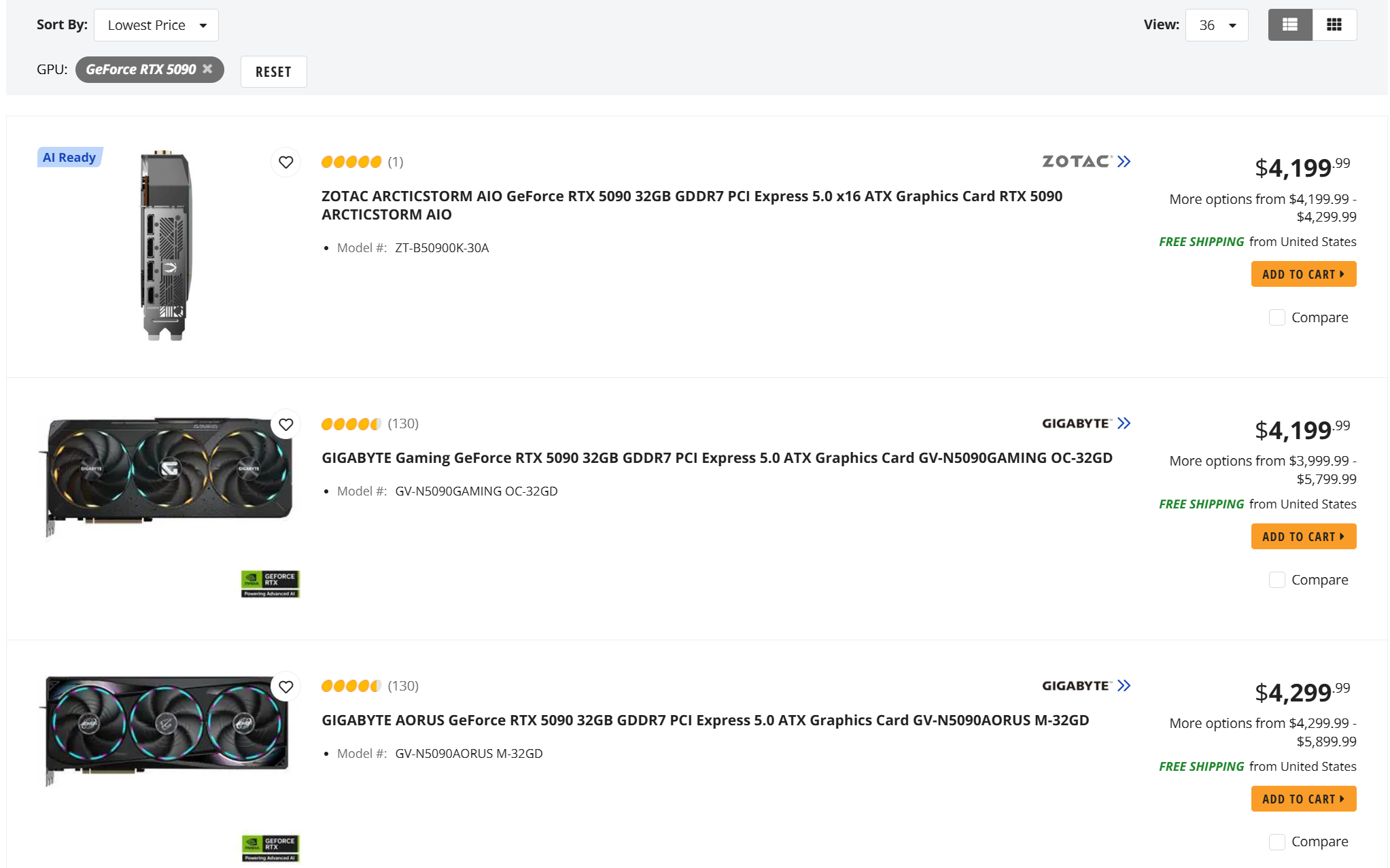
Because of this, we strongly recommend checking current retail pricing before making purchasing decisions. One of the best resources for this right now is Tom’s Hardware GPU Price Tracking Index, which tracks current pricing trends and availability across both NVIDIA and AMD GPUs. For this article, we are using their “Best US Price” as of the first week of June 2026, as shown in the table above.
The growing disconnect between MSRP and real-world pricing also reinforces why price-to-performance has become such an important metric. The fastest GPU is no longer the most practical purchase for many users.
Stability and Workflow Observations
While AMD GPU rendering support has improved significantly, we did encounter several issues during testing that are worth mentioning:
- V-Ray Standalone repeatedly crashed when attempting to render on AMD GPUs, and we were only able to complete testing successfully through the 3ds Max integration.
- We encountered driver instability on the RX 9070 XT using the latest available drivers at the time of testing. Downgrading to the previous driver version resolved the issue.
- Some AMD GPUs occasionally reported running out of VRAM after completing an initial render despite sufficient memory still being available. Restarting the application resolved the issue, but that does slow down an artist’s iterative process.
None of these issues made the GPUs unusable, and work arounds are likely available. However, they do highlight that NVIDIA continues to offer a smoother and more reliable experience for professional rendering workflows.
Benchmark Results
For those who just want the raw data, here are the times and scores for each GPU from each test we ran:
| GPU | V-Ray (seconds) | Redshift (seconds) | Cinebench 2026 GPU (score) | Blender Benchmark (score) | Blender Junkshop (seconds) | Blender Classroom (seconds) |
|---|---|---|---|---|---|---|
| RTX 5090 | 133 | 57 | 151,418 | 15,872 | 23 | 92 |
| RTX 5080 | 181 | 82 | 104,970 | 9,035 | 28.32 | 126 |
| RTX 5070 Ti | 220 | 89 | 99,703 | 7,882 | 30.93 | 144 |
| RTX 5070 | 247 | 104 | 75,629 | 5,968 | 37.5 | 185 |
| RX 9070 XT | 278 | 192 | 52,327 | 3,722 | 52.4 | 303 |
| AI PRO R9700 | 274 | 207 | 49,771 | 3,726 | 52.98 | 301 |
| RX 7900 XTX | 257 | 157 | 63,581 | 4,941 | 42.71 | 206 |
Overall Rendering Performance
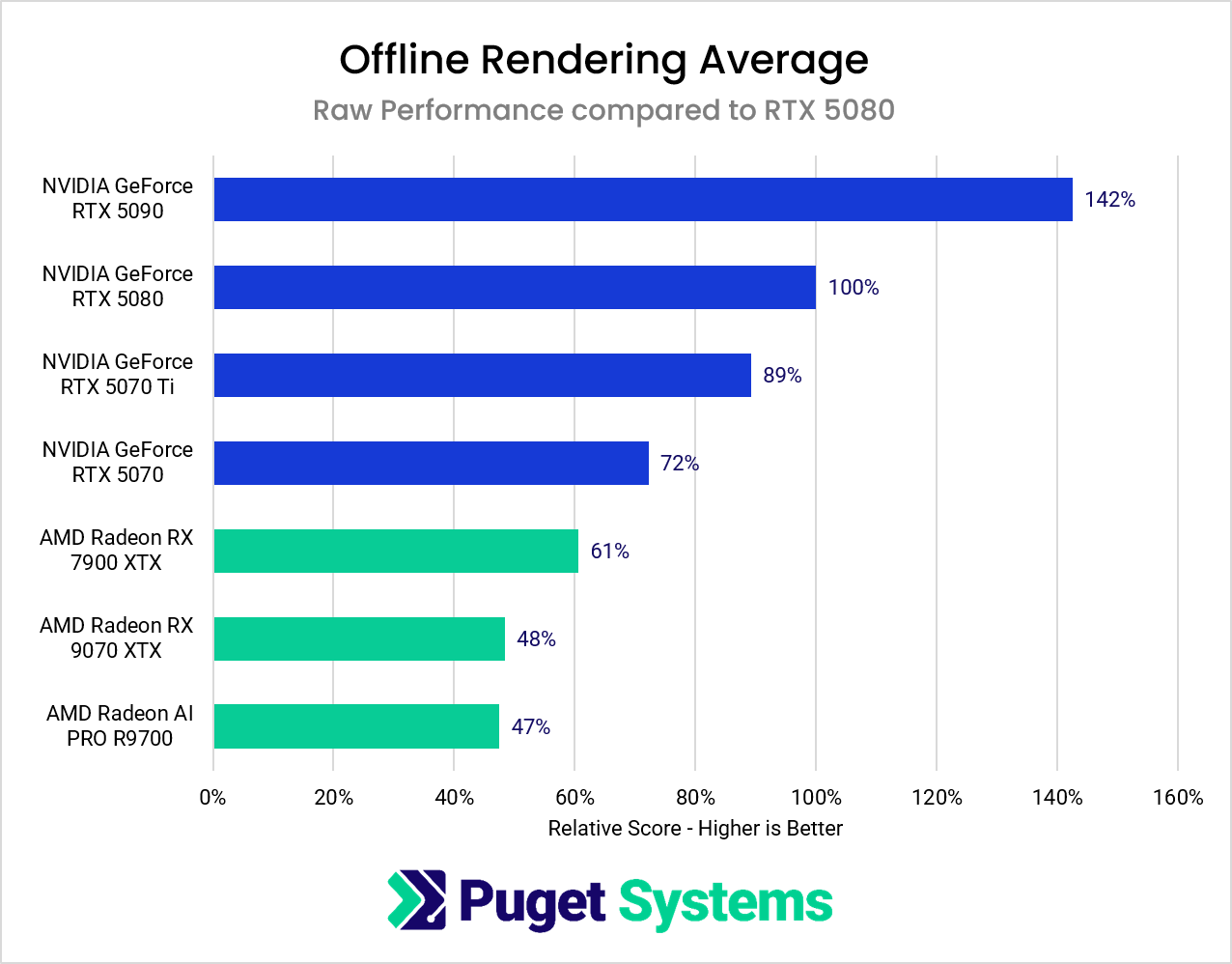
To visualize the big picture, here is a compilation of all the rendering tests we performed for this article into one chart:
Image
Across nearly every test, NVIDIA maintained a clear lead in raw rendering performance. The RTX 5090 consistently delivered the fastest results, followed closely by the RTX 5080 and RTX 5070 Ti. AMD’s GPUs generally trailed behind, particularly in Redshift and V-Ray where NVIDIA’s rendering ecosystem still benefits from years of optimization and software maturity.
That said, AMD’s results are significantly better than they would have been only a few years ago. HIP support in Blender has improved substantially, and V-Ray adding AMD GPU rendering support is an important milestone – even if performance still favors NVIDIA heavily. Radeon GPUs no longer feel completely excluded from GPU rendering workflows, especially for users who render occasionally rather than as part of a full-time production pipeline.
The results also highlight an increasingly important distinction between absolute performance and value. NVIDIA still dominates in total render speed, but AMD becomes far more competitive once pricing enters the conversation. We will look at that aspect more as we move on to the renderer-specific results.
Blender
Blender allows us to see how performance can be different depending on exactly what is being rendered. We used the publicly available benchmark and rendered frames from two different projects.
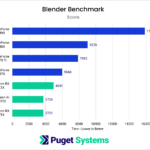
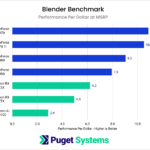
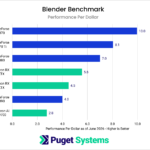
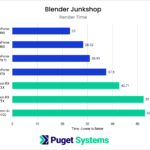
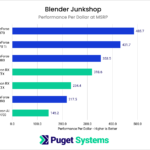
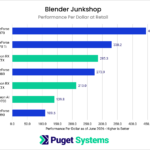
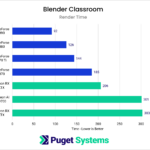
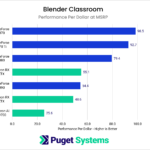
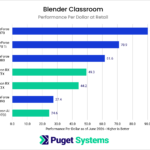
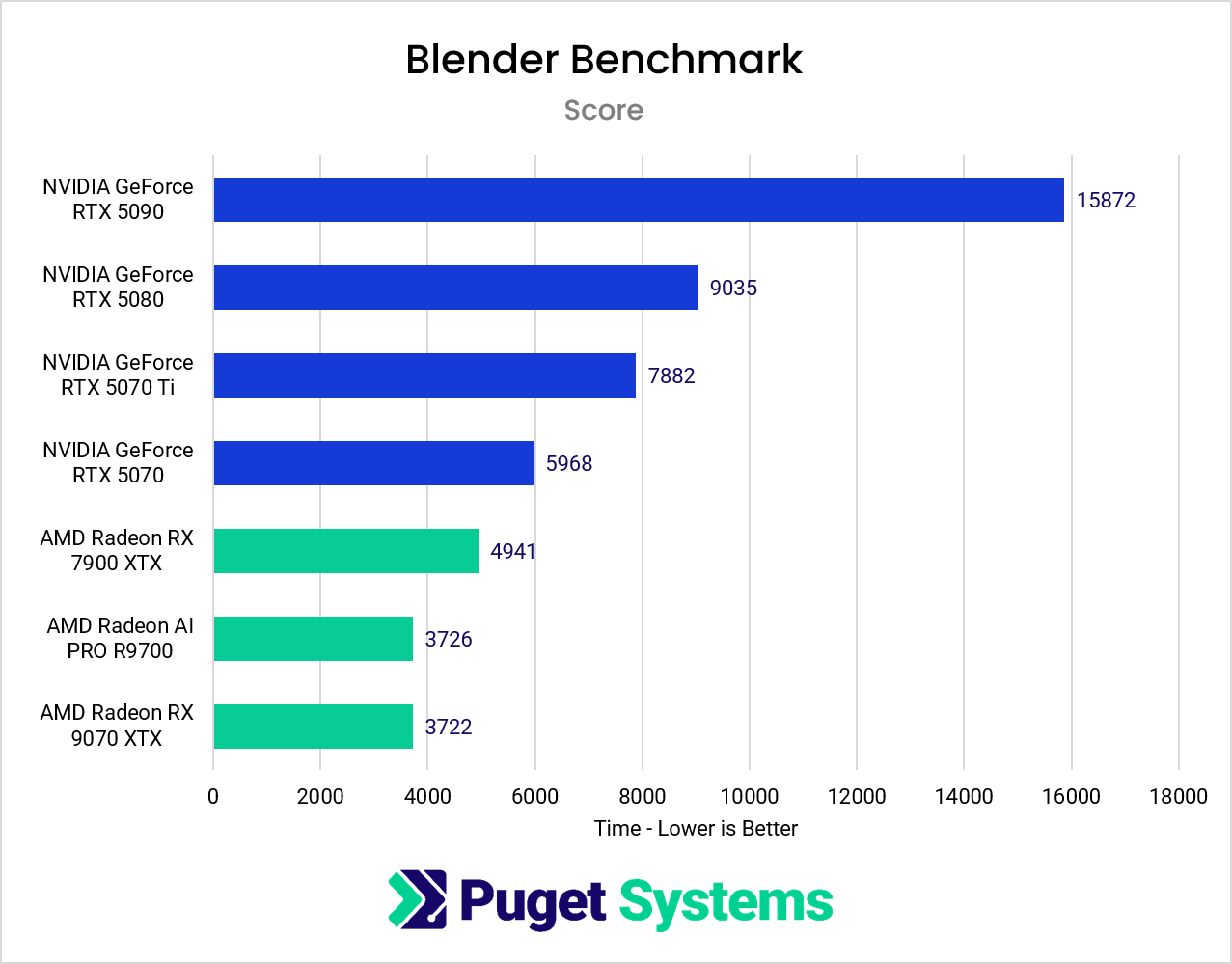
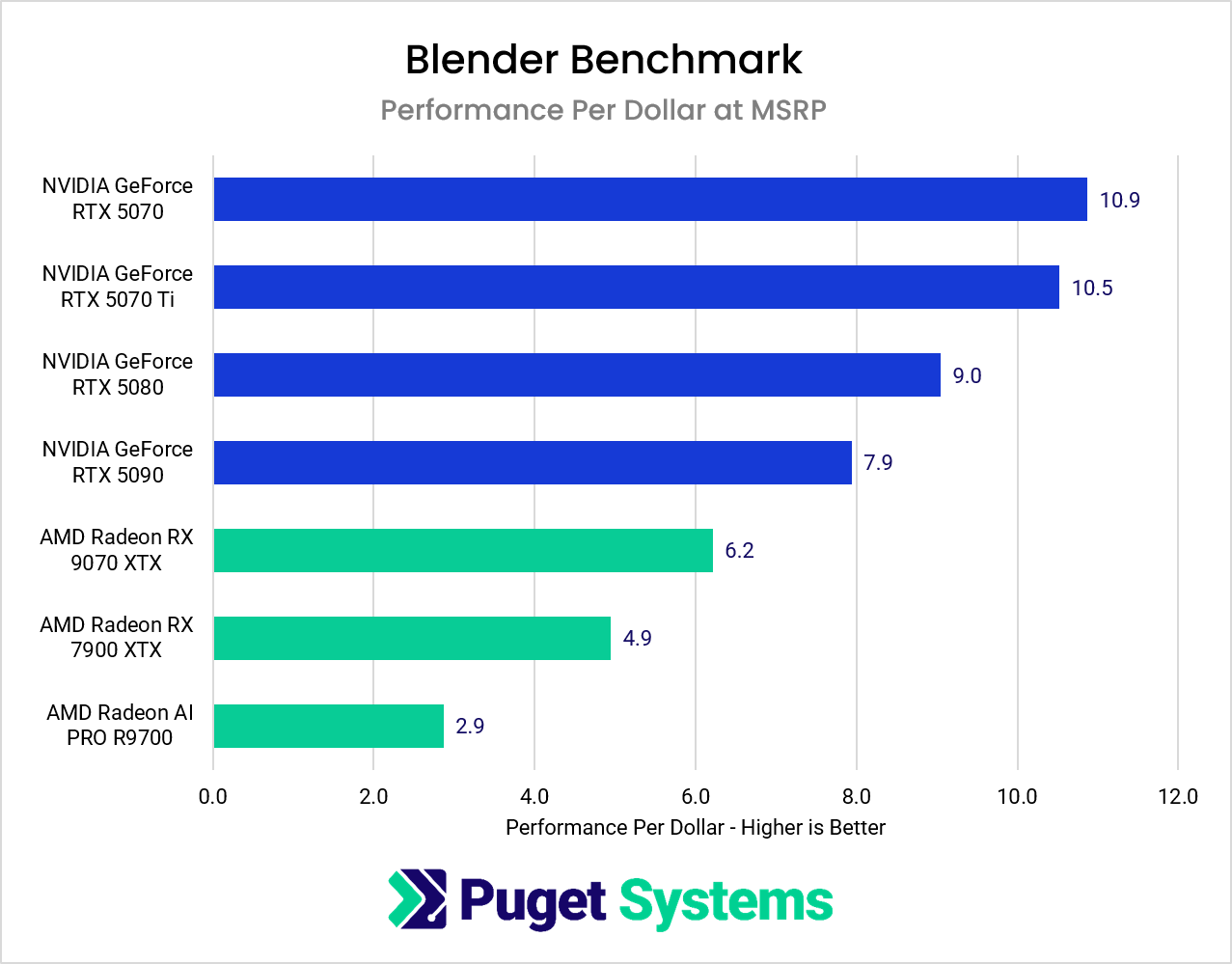
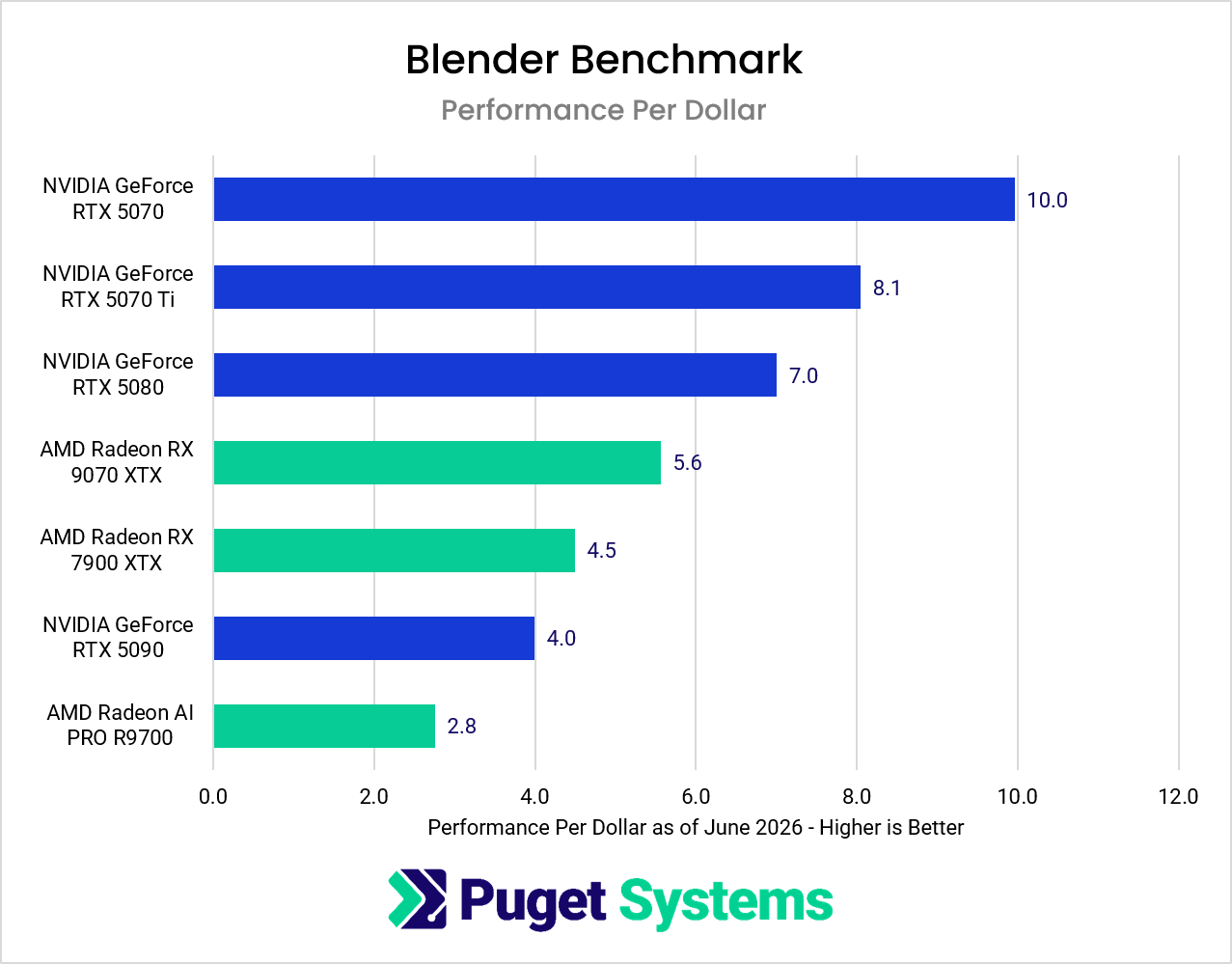
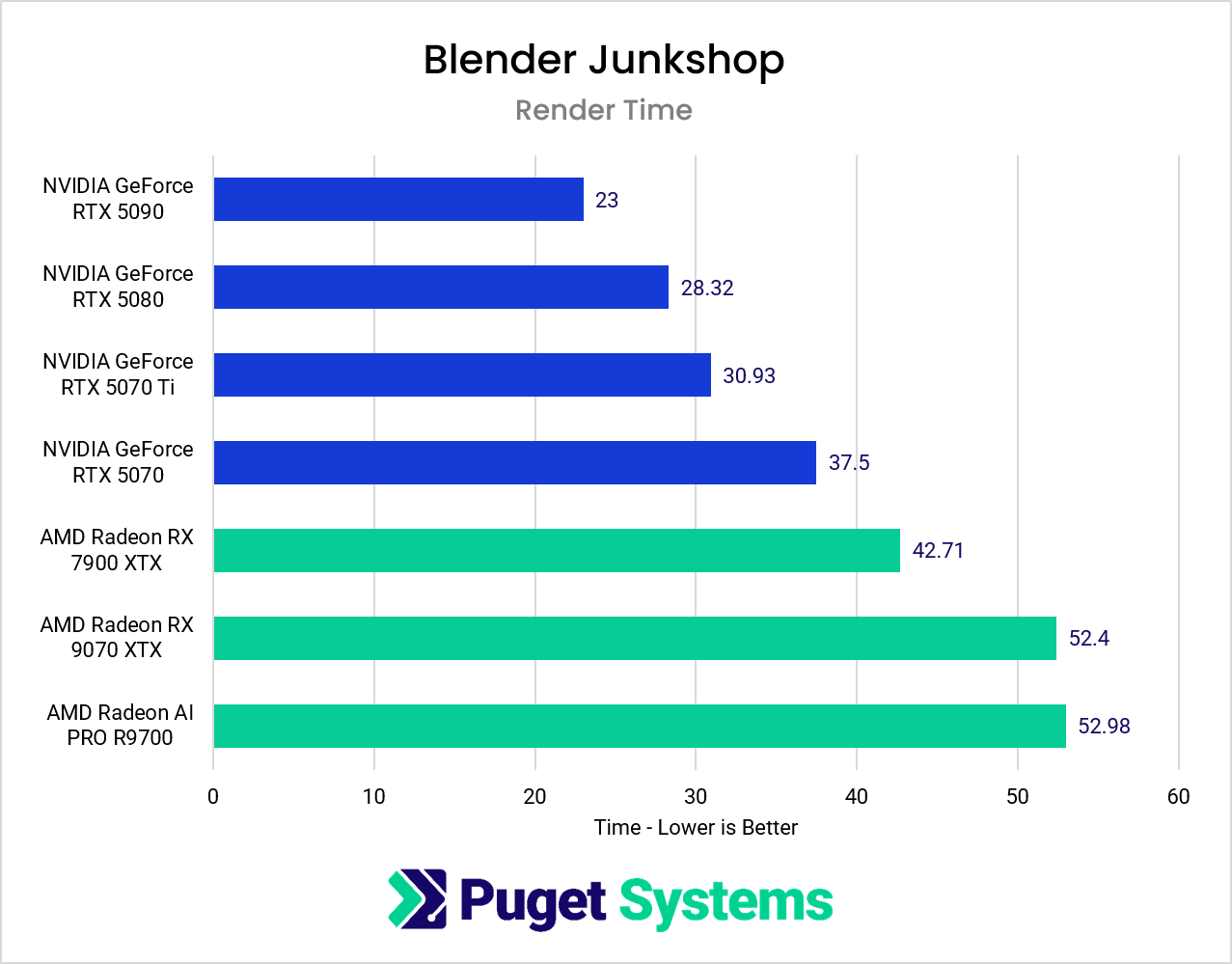
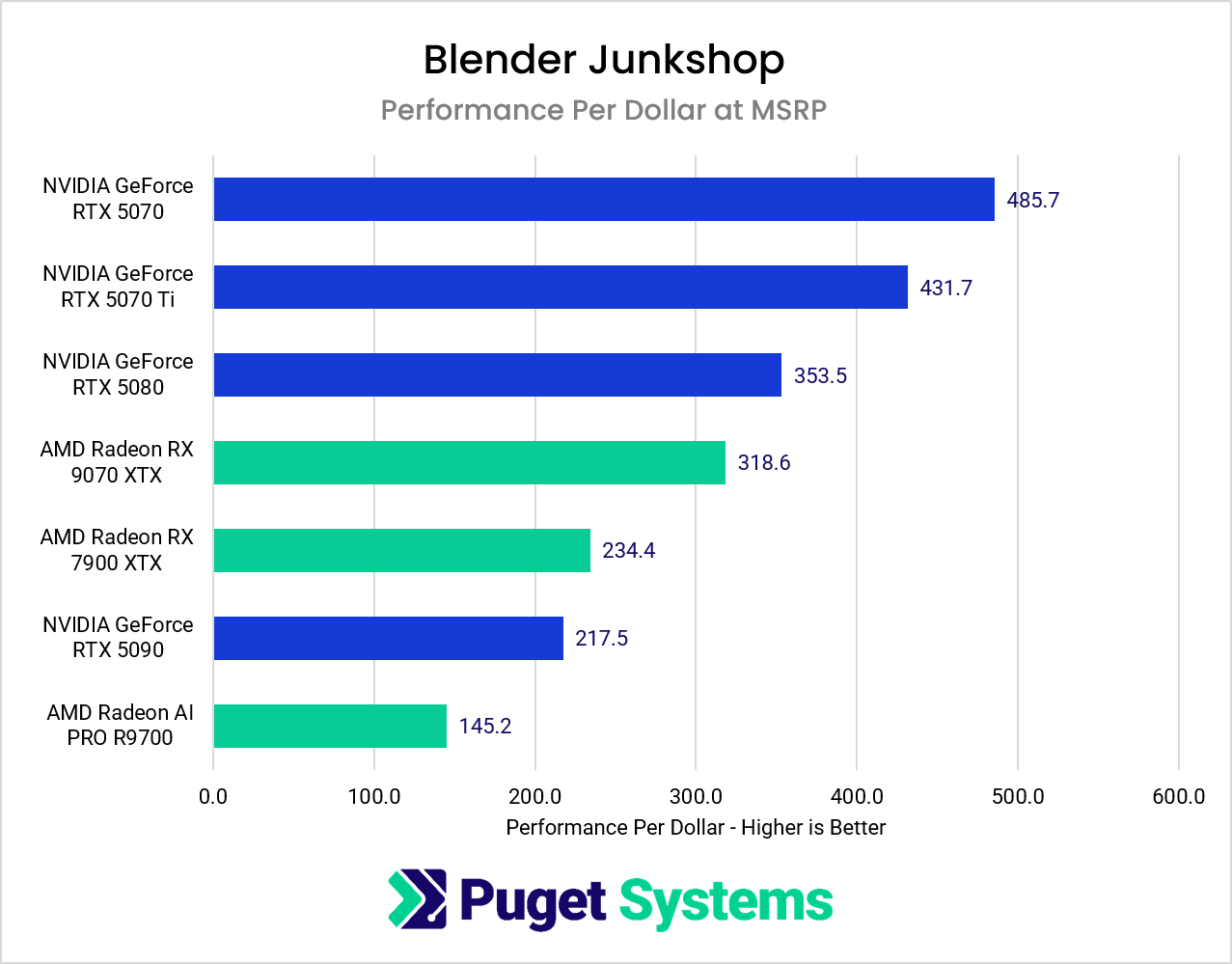
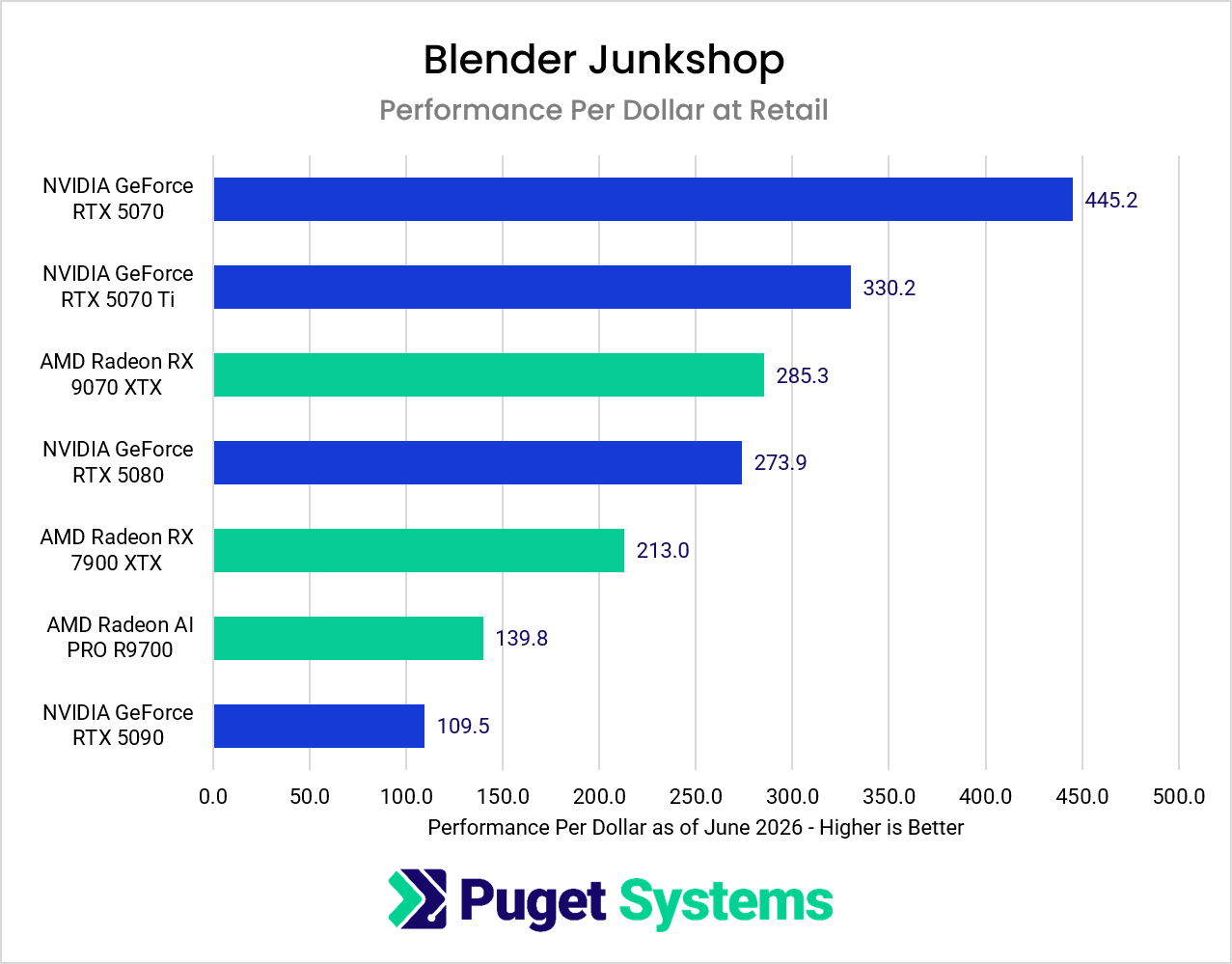
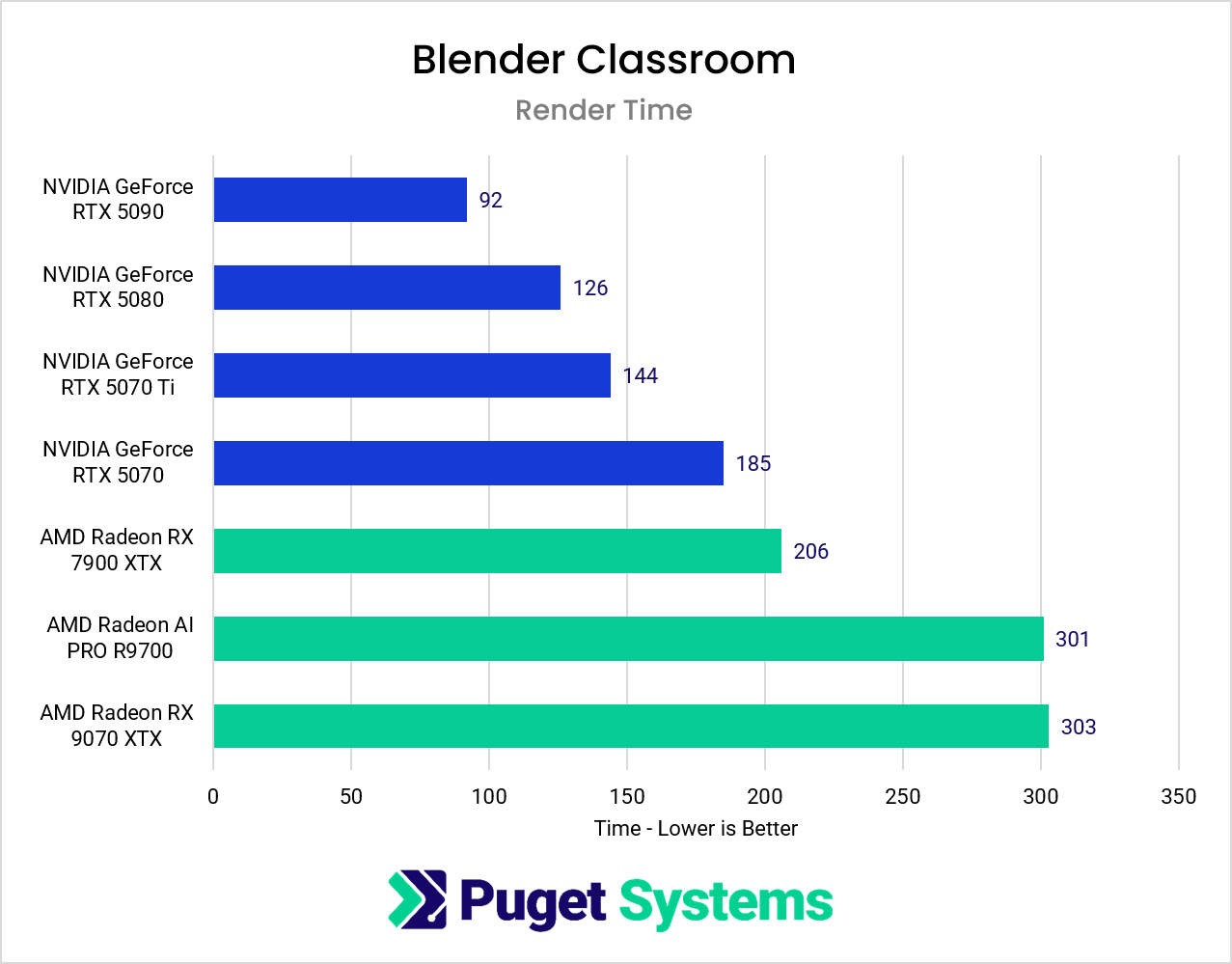
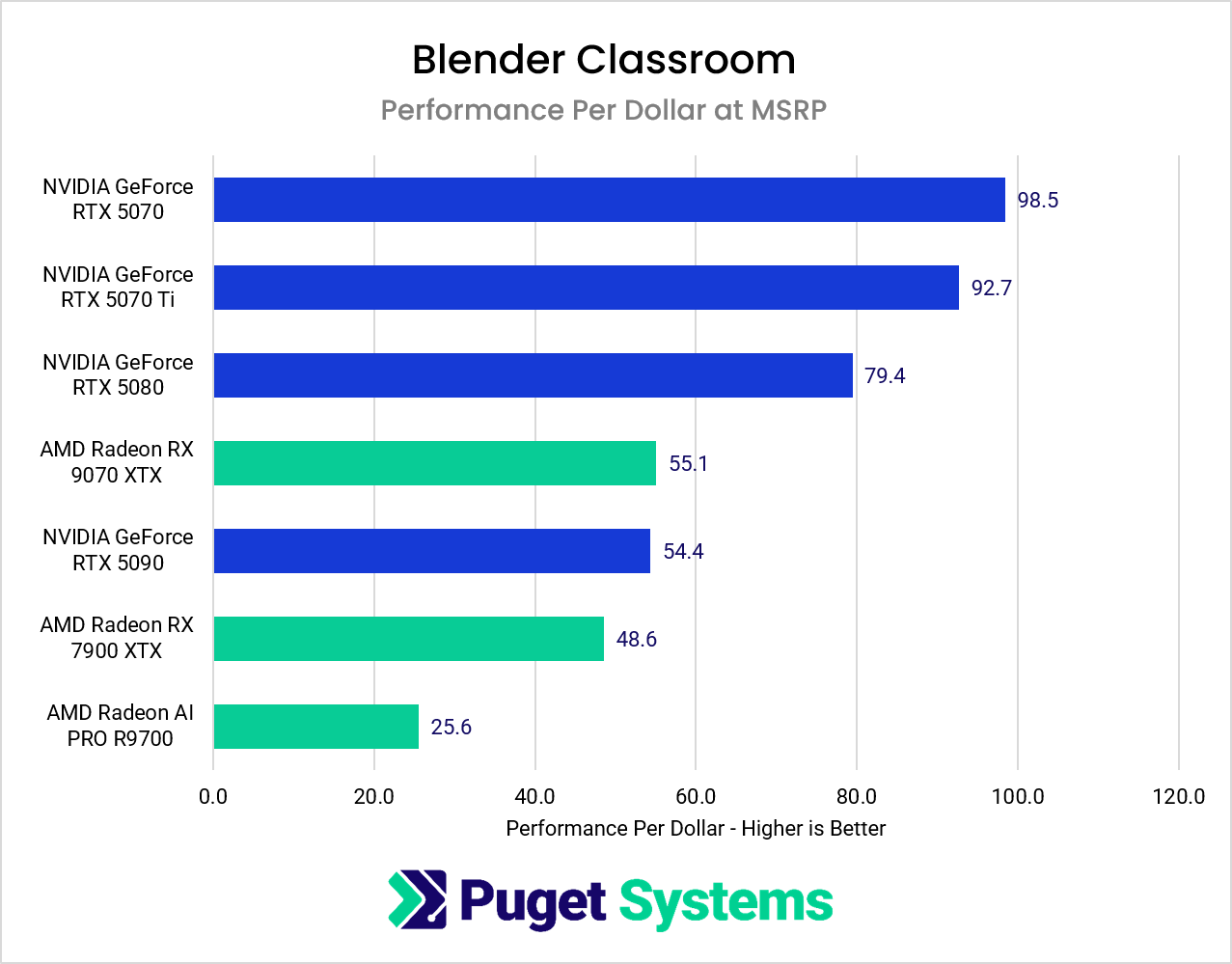
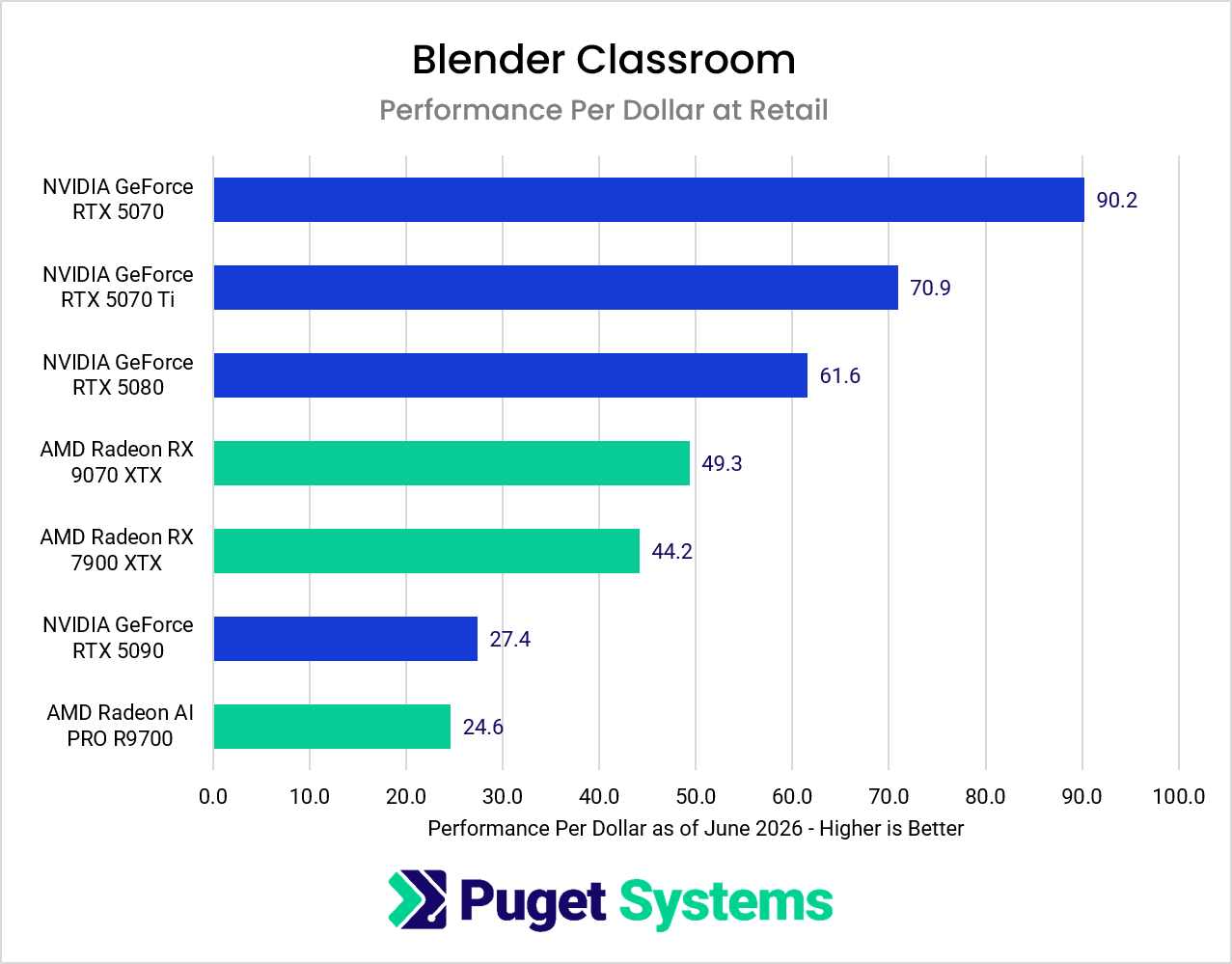
NVIDIA still maintains a sizable lead overall, particularly at the high end, but Blender no longer feels like a platform where AMD is automatically disqualified. In the Junkshop test, the 9070 XTX outpaces the NVIDIA 5080 in terms of price-to-performance at today’s retail prices. For users building mixed-use systems that combine gaming, content creation, and occasional rendering, Radeon GPUs are much easier to justify than in previous generations.
Redshift
Redshift continues to heavily favor NVIDIA hardware. AMD support has improved, but NVIDIA GPUs still deliver substantially faster render times in this test.
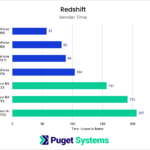
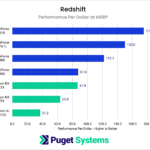
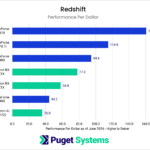
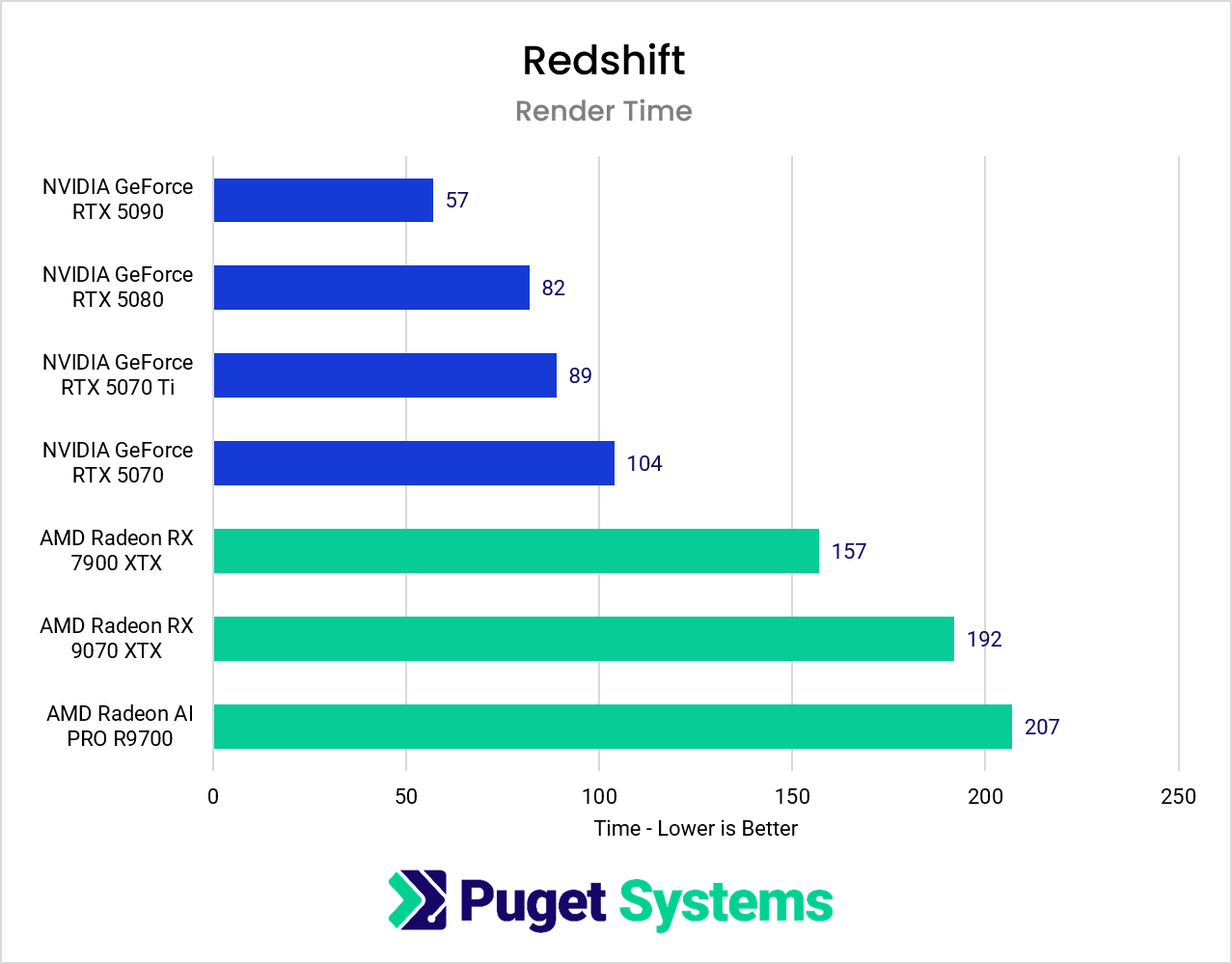
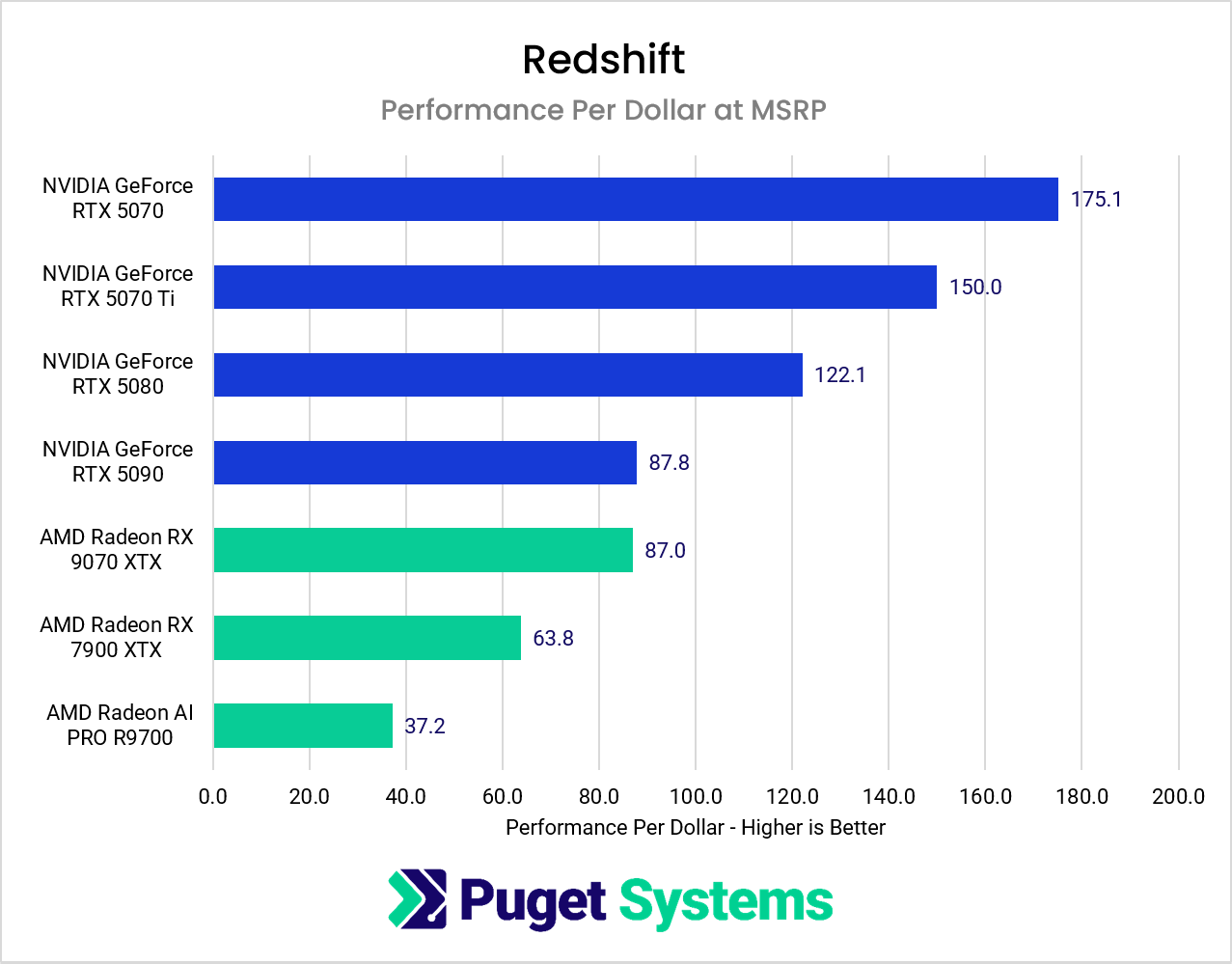
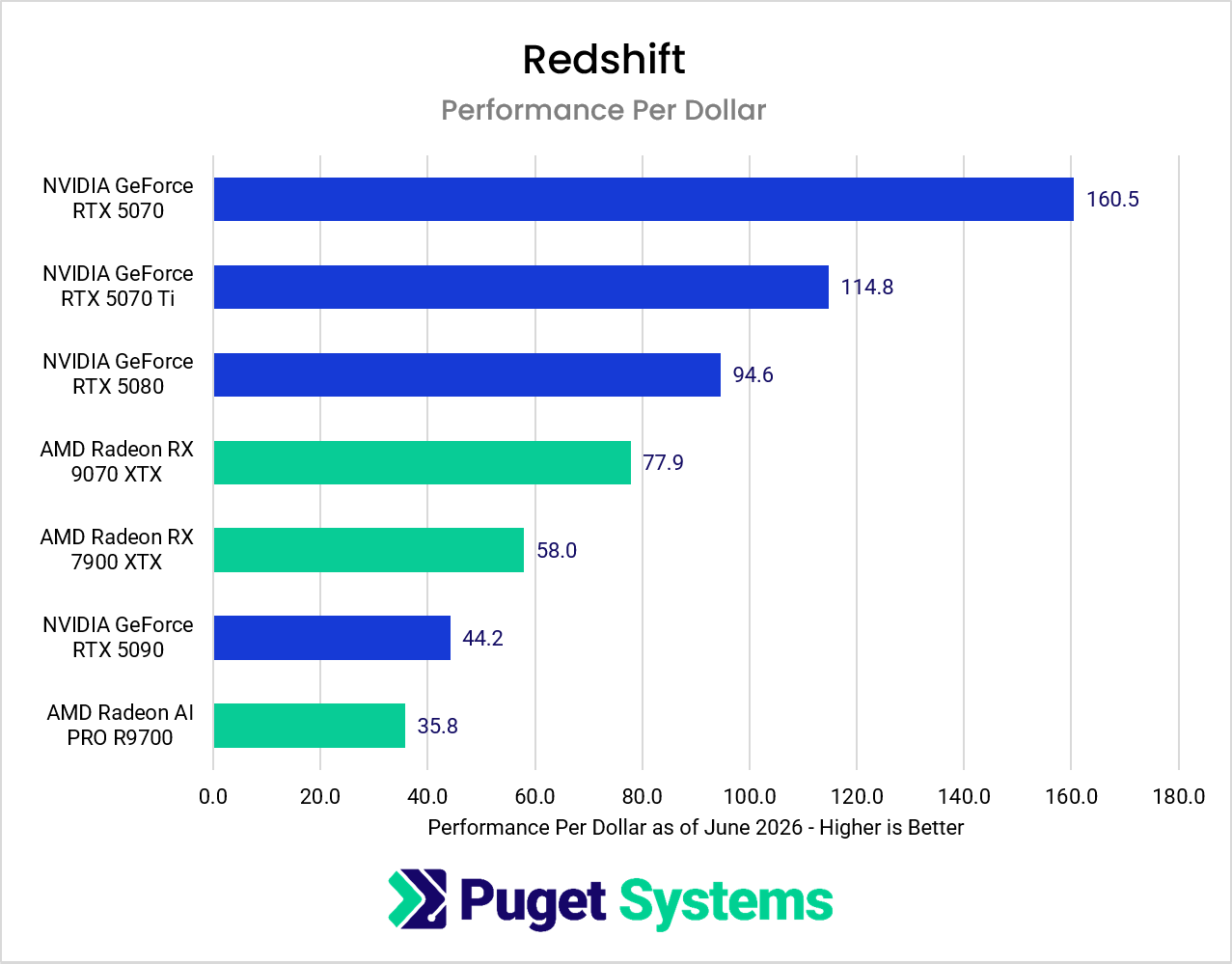
This is one of the clearest examples of ecosystem maturity still favoring NVIDIA. CUDA optimization, software stability, and overall workflow reliability remain significant advantages for GeForce and RTX GPUs in professional rendering pipelines. Users whose workloads rely heavily on Redshift rendering will likely still find NVIDIA to be the safer and more efficient option overall.
Cinebench 2026
Cinebench 2026 showed good results for AMD in our testing.
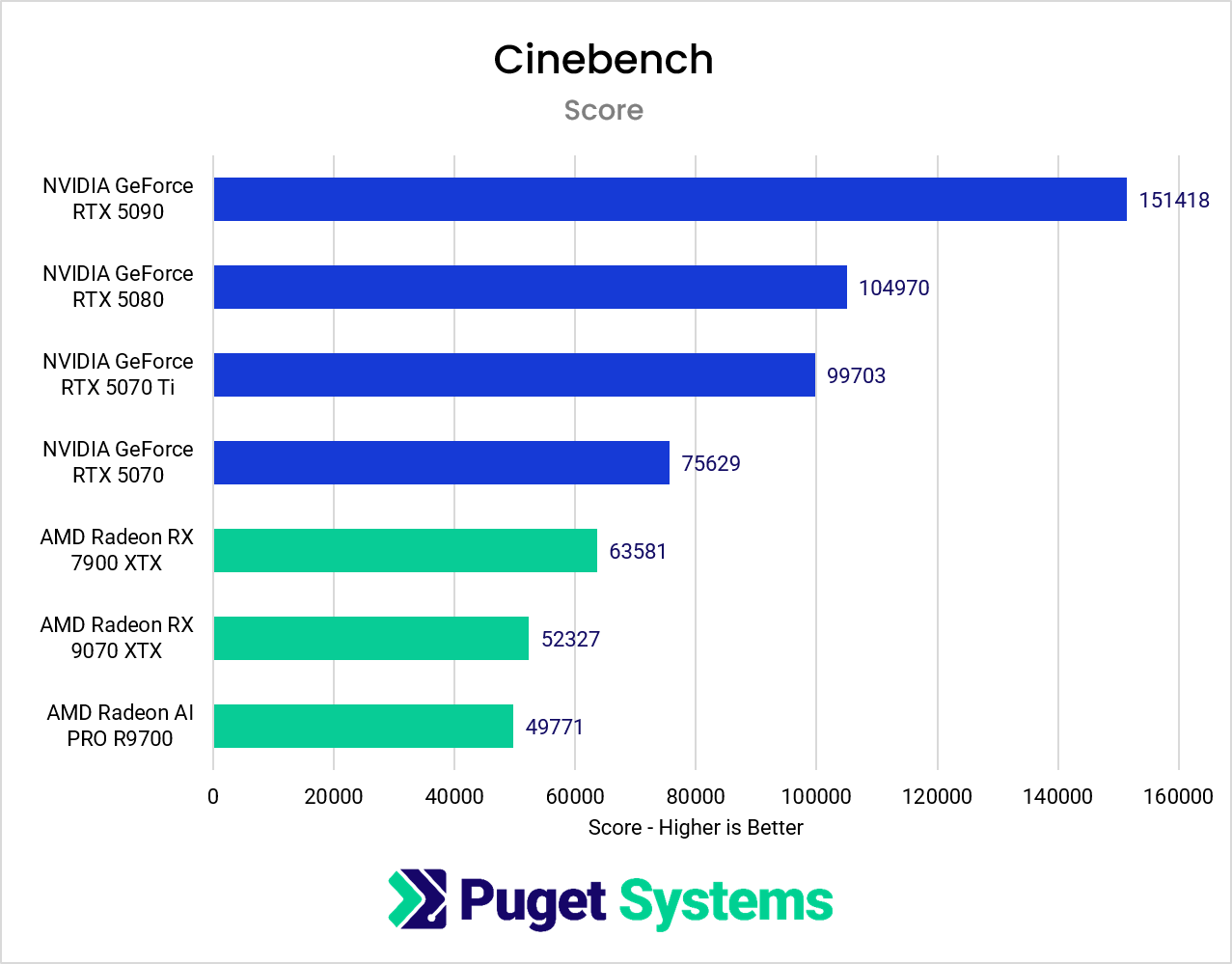
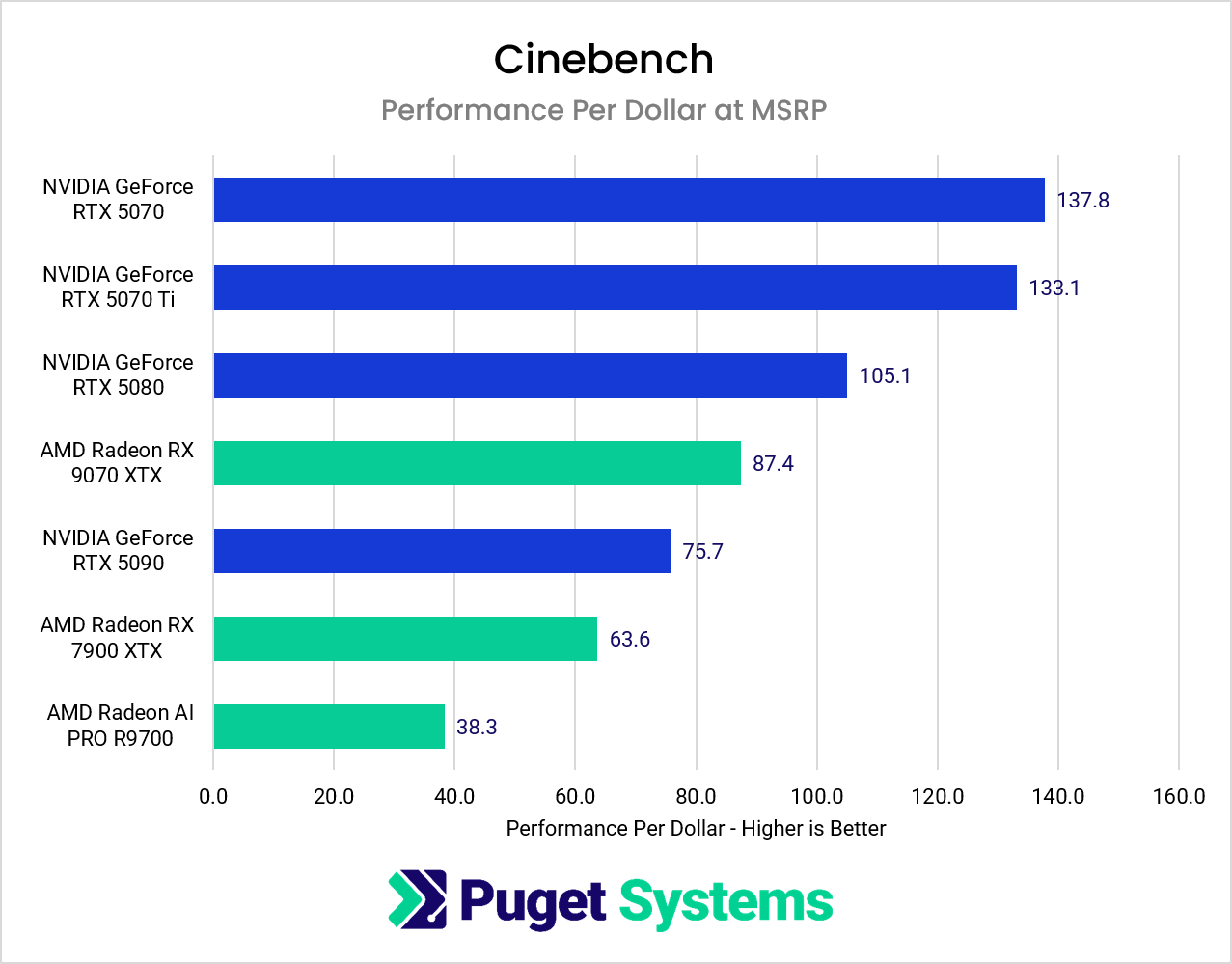
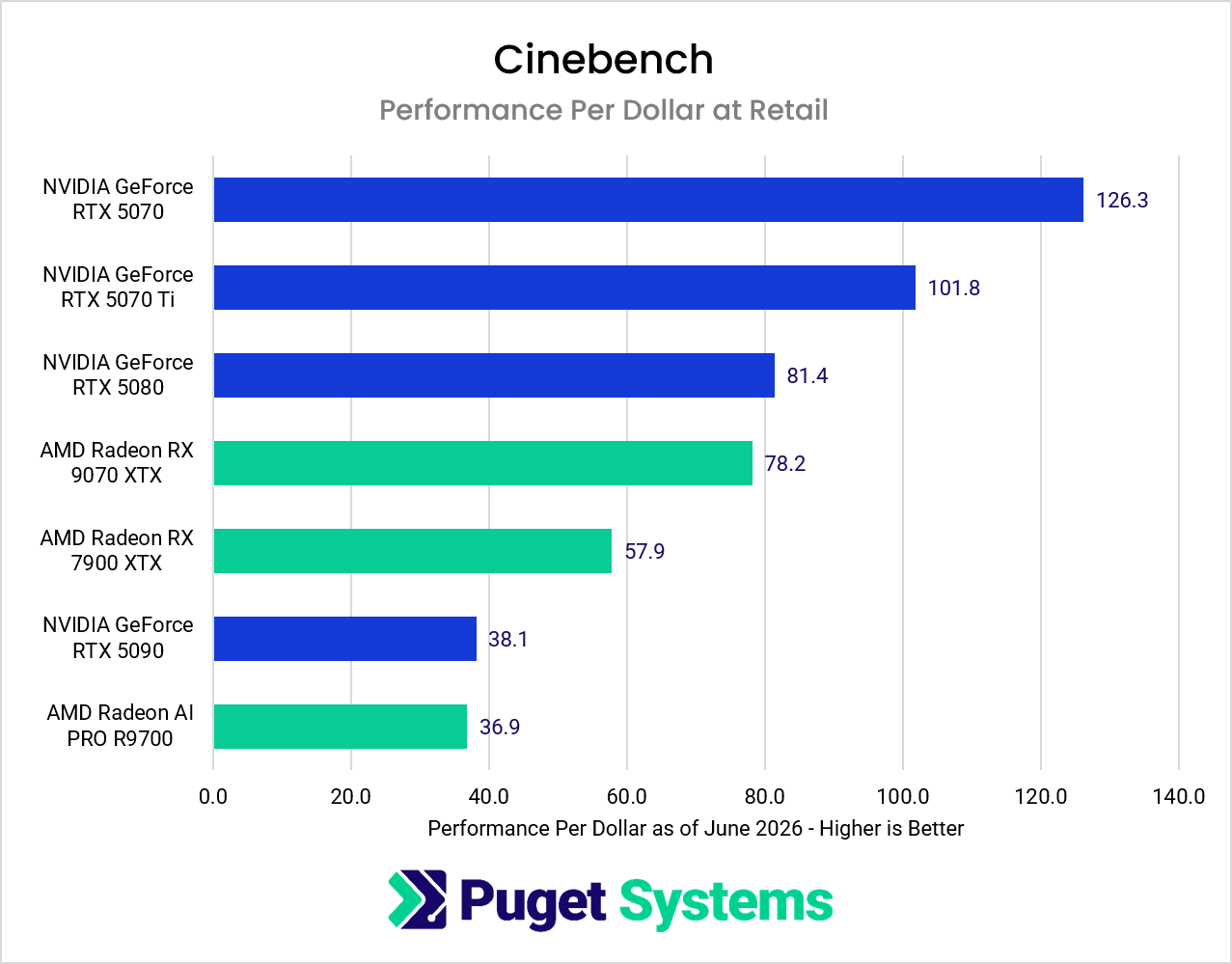
While NVIDIA still maintained a performance lead, the gap was noticeably smaller than in Redshift, despite Cinebench’s GPU benchmark using the same underlying rendering engine. Specifically, at current retail prices, the RX 9070 XT is very close to the RTX 5080.
This likely highlights the difference between a controlled benchmark workload and a full production renderer. Cinebench suggests that AMD’s raw compute performance is more competitive than Redshift results alone might indicate, even if that advantage does not fully translate into production rendering workloads.
V-Ray
V-Ray is arguably the most interesting renderer in this comparison because AMD GPU support is still relatively new. The fact that Radeon GPUs can now render through V-Ray GPU at all represents meaningful progress compared to previous generations.
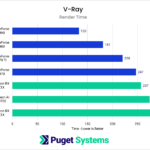
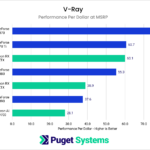
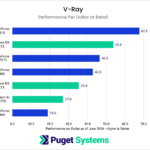
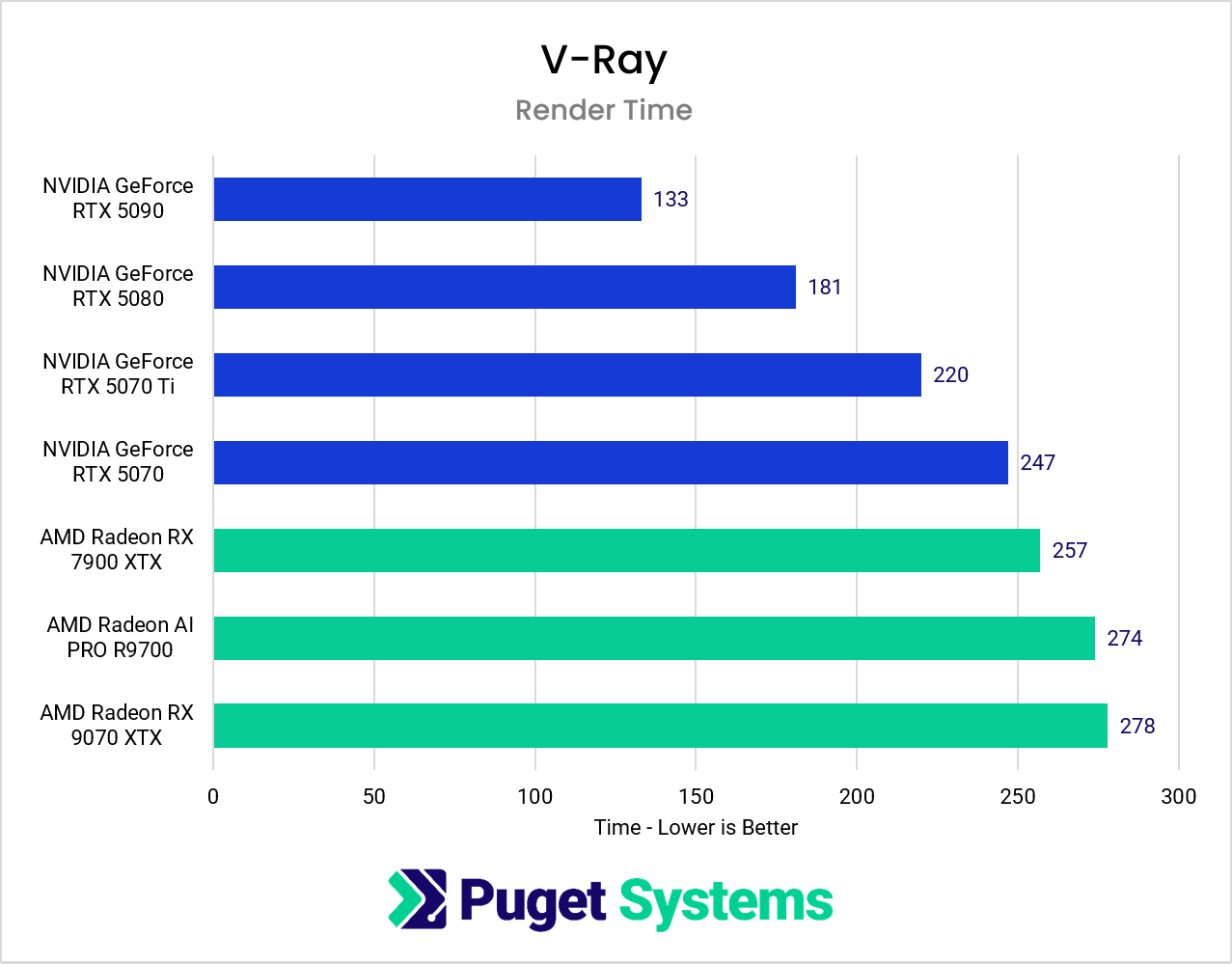
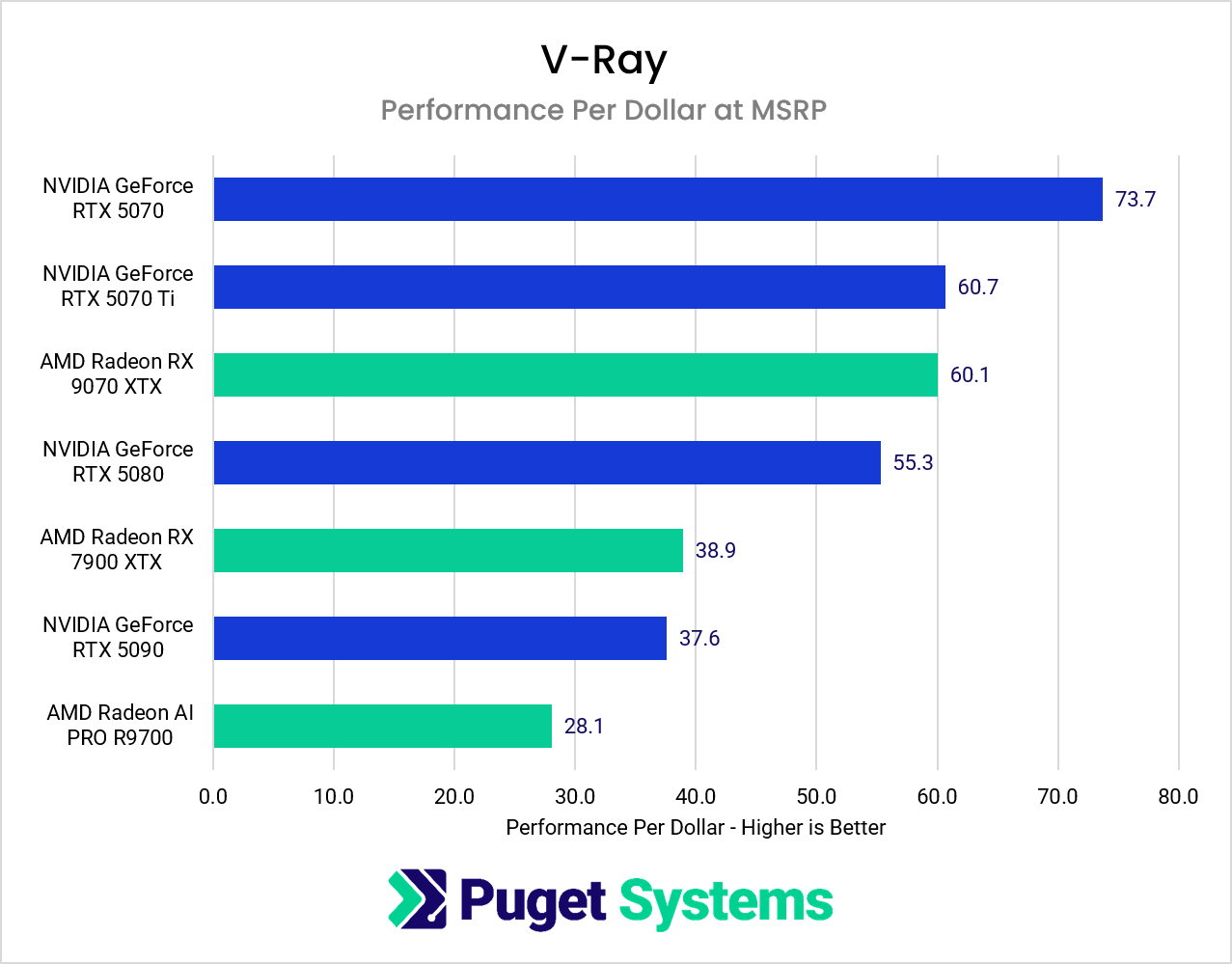
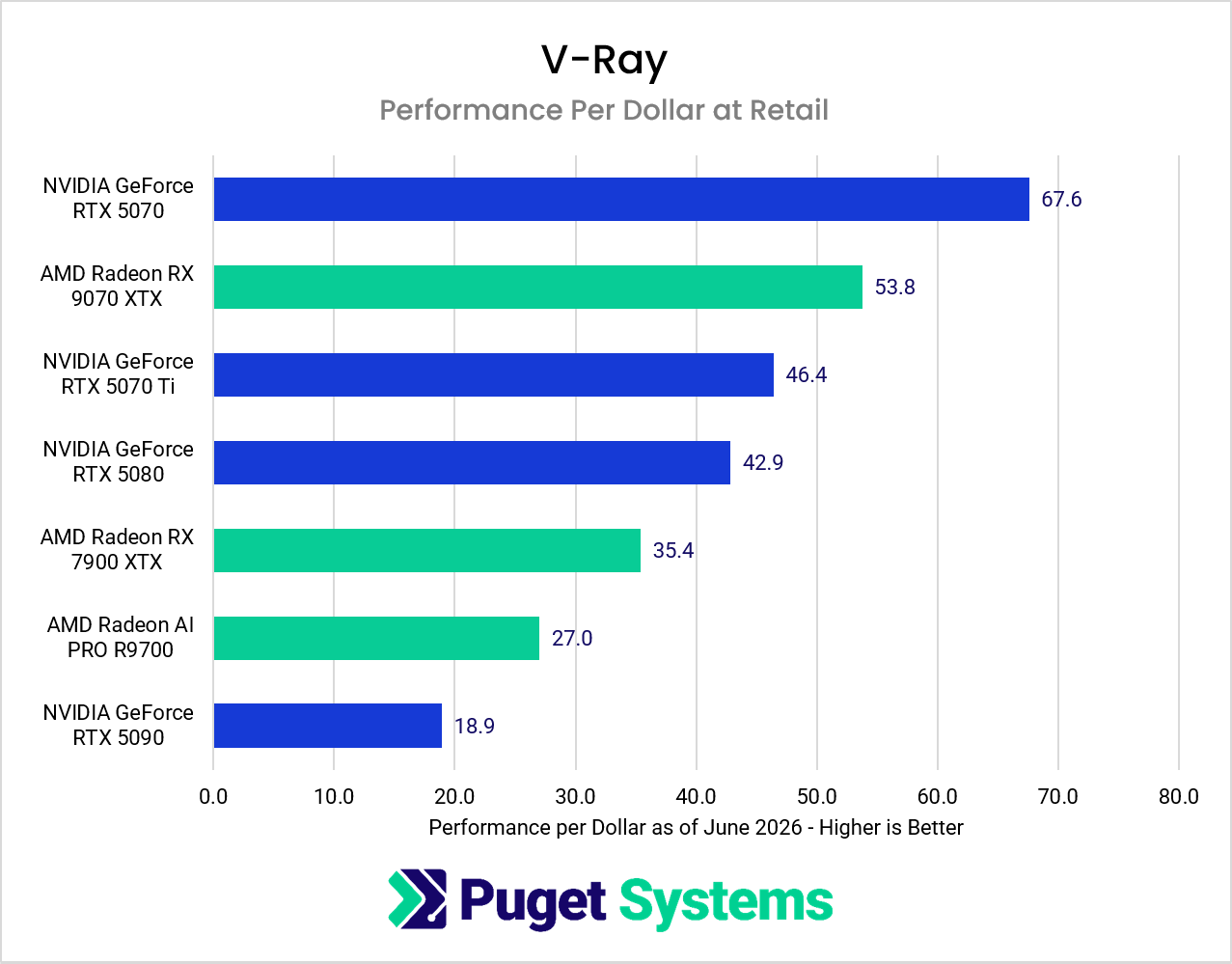
NVIDIA still maintains a significant performance advantage, but AMD has its best showing yet in these charts. At MSRP, the 9070 XTX is nearly tied for second place, and does even better when comparing at today’s prices. Despite some stability issues, AMD performance in V-Ray is quite good.
What This Means for Animation Rendering
A single frame rendering a few seconds or even a couple minutes slower may not sound particularly significant in isolation, but animation workloads scale quickly. A one-minute animation at 24 FPS contains 1,440 individual frames, meaning even modest per-frame differences can translate into massive differences in total render time.
Using our V-Ray results as an example:
RTX 5090 1-minute clip total render estimate:
1440 × 133 seconds ≈ 53 hours
RX 9070 XT 1-minute clip total render estimate:
1440 × 278 seconds ≈ 111 hours
That difference directly relates to more work being done and faster turnaround times. If we hypothetically started that render at the end of the day on Friday, then a system with a RTX 5090 would be done before returning to work on Monday morning. However, if a Radeon RX 9070 XT was used, that render wouldn’t be ready until Wednesday. Those time savings will quickly offset the difference in upfront costs for many studios. However, hobbyists and professionals who only render a handful of frames each week will take much longer to see the payoff from a more expensive GPU.
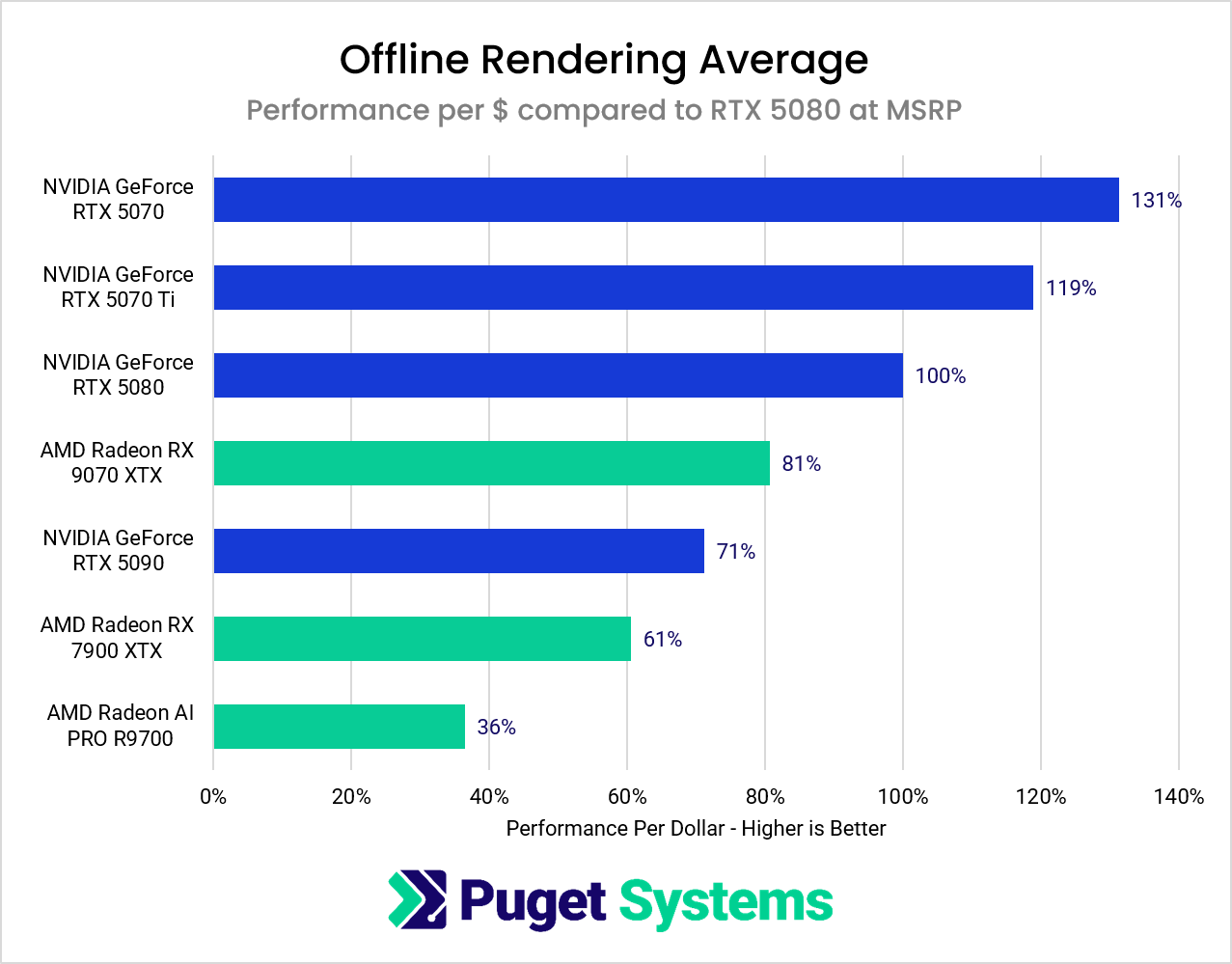
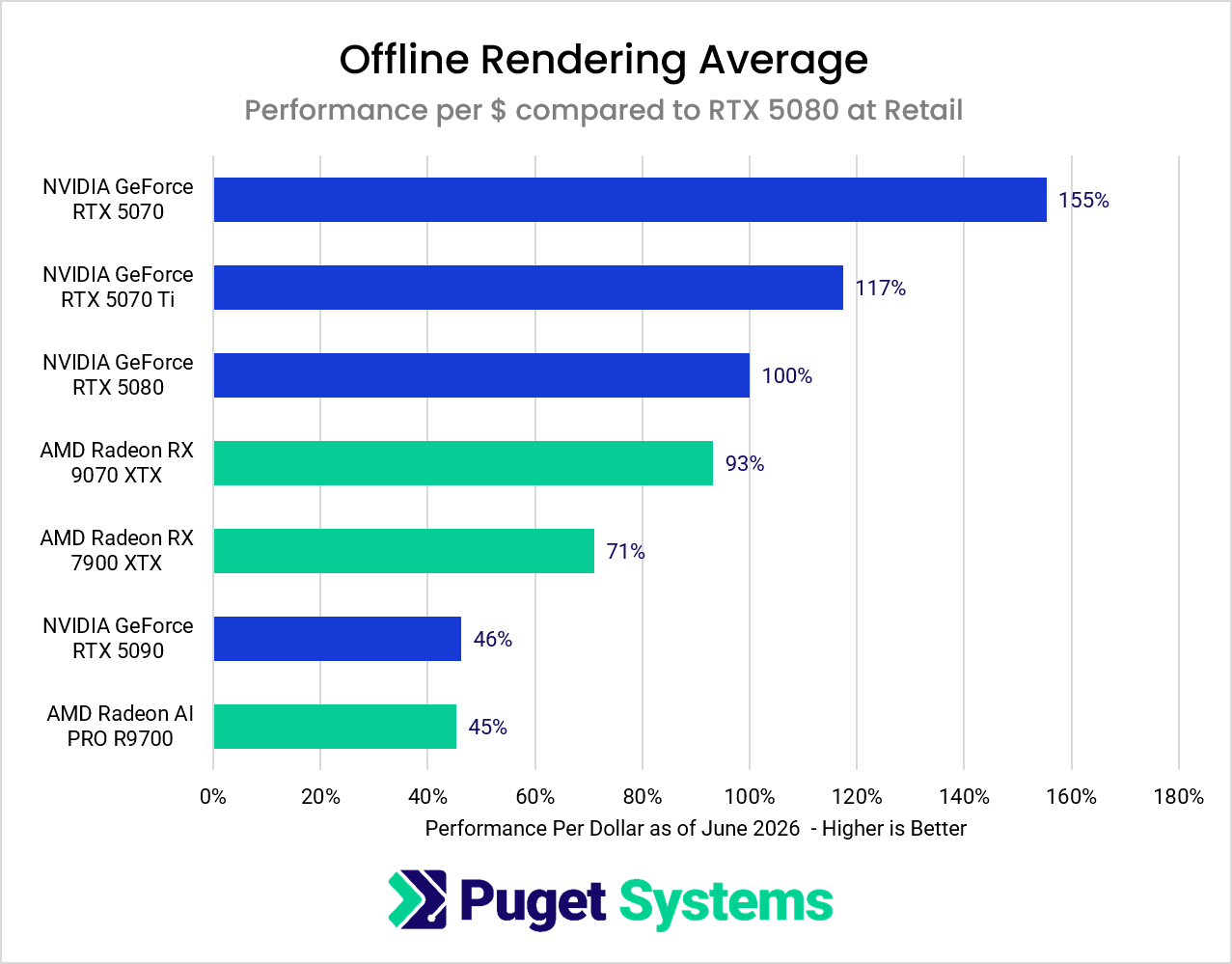
Price-to-Performance Results
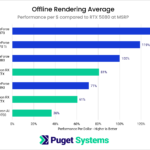
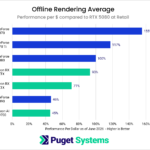
This is where the conversation becomes much more interesting for AMD.
System Image
While NVIDIA still dominates raw rendering speed, AMD GPUs become more competitive once pricing is factored in. Cards like the RX 9070 XT offer compelling overall value for users who render occasionally or want a system that balances gaming, content creation, and rendering workloads without pushing into ultra-high-end pricing territory.
The AI PRO R9700 occupies a more specialized position. Its rendering performance generally trails similarly priced GeForce cards, but the inclusion of 32GB of VRAM may make it attractive for users working with larger scenes who cannot justify the substantially higher pricing of NVIDIA’s professional RTX lineup.
At the same time, increasingly inflated GPU pricing has also created diminishing returns at the high end of the market. The RTX 5090 is undeniably the fastest GPU in this comparison, but it is also dramatically more expensive in real-world retail markets than its official MSRP suggests.
Should You Buy AMD Radeon for Rendering?
If rendering is central to your business, NVIDIA remains the clear recommendation. The combination of stronger performance, broader optimization, better software maturity, and fewer stability issues still makes GeForce and RTX GPUs the safer choice for professional rendering pipelines.
However, AMD GPUs are no longer easy to dismiss. For users who render occasionally, work within tighter budgets, or already prefer AMD GPUs for gaming and general content creation, modern Radeon cards are becoming increasingly viable options. Blender performance has improved substantially, V-Ray support is an important step forward, and AMD’s overall value proposition is stronger than it has been in years.
AMD still trails NVIDIA overall in GPU rendering, but the gap is finally beginning to narrow in meaningful ways.

Looking for a render workstation?
We build computers tailor-made for your workflow.

Don’t know where to start?
We can help!
Get in touch with our technical consultants today.