Table of Contents
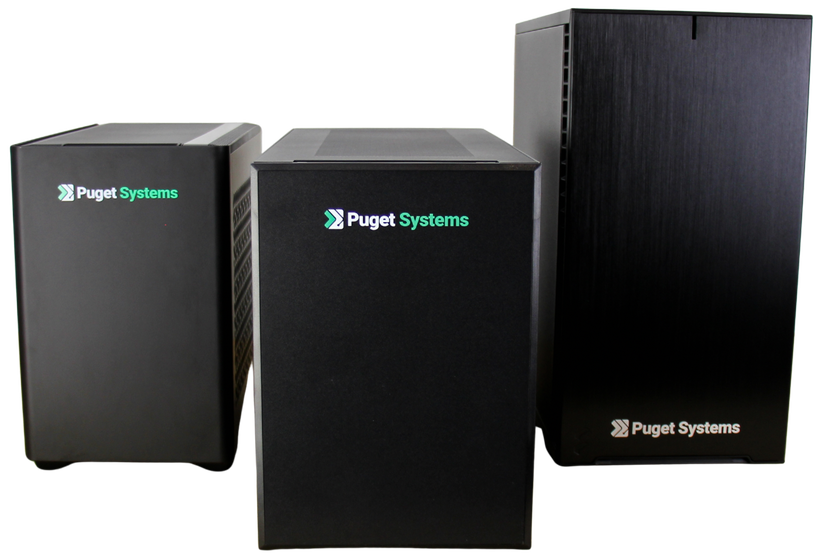
Puget Systems is proud to introduce our latest platforms for compact desktop systems based around the SUGO 17 chassis from SilverStone. Platform launches like this are a labor of love from many departments across our company, and involve a lot of testing and complex decision making. The result is a chassis we are confident will meet a wide variety of our customers’ needs.
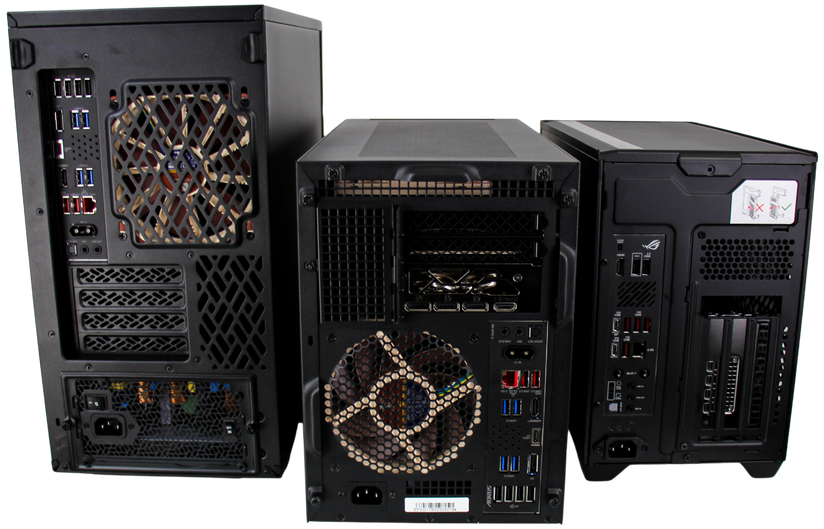
These SUGO 17-based systems will be replacing a few of our existing offerings, namely our ITX and mATX platforms built in the Cooler Master NR200P V2 and Fractal Design Define 7 Mini chassis, respectively. This article will shed light on the circumstances that necessitated introducing new platforms, the decision-making that led to the replacement of two existing cases, and the process behind our hardware qualification that brought the SUGO 17 to Puget Systems.
The Impetus
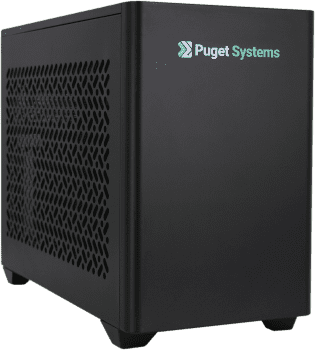
While there were a number of limitations we wanted to address within our compact workstation portfolio, the event that kicked off this project was the end-of-life (EOL) announcement for the NR200P V2. The replacement offering from Cooler Master, the NR200P V3, moved away from the design language we preferred, and did not address some of the limitations we had previously encountered. The V2 enabled very powerful small form-factor (SFF) workstations, but was more difficult to work in and maintain due to its compactness, the use of a PCIe riser cable, and the need to add GPU bracing to protect systems in shipping.
NR200P V2
By nature of it being an ITX chassis, the NR200’s internals are quite compact. Installation of an all-in-one liquid cooler (AIO) adds complexity to the build process, as does our use of standardized wiring practices. The NR200’s compactness is achieved in part through the use of a PCIe riser cable, which rotates the GPU to better fill the internal space. Unfortunately, these riser cables introduced issues – particularly how they were prone to coming disconnected in transit – requiring us to add acrylic retention pieces to help secure the riser during shipping. We also add bracing (to all our systems) to protect the GPU during shipping – no matter how we implemented the GPU bracing, the already-compact NR200 would be further packed with necessary components. All of this together led to a platform that was complicated to disassemble and service, which is particularly detrimental when trying to help customers troubleshoot systems in the field.
Finally, while the NR200P V2 enabled very powerful core components – up to a 9950X3D2, 128GB DDR5, and an RTX 5090 or RTX Pro 6000 Blackwell Workstation Edition – the expandability was limited by its small form factor. No ability to install additional PCIe devices (capture cards, networking cards, storage controllers, additional GPUs/accelerators) and limited storage expandability (a single 2.5” mount) meant this platform was unable to meet the needs of certain creative workflows or specific workplace requirements.
The V3 refresh of the chassis moved the physical appearance farther away from the Puget Systems aesthetic of an elegantly simple and professional black box, without addressing the limitations of expandability or serviceability. Furthermore, our existing GPU bracing solutions would have been rendered obsolete, requiring a complete overhaul of those designs as well.
Define 7 Mini
The NR200P V3 wasn’t our only concern – we had already been looking into alternatives to our mATX chassis, the Define 7 Mini. The biggest reason for this, oddly enough, is its lack of locking side panels. One of our larger clients has some special security requirements – namely, ensuring side panels are tamper-proof. While the chassis of yesteryear (or even yester-decade) often used thumbscrews to secure side panels, many modern designs have foregone this in favor of toolless quick-release mechanisms. While this is great for everyday consumers and DIY builders, it led to complications with this particular customer. The solution we developed for last year’s order was hand-drilling and tapping holes in each case’s side panels, then securing each panel with a pair of screws. While this did allow us to meet the customer’s requirements, it added significant labor to the production process. With this customer placing orders in the quantity of hundreds on a yearly cadence, we were heavily incentivized to find a solution that involved less labor – and fewer metal shavings.
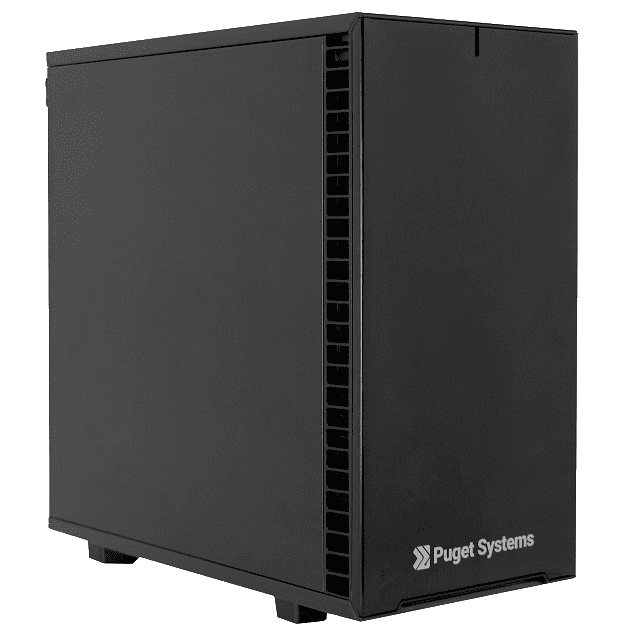
With that planned transition in mind, we had the opportunity to address any shortcomings of the Define 7 Mini platform. The Mini is a chassis that maintains the standard desktop PC internal layout while scaling down size; consequently, its space is not as well optimized for maximum hardware compatibility. This manifests itself in two main ways. One is that installing fans in the front of the chassis reduces the GPU length compatibility. This is why we are unable to offer an RTX 5090 in the Define 7 Mini: it simply does not fit unless you remove vital cooling fans. The second is the inability to use an AIO water cooler for the CPU; similar to the front chassis fans, installing a front AIO would reduce GPU compatibility even further. Normally, we would simply install the AIO in the top of the chassis as an exhaust, but we found that the radiator conflicts with VRM heatsinks and power cable plugs on the motherboards we carry.
We also ran up against drive expandability issues with the Define 7 Mini. Due to the internal layout of the chassis and our standards for GPU bracing, we were unable to develop a sufficient GPU bracing design that did not require removal of the included 3.5” drive cage. With this cage removed, the storage expandability is greatly reduced, forcing customers to choose between a large dedicated GPU and the ability to install 3.5” hard drives.
With all of these considerations in mind, that left us with a wishlist for a new compact platform. We wanted an mATX chassis rather than an ITX chassis, since mATX offers more RAM, PCI, and storage expandability. We needed a chassis that matched our other products in terms of appearance: all-black, subdued, and professional. We needed a chassis with screw-secured side panels to meet the requirements of our aforementioned customer. We wanted a chassis with improved GPU compatibility, but one that did not use a riser cable. We wanted as many 2.5” and 3.5” drive mounting options as possible. We wanted a chassis with intuitive GPU bracing options. Most importantly, we wanted as few compromises as possible so we could offer a platform that can adapt to a wide array of customer needs.
SUGO 17
This brings us to the SilverStone SUGO 17. SilverStone is a company with which we have an established relationship, as they are the manufacturers of our two mainline rack-mounted workstation chassis, the RM44 and RM51 in 4U and 5U form factors, respectively. We’ve also had positive experiences collaborating with SilverStone, including making modifications to existing chassis models, customizing front panels to add Puget branding, and creating custom packaging for us to ship fully-built systems.
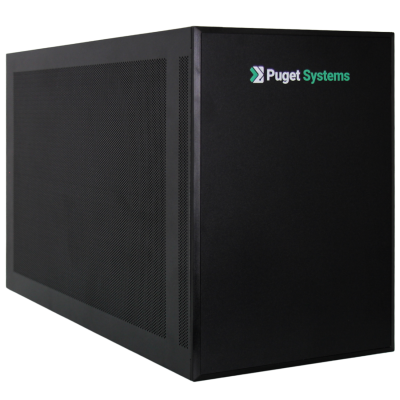
The SUGO 17 meets all of the major requirements of this transition, while also offering additional improvements over our existing platforms. First of all, it offers a compact mATX size without compromising on compatibility. GPU support is excellent, fitting practically all current video cards including 5090 models with very large heatsinks. The chassis supports AIO liquid coolers, providing additional thermal headroom for AMD Ryzen and Intel Core Ultra CPUs – and, unlike the NR200, the SUGO also allows us to use an air cooling solution when necessary. Storage mounting locations are solid, with one 2.5”/3.5” and two 2.5” mounts, in addition to support for full-size ATX power supplies. The cherry on top? A pair of thumbscrews securely fastening the top and both side panels. All things considered, the SUGO 17 proved to be the best fit for our compact workstation platforms moving forward.
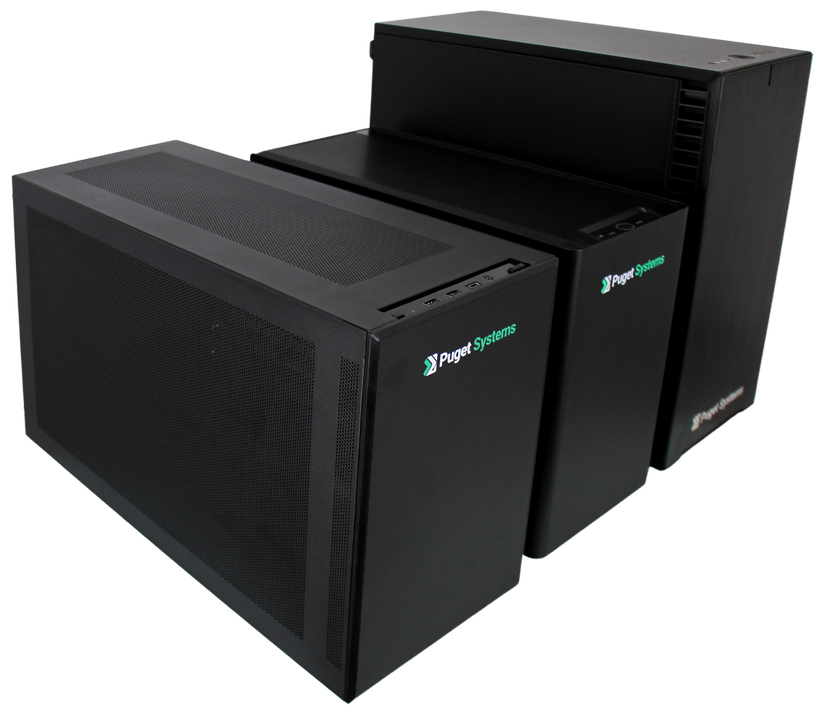
The Qualification Process
Hardware qualification at Puget is a very involved process. It includes a full evaluation of the component at hand, with careful considerations made to ensure compatibility across our many configurations – this means not only software/driver compatibility and full functionality, but also taking into account the physical constraints of a given platform. Qualifying a chassis is unique, because entire platforms are created within its ecosystem. In contrast, qualifying a SKU of RAM (for example) is relatively simple: ensure the RAM performs as expected, runs at the proper frequencies, and is stable when installed on any of our potential motherboard offerings. For a chassis, however, there are many more factors to consider, and much more internal documentation is required.
To start, I methodically executed the build process, taking extra care to consider the choices I was making as it came together: things such as the order in which I installed components, little quirks I noticed as I built, how I was choosing to route power and data cables. I also made careful note of the tolerances between components. Along the way I documented what I was doing, particularly in terms of cable management and the order of installation, to help with the creation of internal documentation later.
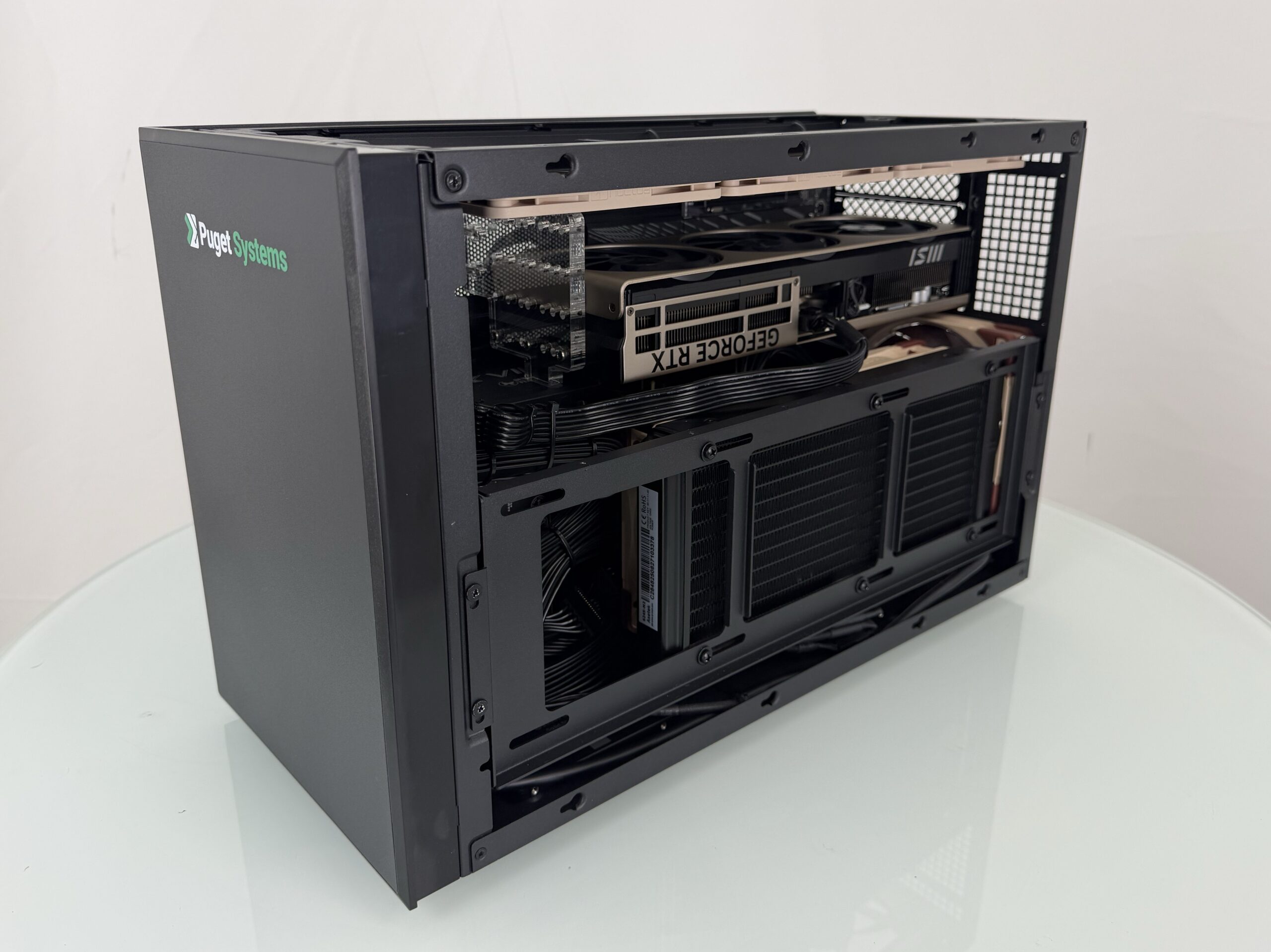
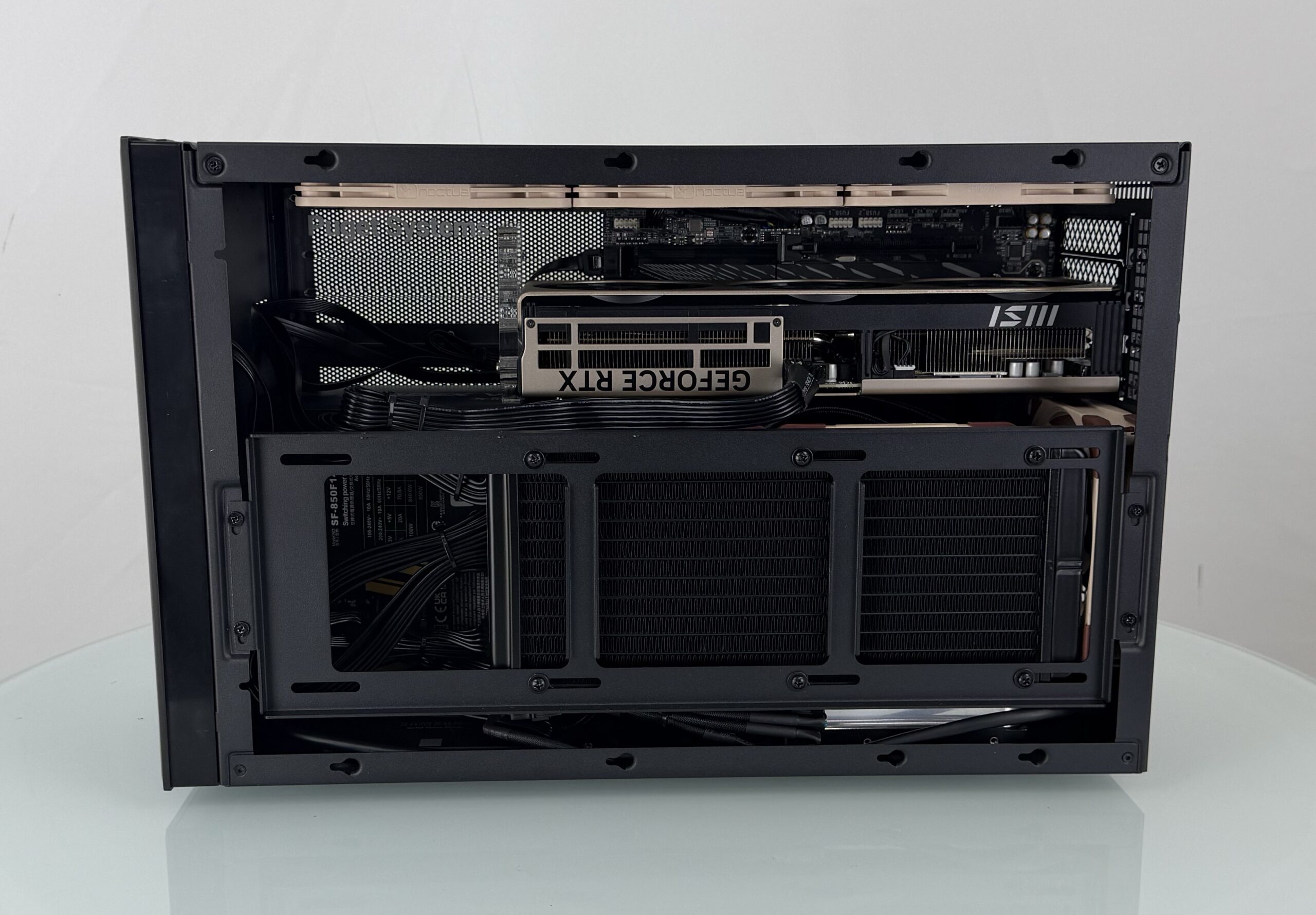
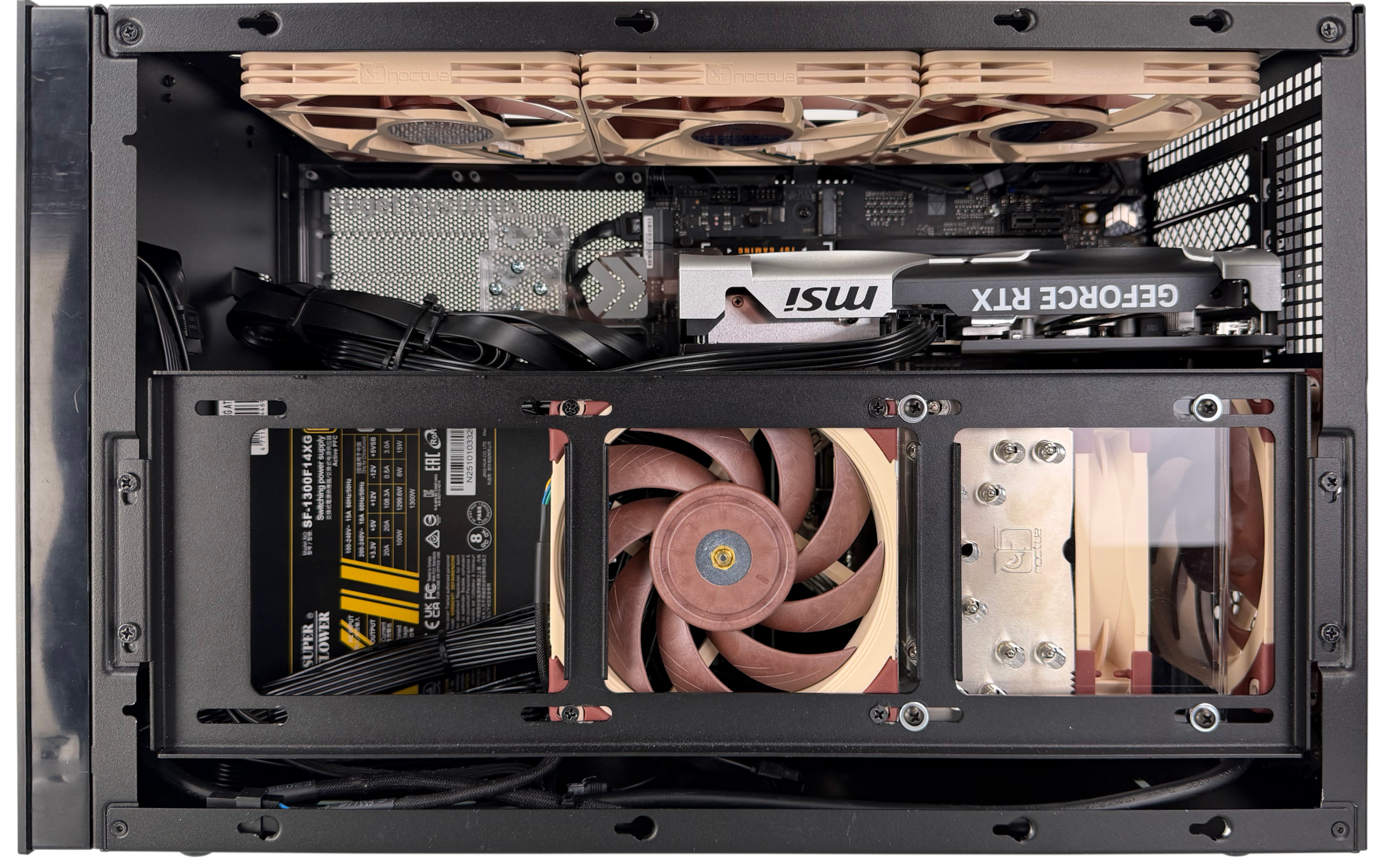
Once the system was built, it was time to test thermals. When building the first configuration, I wanted to start with a standard baseline of chassis fans, and populate the system with more demanding components to better push its limits. I selected an AMD Ryzen™ 9 9950X3D CPU, two 32GB sticks of RAM, and an NVIDIA RTX PRO™ 6000 Blackwell Workstation Edition. This massive GPU, equipped with 96GB of VRAM and capable of drawing as much as 600W of power, was the centerpiece of this stage of the evaluation, as the thermal potential of the SUGO 17 was a very promising aspect we noted during initial evaluation. Built with an inverted motherboard tray, the SUGO has mounting for up to three 120mm fans to provide direct intake to the GPU, in addition to a pair of optional 80mm fans to exhaust GPU waste heat.
Evaluation of various thermal configurations yielded solid results. First of all, the GPU temperatures were within spec even with a massive 600W GPU under full synthetic load; I found that using all three top intakes was important, but that the 80mm exhaust fans had very little impact on GPU temperatures. This ended up proving important, as we were able to utilize these mounting points for our bracing designs. Full-thickness fans mounted in the top of the chassis presented problems for installing single-slot PCIe cards in the final slot, however, so we brought in and evaluated slim Noctua fans to provide adequate clearance to fully utilize the chassis’ expansion slots. The slim fans performed almost identically to the full-thickness variant that was used previously.
For CPU temperatures, we found that using an AIO with a 240mm radiator kept everything well under control. Since the radiator mount is positioned as an intake, and the three chassis fans by the GPU are intake fans as well, we effectively are able to isolate the thermals between the two core components. One component being placed under heavy load won’t affect the other’s thermals, and neither component overheats during a combined CPU-GPU stress test.
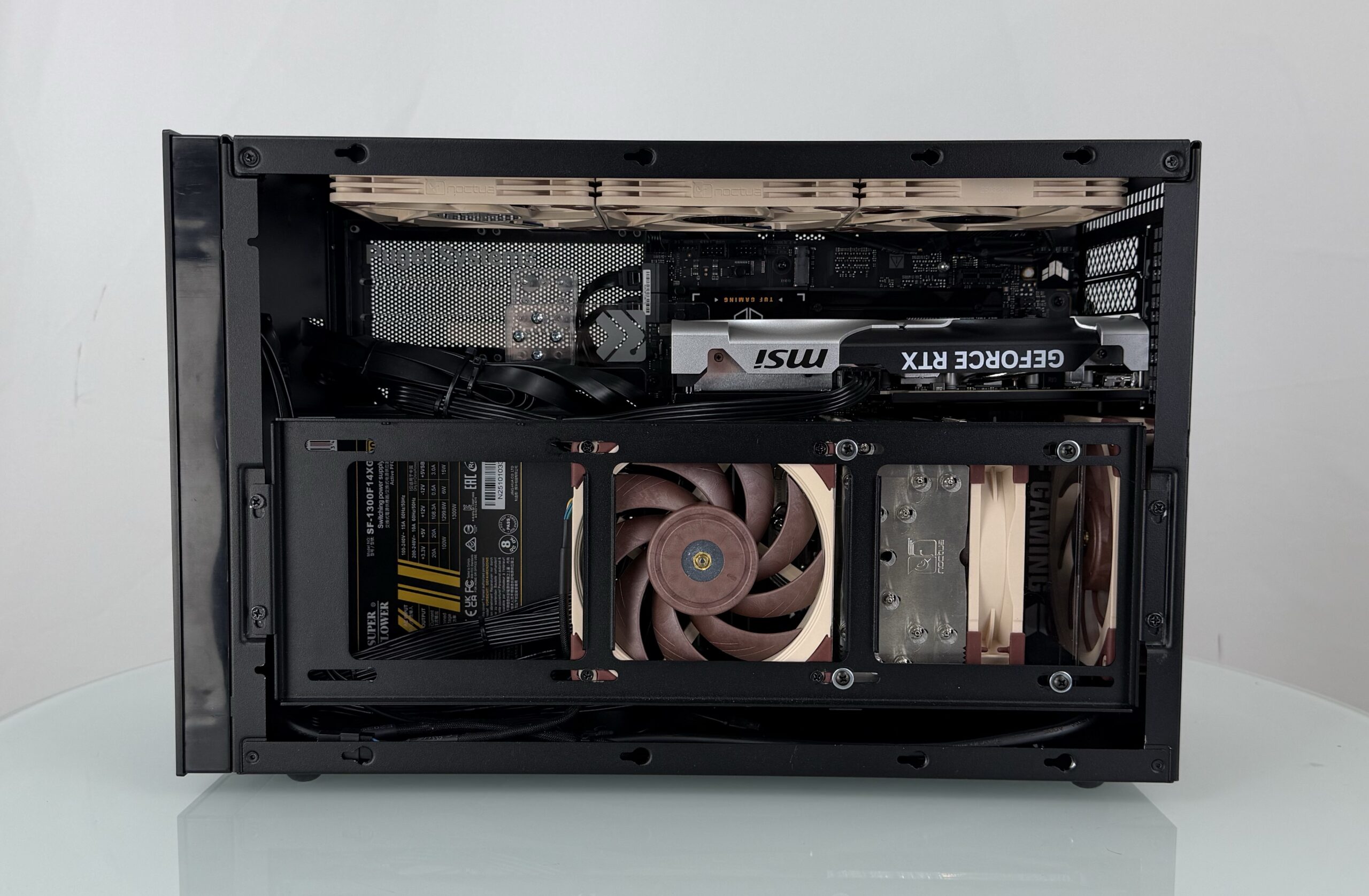
We also want to be able to support configurations with air cooling for the CPU, for customers whose requirements dictate that water cooling cannot be used. Air-cooled configurations in the SUGO 17 will have some exhaust heat from the GPU fed into the CPU cooler, but testing showed that an additional side intake fan kept temperatures within acceptable levels.
Chassis Modifications
While building within the SUGO 17, we were also paying close attention to various fit and finish aspects of the chassis. One of the great things about working with SilverStone is that we have the option to make minor modifications to existing chassis to tailor them to our product line. For the SUGO 17, most aspects of the case fit our needs nicely. However, there were two components we wanted to alter: the chassis feet and the front panel.
First, the chassis uses adhesive to attach rubber feet to the underside of the frame. While we found the adhesive sufficient, we elected to source slightly larger rubber feet to increase the surface area of the adhesive, to maximize durability. Second, we wanted to have our branding implemented on the chassis from the factory. This is something we already do with rack-mounted workstation chassis we source from SilverStone – but this time we also wanted to alter the finish on the front panel. By default, the SUGO 17 has a matte painted finish on the frame, with a brushed aluminum front panel. We wanted the front facade to more closely match the painted matte finish of the frame and panels, and then have the Puget System’s logo printed on that matte finish. These changes may seem small, but they have a big impact, and given how easy it has been to work with SilverStone, it was a no-brainer to include these improvements to tailor this platform exactly to our needs.
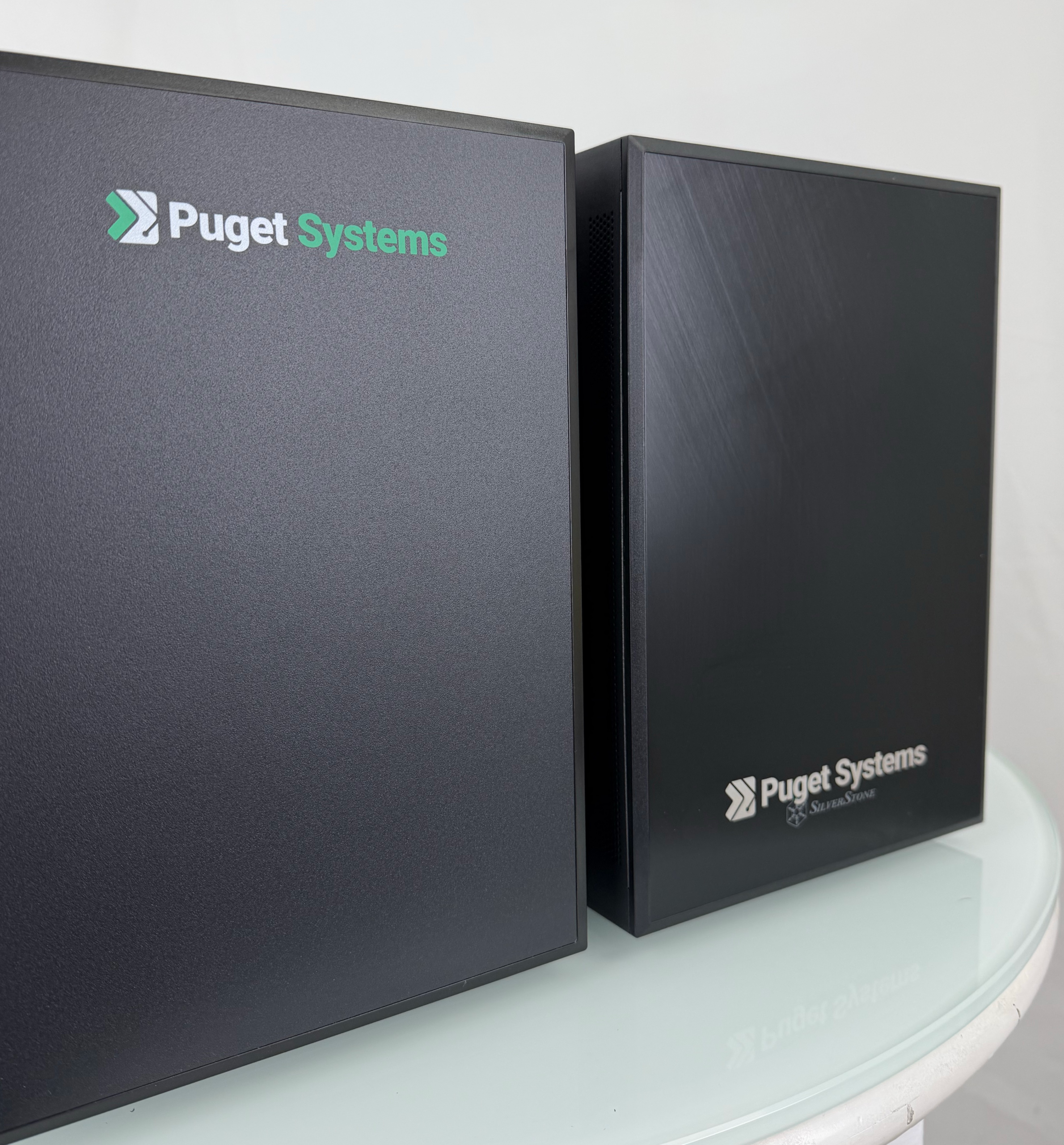
Right: original panel with brushed finish (and a test-etch of our logo)
Bracing & Packaging
One of the final steps in the qualification process is bracing design. For almost every workstation we sell, there is some form of bracing required. Most commonly, there will be GPU bracing, as any GPU larger than an A1000 or Blackwell 2000 is heavy enough to require additional reinforcement for shipping. Additionally, air coolers with a 120mm fan or larger require bracing to prevent any warping of the heat pipes in transit. For the SUGO 17, we needed to develop bracing for each style of GPU in our product line, as well as bracing for our air-cooled CPU options.
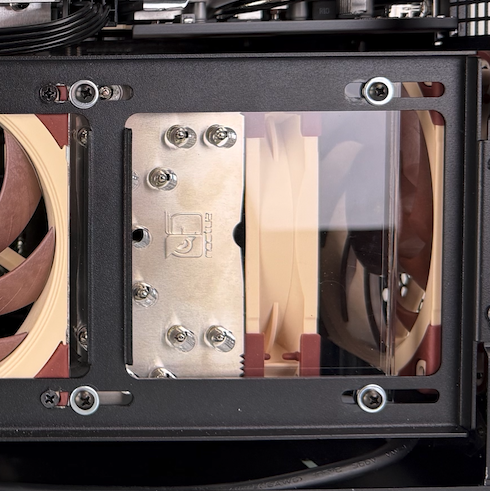
CPU bracing is straightforward in this chassis because of the side-mounted fan bracket. This bracket sits almost exactly three-eighths of an inch above the Noctua NH-U12A, our standard air cooler. This meant that we could use 3/8” acrylic to secure the heatsink to the fan bracket. Once this design was created, adjustments to the mounting holes were made to accommodate each motherboard we plan on supporting in this chassis. Each motherboard’s CPU socket is in a slightly different position, which is why the CPU brace is different from board to board.
For GPU bracing, we separated this into three categories. The most common category is just standard GPUs, where there are two to three M3-threaded holes on the end of the video card that can be mounted to. The second category are unthreaded GPUs, where neither the heatsink nor the shroud have any threaded holes. We have plenty of experience working with these GPUs, and our typical bracing solution for these cards acts as a support. Our designs take the form of what we call a “C-brace,” where a C-shaped piece holds the GPU on multiple sides to secure it in place. Our third category, for the purposes of this chassis, was termed “short-length GPUs.” In our standard Define 7 and Define 7 XL platforms, GPU bracing is mounted to the power supply shroud, and does not conflict with the motherboard in any meaningful way. However, for GPU bracing in the SUGO 17, we elected to use the 80mm fan holes as our mounting point for bracing. Since these 80mm mounts are on the motherboard tray, this made bracing GPUs that are shorter than the width of the motherboard tricky. After evaluating a few designs, we were able to brace these GPUs using longer M3 screws combined with spacers. Luckily, I worked on this before I began developing the C-brace, which proved helpful, since many of the GPUs that require a C-brace happen to be short-length cards.
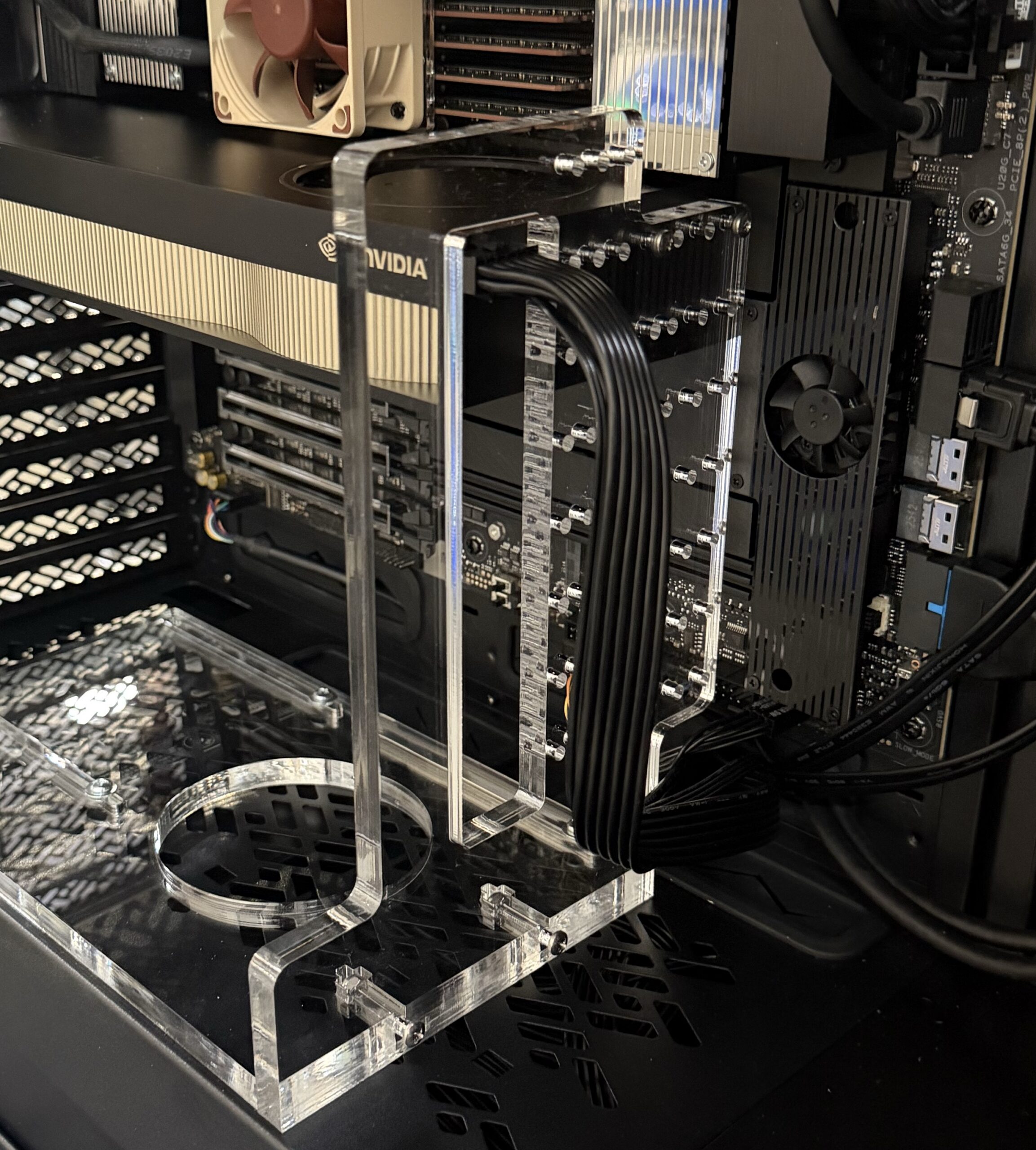
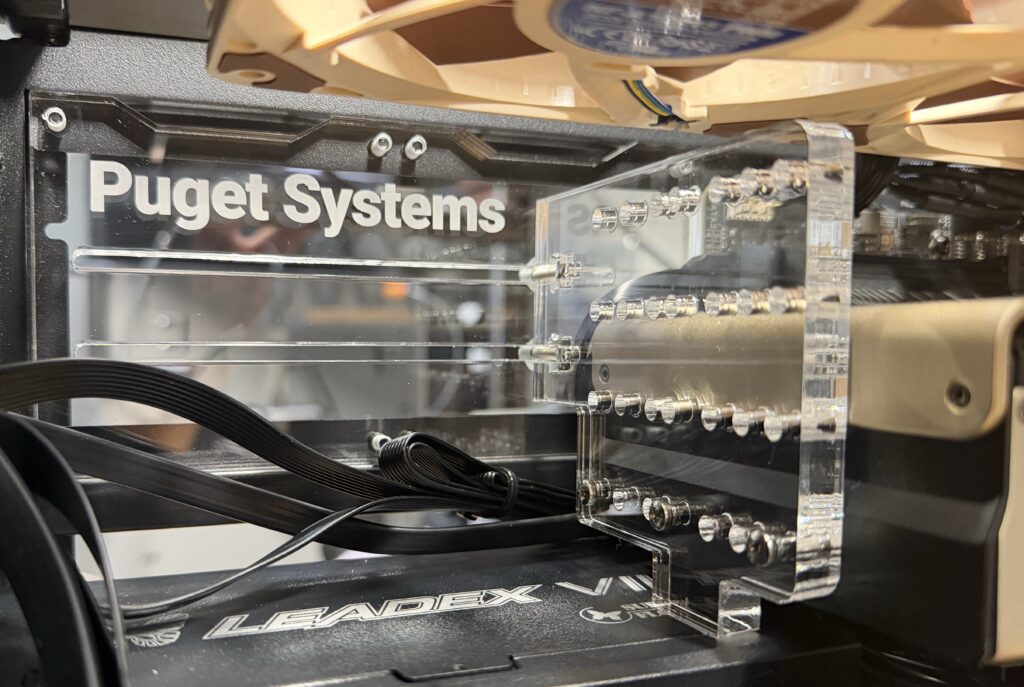
With the bracing designs themselves created, documentation to support the various designs followed – even down to details like establishing purchasing schedules for some new bolts and screws that were brought in to support specific bracing solutions in the SUGO.
While bracing protects the internal components, packaging protects the entire computer. When we purchase a case from a manufacturer, it comes in packaging meant for shipping. However, the packing material (typically some form of foam) is designed to support the empty chassis, not a fully-built computer. In order to properly protect our systems in transit to our customers, we develop custom packaging for each of our cases. In this instance, we worked with SilverStone’s factory to have packaging developed for the SUGO 17 that can protect both the chassis on its way to our facility, and the fully-built workstation on its way to our customer.
The Home Stretch
With bracing solved for the CPU and GPU, chassis customization finalized with SilverStone, cooling layouts tested, and documentation drafted for the production process, we found ourselves on the home stretch. One of the major aspects of any product line transition is the supply chain side of things. Since we are moving away from multiple current offerings and bringing in something new, a lot of coordination is involved to sell our existing stock of products that will be phased out, and to time that to line up with the arrival of the stock of new products. The supply side of this is what dictated the overarching timeline of this process. This included the EOL announcement of the NR200P V2 chassis – once we knew we could not get more of this ITX case, we knew our deadline to complete the transition. On the flip side, our stock of hardware for the NR200P and D7 Mini platforms introduced a limit to how quickly we could roll out this transition.
To support the launch we had to prepare our website – particularly the configuration pages – to enable customers to view the available configurations, as well as to support the platform on the back end for our sales representatives. This includes using photos of our sample unit to demonstrate what a fully-built system would look like in the chassis. Finally, we created some marketing material to accompany the SUGO 17 launch, which included editing glam shots, writing ad copies, preparing social media posts, and producing website content – such as this article!
All in all, it took around five months to develop our platforms within the SUGO 17 and bring them to market. From identifying the gaps in our product line and the components that needed to be replaced, to selecting the best case to fill those gaps and meet customer needs, to qualifying the chassis and preparing our internal systems for the production process, a lot of work goes into creating a platform that meets Puget standards. We are excited to announce that systems within the SUGO 17 are now available for quote and purchase on our website, and we encourage anyone interested to reach out to us to discuss your specific needs.
Configure a SUGO 17 Workstation Today
Check out our new configure pages for these compact workstations – available with either AMD or Intel processors: