In this post I go through a simple modification to the VGG Image Annotator that adds easy to use buttons for adding labels to image object bounding-boxes. It is very fast way to do what could be a tedious machine learning data preparation task.

In this post I go through a simple modification to the VGG Image Annotator that adds easy to use buttons for adding labels to image object bounding-boxes. It is very fast way to do what could be a tedious machine learning data preparation task.
Are you having trouble with your USB devices not being recognized after your system wakes up from sleep mode? Check out this guide where we cover the Windows USB Selective Suspend feature and how to disable it.
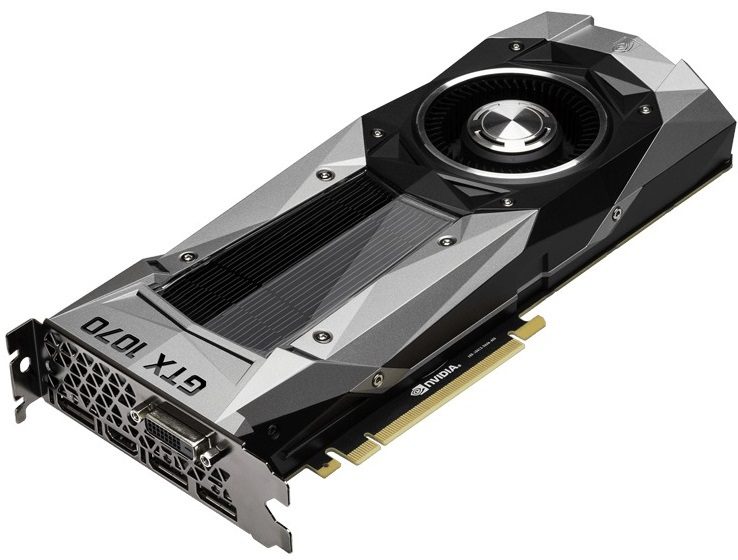
GPU rendering engines like OctaneRender and Redshift utilize the computational power of the graphics processing chips on video cards to create photo-realistic images and animations. The more powerful the video card, the faster the rendering process goes – and multiple video cards can be used together to further improve performance. But can those video cards be a mix of different models, or do they all need to be identical?

All Puget Systems come with lifetime labor and support. Although we hope that you never have to send your system in to be repaired there maybe be a time when you do. This article was created in an effort to show you what to expect when you do have to send your system in for repair.
In this post I’ll walk you through the best way I have found so far to get a good TensorFlow work environment on Windows 10 including GPU acceleration. YOU WILL NOT HAVE TO INSTALL CUDA! I’ll also go through setting up Anaconda Python and create an environment for TensorFlow and how to make that available for use with Jupyter notebook. As a “non-trivial” example of using this setup we’ll go through training LeNet-5 with Keras using TensorFlow with GPU acceleration. We’ll get a setup that is 18 times faster than using the CPU alone.

The Puget Tools application is installed on all Puget computers built after 01/01/2018. If you do prefer to remove this application, this guide will help you do so.

Redshift is a GPU-based rendering engine, which recently updated from version 2.5.72 to 2.6.11. That update added compatibility with NVIDIA’s Volta GPU architecture, and cards like the Titan V, but did it also improve render speeds?

Redshift is a GPU-based rendering engine, and the latest version 2.6.11 introduced compatibility with NVIDIA’s Volta graphics architecture and cards like the Titan V. Lets take a look at how different GeForce and Titan models perform.

Redshift is a GPU-based rendering engine, but how well does its performance scale when multiple video cards are used in a system?

PhotoScan makes heavy use of both the central processors (CPUs) in a computer and the video cards (GPUs) to run many of the calculations involved in turning still images into a 3D model or map. Agisoft, the makers of PhotoScan, have versions available for both Windows and macOS – so let’s take a look at how these two, competing computer platforms compare.
Puget Systems builds custom workstations, servers and storage solutions tailored for your work.
We provide:
Extensive performance testing
making you more productive and giving better value for your money
Reliable computers
with fewer crashes means more time working & less time waiting
Support that understands
your complex workflows and can get you back up & running ASAP
A proven track record
as shown by our case studies and customer testimonials




